3.2 Sector Evaluation
OBCFPM allows the Policy Analysts to evaluate the sector, industry group, industry and sub - industry selected and view the score for each evaluation instantly.
Figure 3-6 Policy Initiation_Sector Evaluation
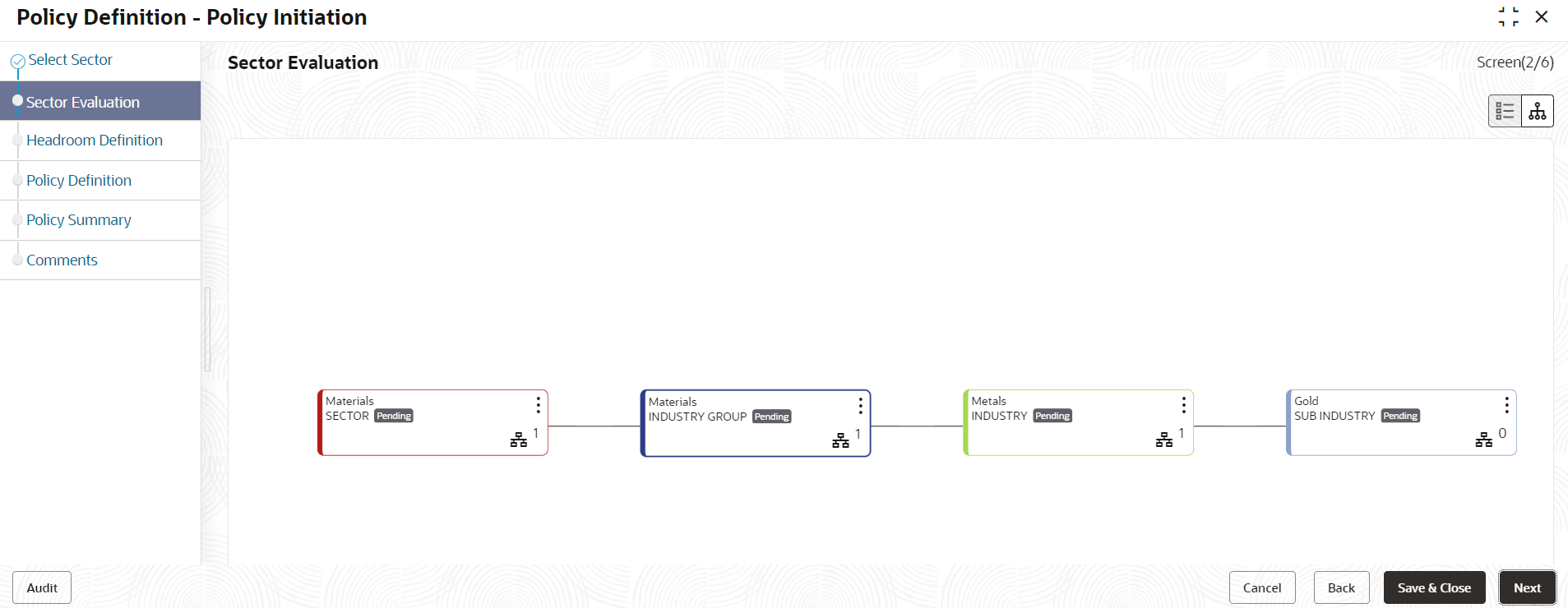
In Sector Evaluation page:
- To change the layout of the tree view, click the configuration icon at the top
right corner. The layout options are displayed as shown below:
- To change the tree view to list view, click the list icon at the top left
corner. Sector Evaluation page view is changed as shown below:
- To evaluate the sector, click Evaluate Now button in list view or right
click sector icon in tree view. Sector Evaluation window is
displayed.
- Click Evaluate button and evaluate the following elements:
- Financial Performance
- Government Support
- Spending Trends
- Sector Analysis
- Bank Obligations
- Geographical Expansion
Click Evaluate button, questions related to the evaluation appears:
- Answer all the questions and click Submit. Overall score is displayed
for the evaluated element as shown below:
- Click Submit. Sector Evaluation page is updated with the
evaluation scores as shown below:


Parent topic: Policy Initiation