3.4 Policy Definition
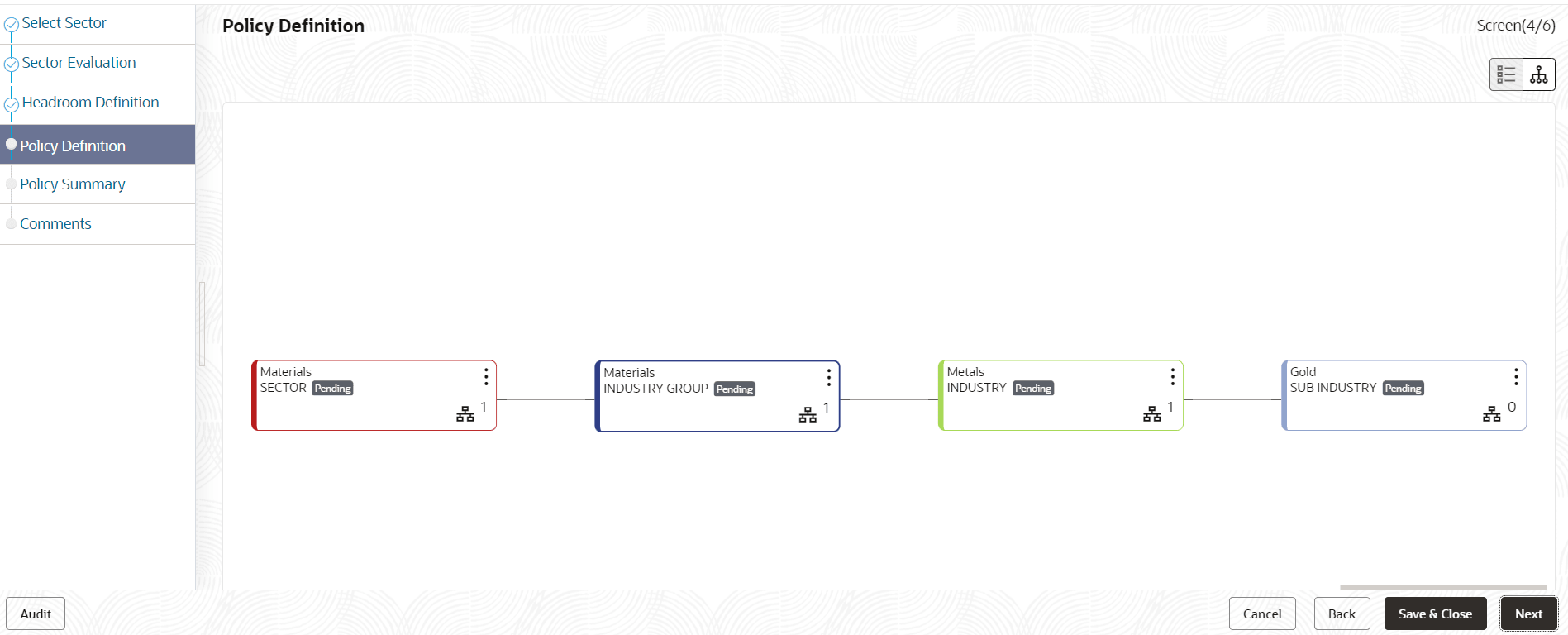
In Policy Definition data segment, you will set the rules and regulations of lending.
Figure 3-19 Policy Initiation_Policy Definition
Note:
Refer Sector Evaluation section for information on changing the layout of the tree view.- To change the tree view to list view, click the list icon at the top left
corner. Policy Definition page view is changed as shown below:
- To define policy for the sector, click the Define Policy button in list
view or right click the sector icon in tree view. Configuration window is
displayed.

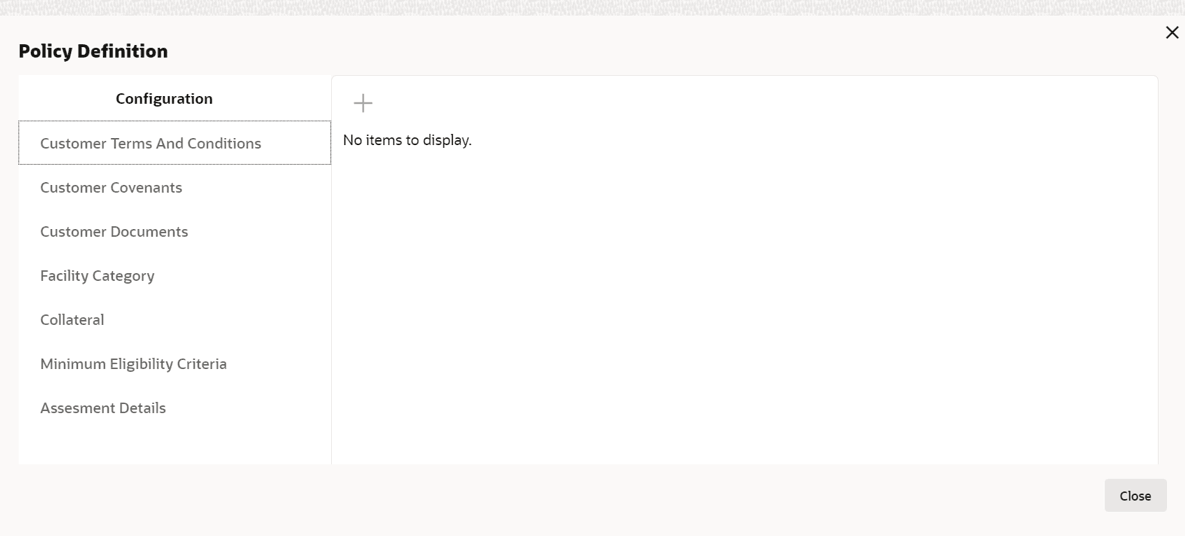
Configuring window