3.4.6 Configuring Minimum Eligibility Criteria
Configuring Minimum Eligibility Criteria:
- Click Minimum Eligibility Criteria from the left menu. Vintage
window is displayed.
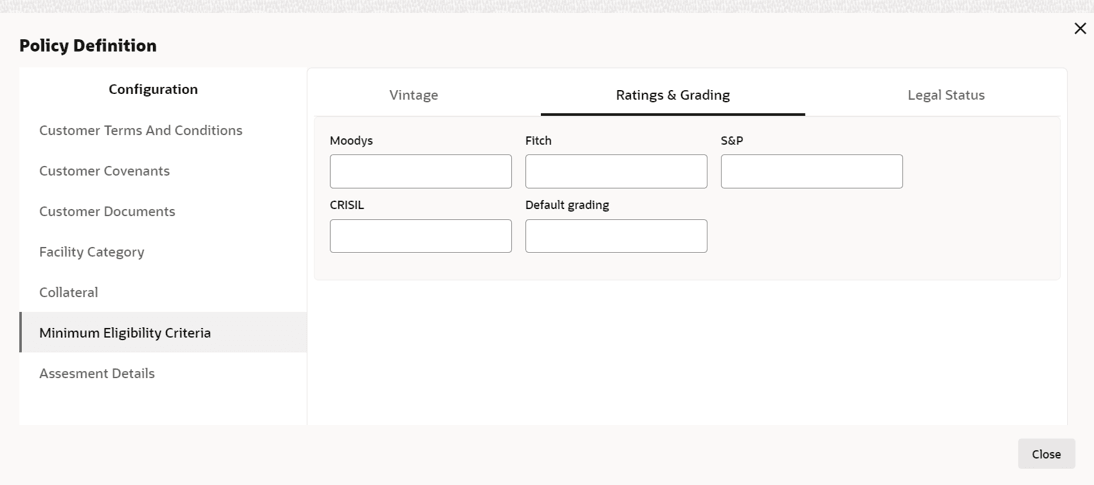
- To capture Ratings & Grading requirement, click Ratings &
Grading next to Vintage. Ratings & Grading window is
displayed.
- Specify Default Grading requirement and click Legal Status next
to Rating & Grading. Legal Status window is displayed.
For information on adding Legal Status fields screen, refer the below table.
Table 3-20 Legal Status
Fields/Icons Description Legal Status Capture Legal Status requirement by selecting Allowed or Not Allowed for the following fields: - Pvt Ltd
- Proprietorship
- Partnership
- Public Ltd
- Government Owned
- Society
- Trust
- HUF
Save Click Save.


Parent topic: Policy Definition