3.4.3 Configuring Customer Documents
Configuring Customer Documents
- To add the document related policy, click Customer Documents from the
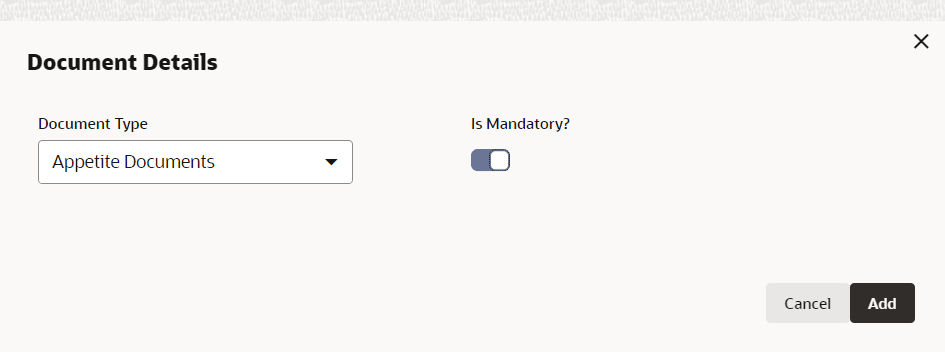
left menu and then click + icon. Document Details window is displayed:
For information on fields in the Document Details screen, refer the below table.
Table 3-5 Document Details
Fields/Icons Description Document Details Select Document Details from the drop-down list. Is Mandatory? Enable Is Mandatory? check box. Add Click Add. Document Details are added and displayed in Customer Documents window. Edit To modify the document details, click Edit icon. Delete To delete the document details, click Delete icon. View To view the added document details, click View icon. - Default and ValidationThe following fields will get defaulted from Policy Definition to the OBCFPM processes which are linked to policy definition and policy validation.
- Document Type
The following fields will get validated against policy definition and the compliance will be reported in Policy Exception.- Document Type

Parent topic: Policy Definition