6 ESG Assessment
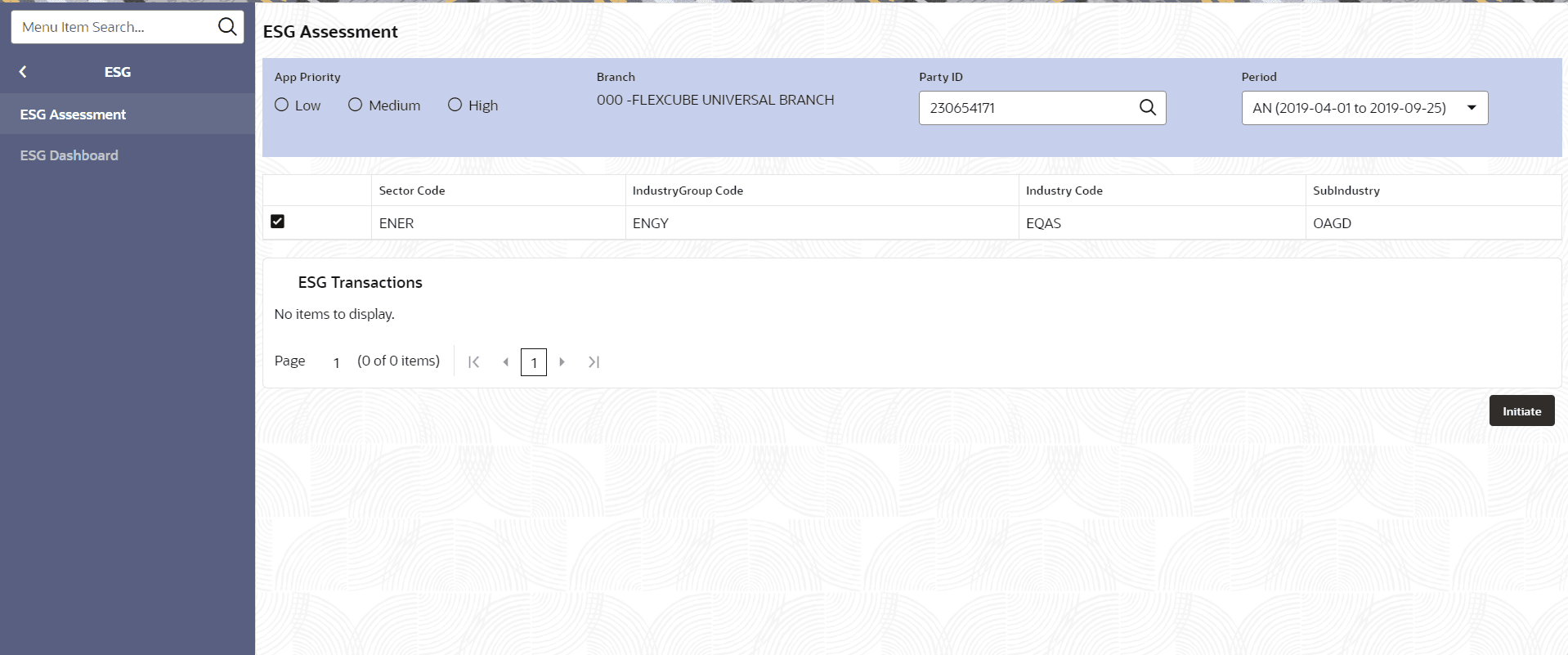
This topic describes the systematic instructions to initiate ESG Assessment.
- On Home screen, click ESG. Under
ESG, click ESG
Assessment.The ESG Assessment screen displays. For more information on fields, refer to the field description table.
Table 6-1 ESG Assessment
Field Description Application Priority Specify the Application Priority. The available options are: - Low
- Medium
- High
Branch Displays the branch name. Party ID Specify the Party ID. Period Specify the Period. Sector Code Displays the Sector Code for the selected Party ID. Industry Group Code Displays the Industry Group Code for the selected Party ID. Industry Code Displays the Industry Code for the selected Party ID. Sub Industry Displays the Sub Industry for the selected Party ID.
- ESG Assessment - Initiation
This topic describes the systematic instruction to Initiate ESG Assessment. - ESG Assessment - Approval
This topic describes the systematic instruction to Approve ESG Assessment.