5 View Score Range
This topic describes the systematic instructions to View Score Range.
- Under Maintenance, click Score Range
Maintenance. Under Score Range
Maintenance, click View Score
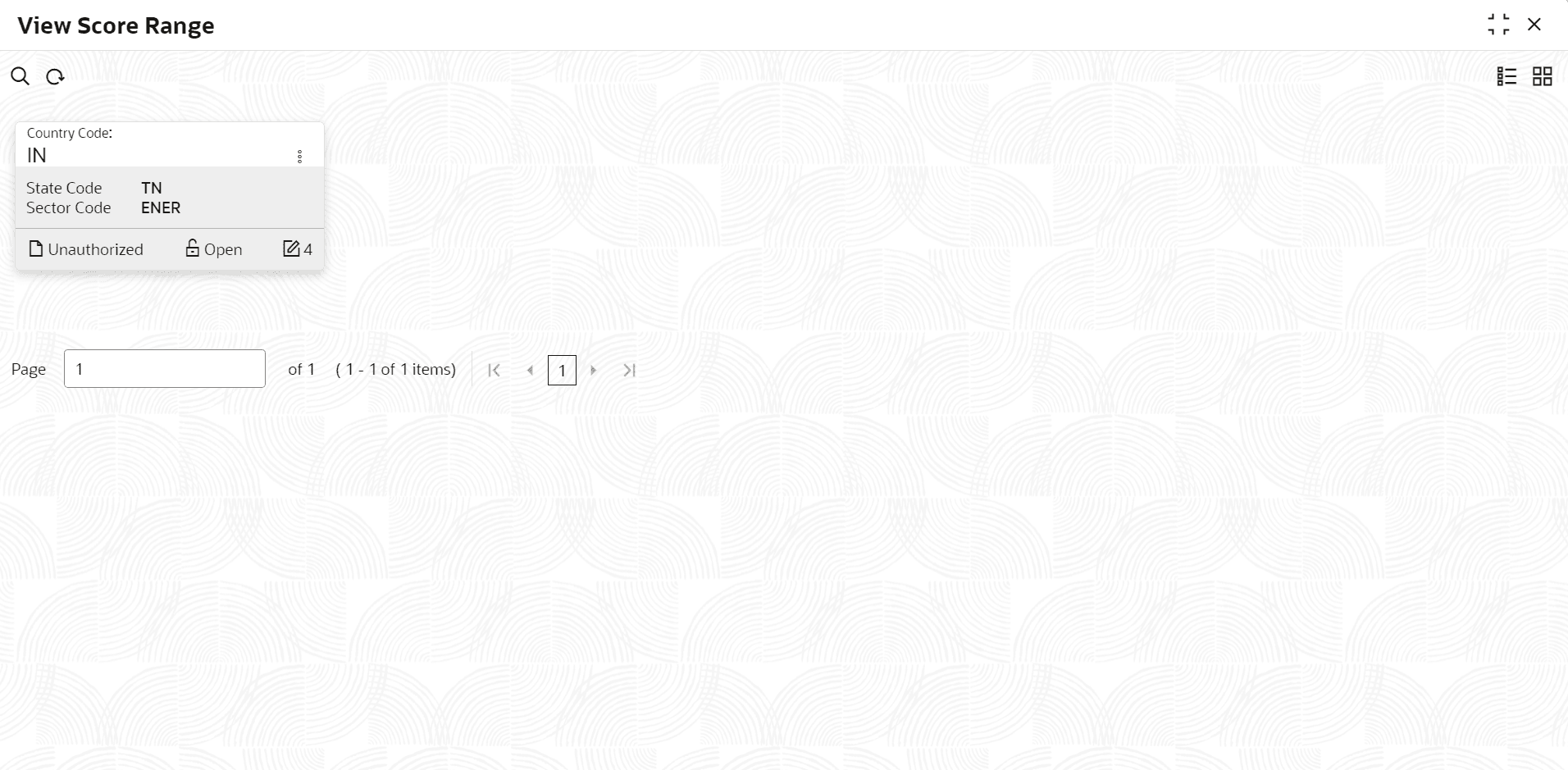
Range.The View Score Range screen displays.
- Click
 on the View Score Range, Click View to view the
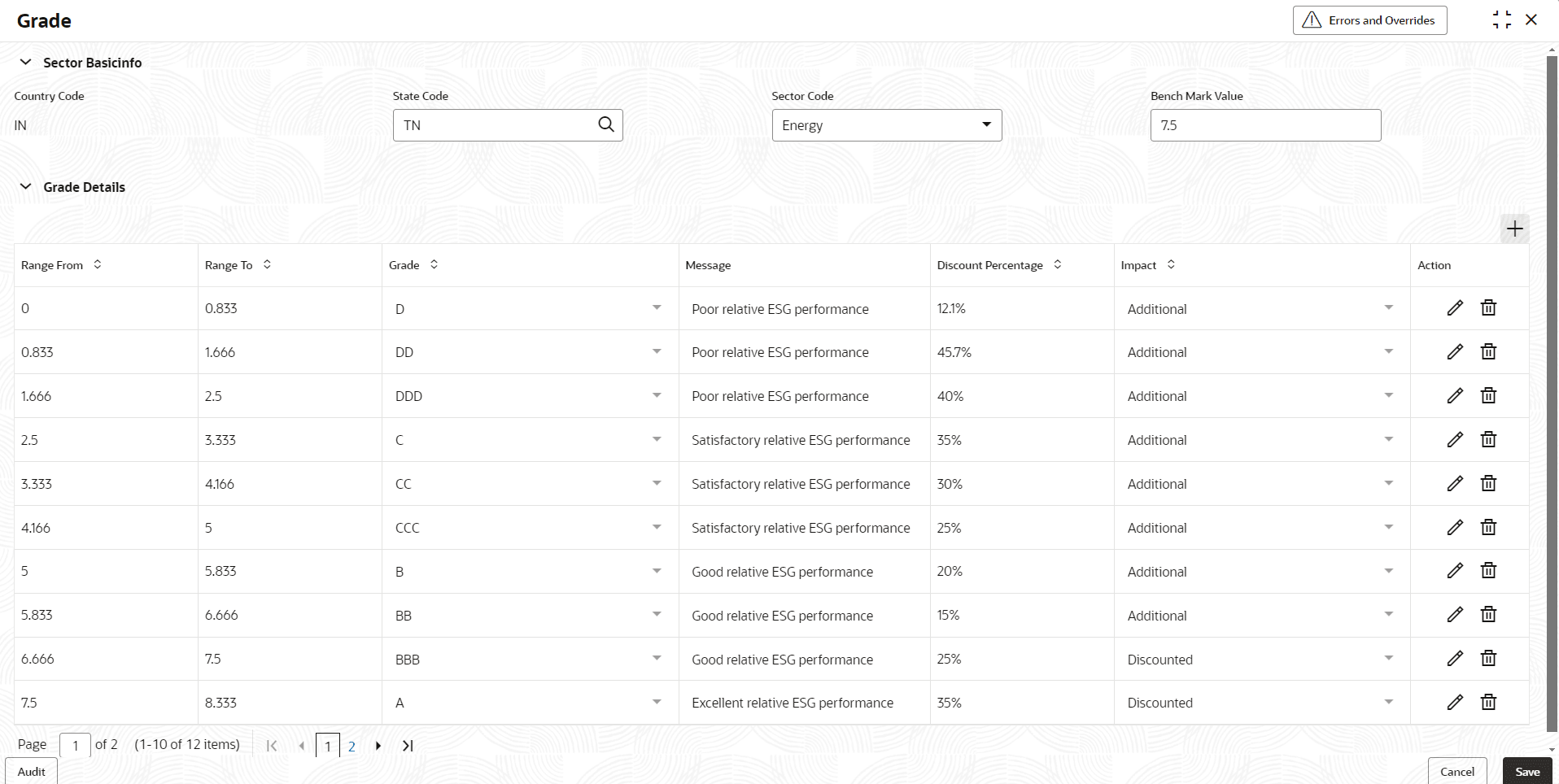
score.The Grade screen displays. For more information on fields, refer to the field description table.
on the View Score Range, Click View to view the
score.The Grade screen displays. For more information on fields, refer to the field description table.Table 5-1 Grade
Field Description Country Code Displays the Country Code. State Code Displays the State Code. Sector Code Displays the Sector Code. Bench Mark Value Displays the Bench Mark Value. Range From Displays the range. It represents the minimum value or earliest date included in the range. Range To Displays the range. It indicates the maximum value or latest date that is included in the range. Grade Displays the Grade. Message Displays the message. Discount Percentage Displays the Discount Percentage. Impact Displays the Impact. Action - Click Edit icon to edit the Grade Details
- Click Delete icon to delete the Grade Details