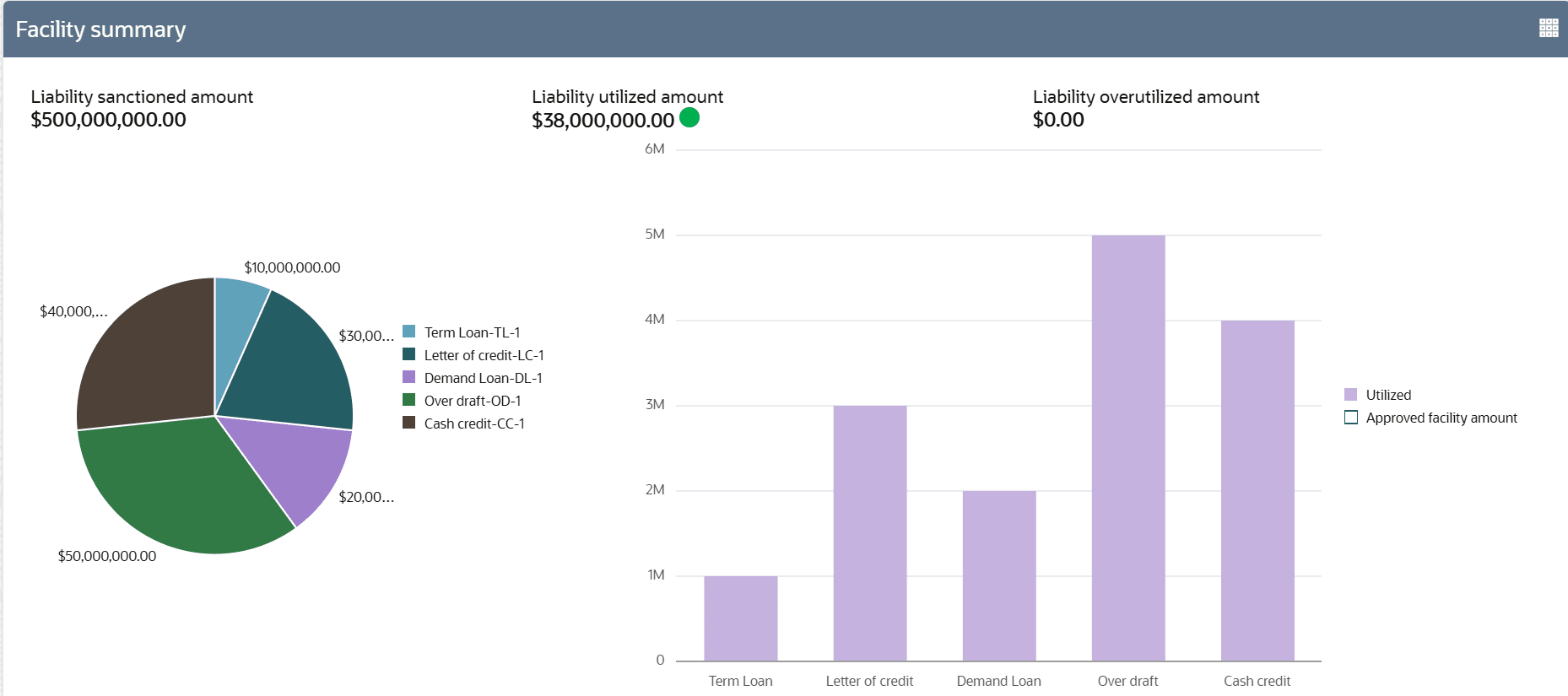
3.2 Facility Summary
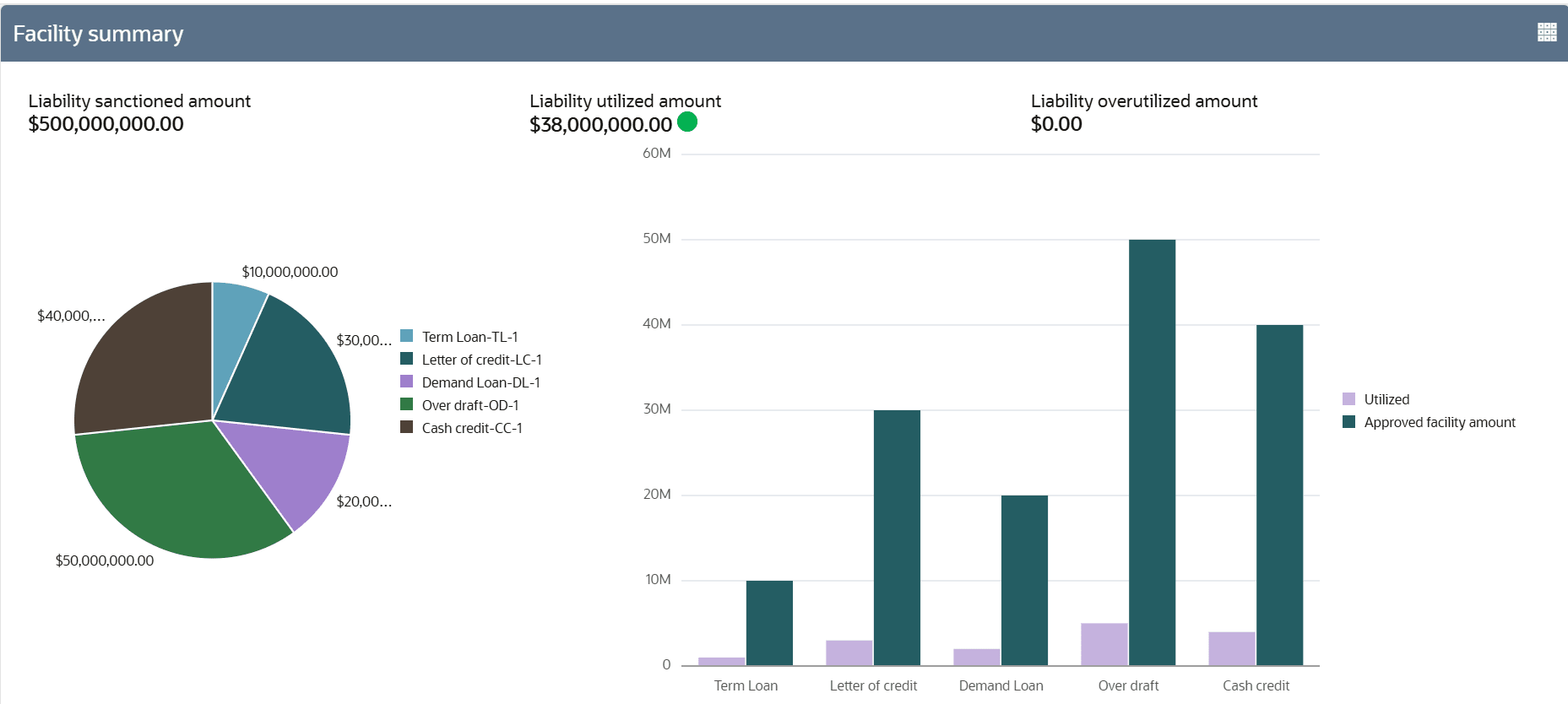
Information on the Facility Summary tile in Credit 360 interface.
The Facility Summary tile displays the amount of liability sanctioned
and utilized in all the categories maintained in the system, such as Guarantee, Term
Loan, Working Capital, and Letter of Credit, along with the Liability
OverUtilized amount.
Note:
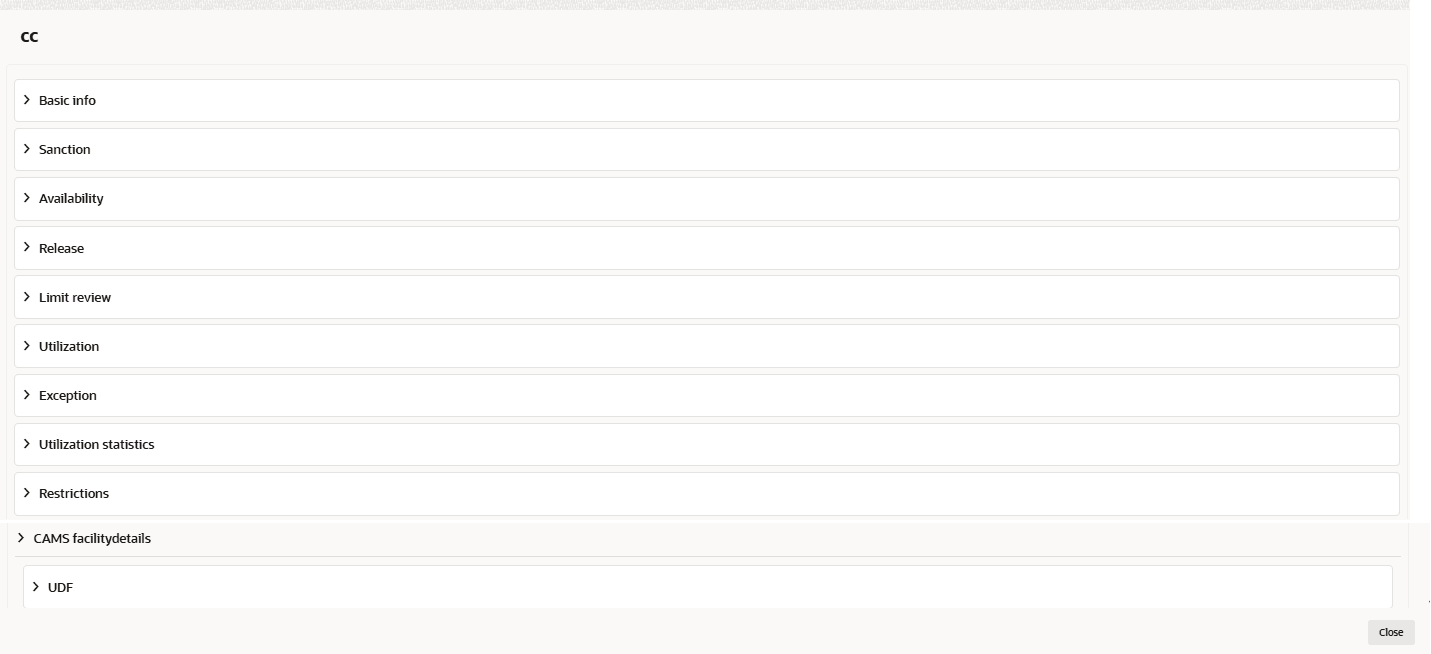
All the amounts displayed in the pie chart are in liability currency.- To view more information about the specific facility category, click on the required category in the pie chart.The data for the selected category are displayed.
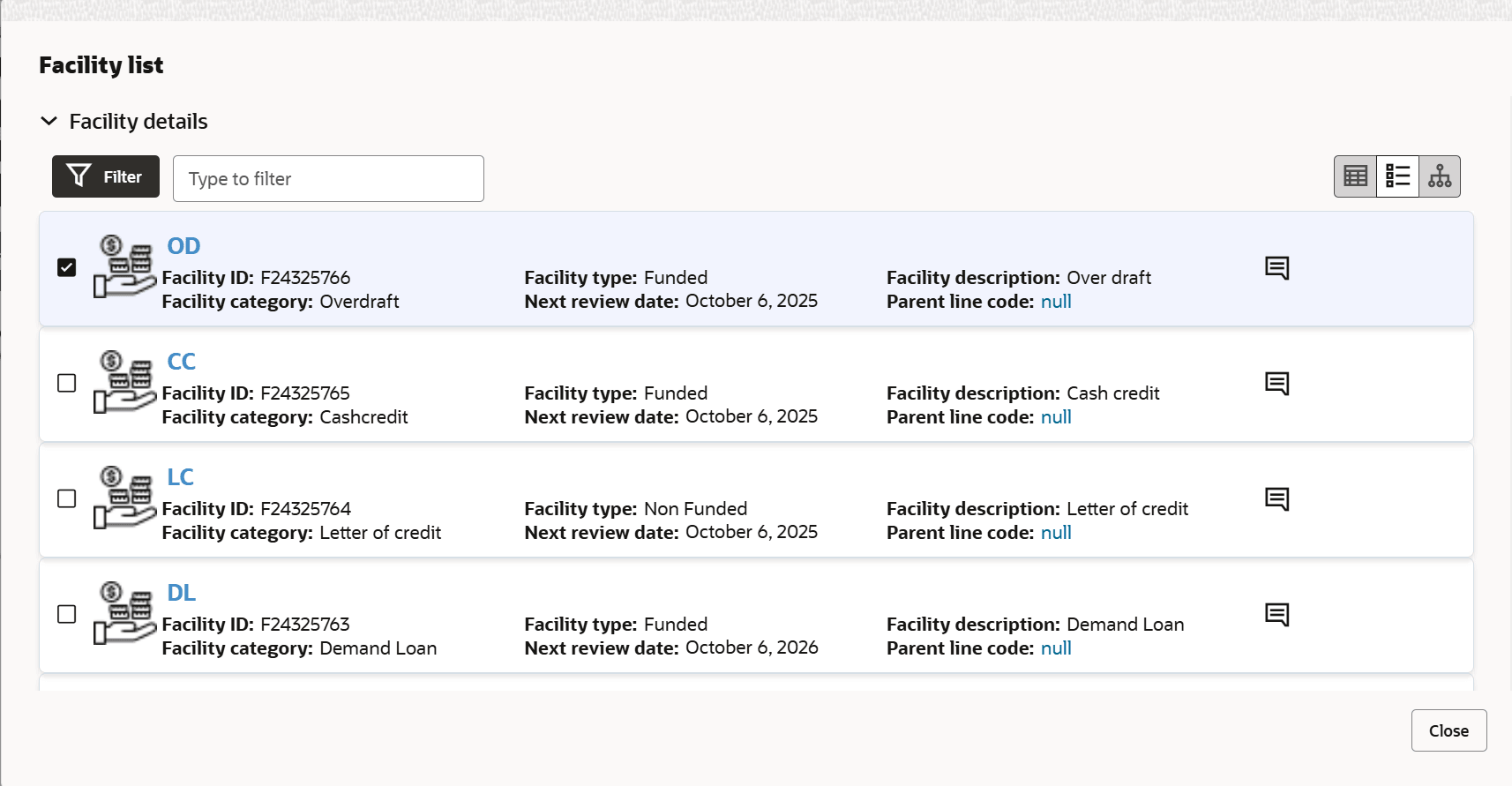
- To view the facility list, click the Table View icon.The Facility List window is displayed.
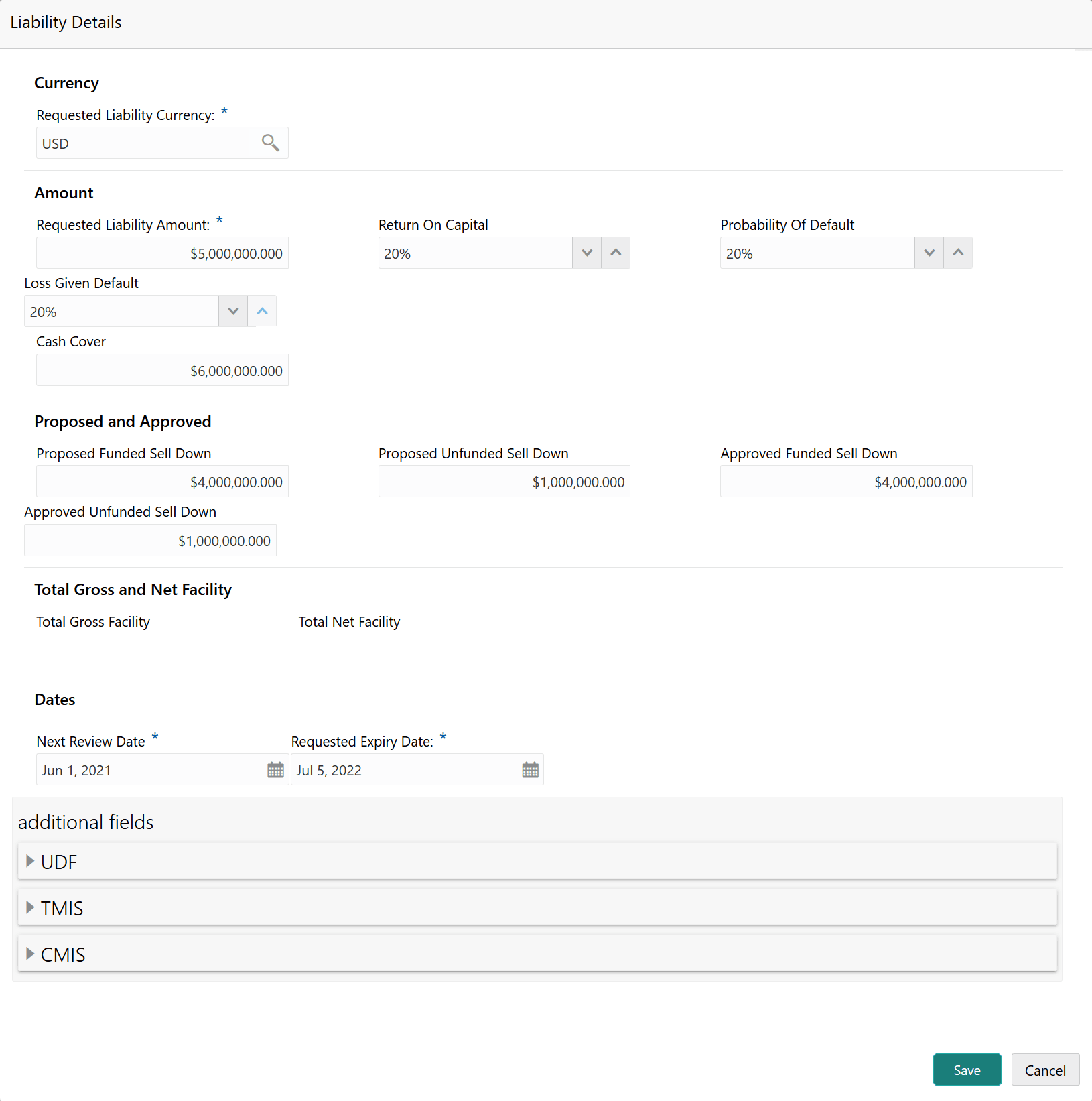
- To view the liability details, mouse hover on the Liability details
section and click View.The Liability details window is displayed.
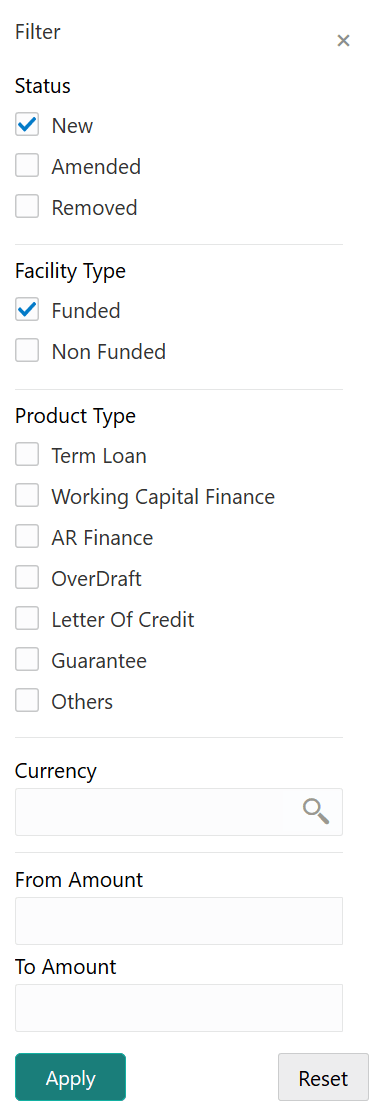
- To filter the required facility from the Facility List, click the
Filter icon or type the first three characters of the
filter parameter in Type to filter text box.Upon clicking the Filter icon, the Filter window is displayed as shown below.