8.5.2 Cash Flow against Payment
This topic provides systematic instructions to manually reconcile cash flow against payment.
To manually reconcile cash flow against payment:
- From the Dashboard, click the Toggle
Menu, then click Receivables/Payables,
Manual Reconciliation, and then Cash Flow
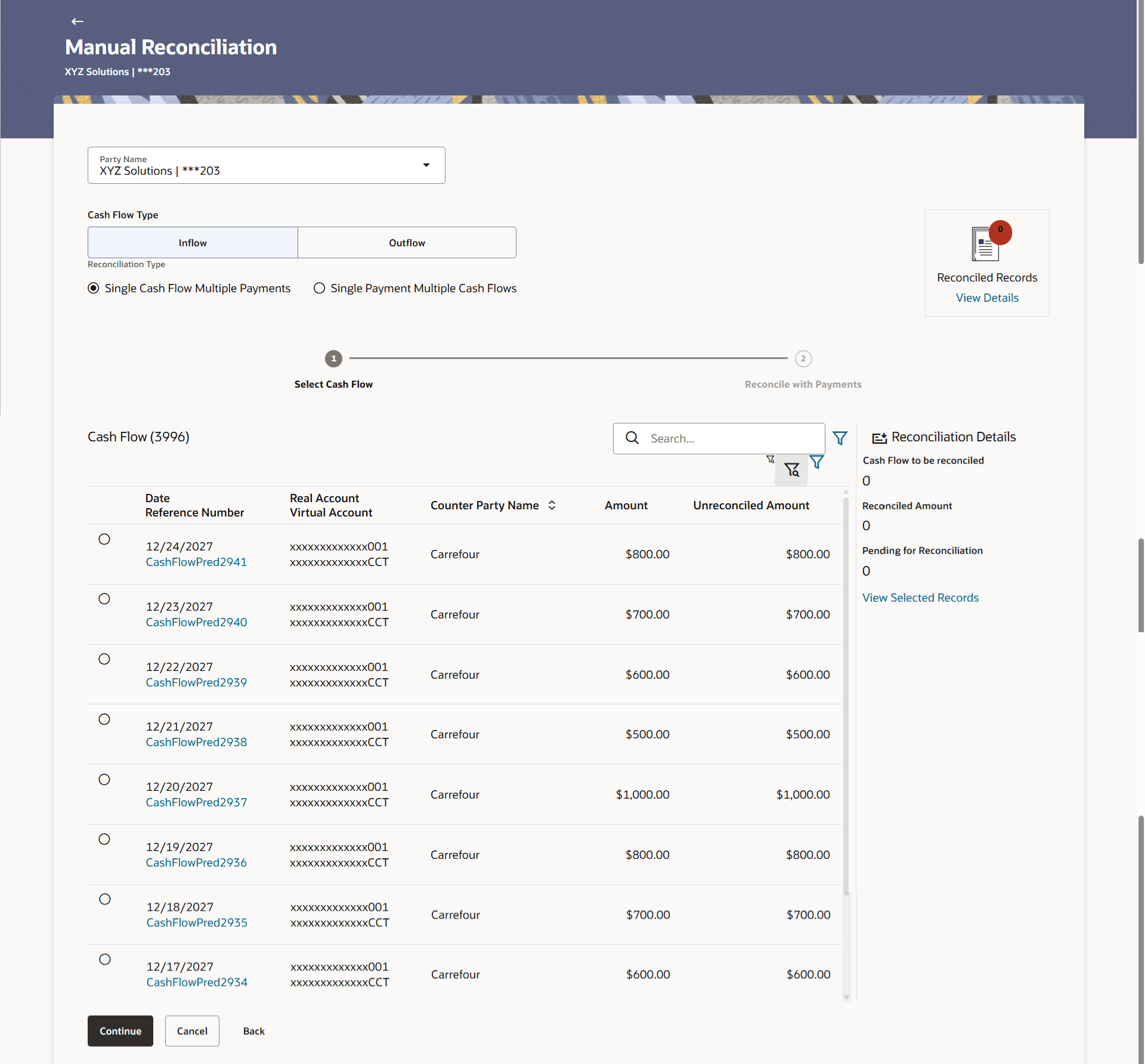
against Payment.The Cash Flow against Payment screen appears.
Table 8-32 Cash Flow against Payment - Field Description
Field Name Description Party Name Select the party name from the dropdown list in which the manual reconciliation for cashflow must be created. By default, the primary party/gcif of the logged-in user isselected. Note: Only accessible parties are displayed to the user.
CashFlow Type Select the type of the cash flow, whether inflow or outflow. Reconciliation Type Select the type of reconciliation to be performed. The reconciliation procedure steps are populated based on the option you select. The options are:
- Single Cash Flow Multiple Payments: If you select this option, the application lets you select the required cashflow in the 1st step, and reconcile with payments in the 2nd step. For more information, refer the Single Cash Flow Multiple Payments section in this usermanual.
- Single Payment Multiple Cash Flows: If you select this option, the application lets you select the required paymentin the 1st step, and reconcile with cash flows in the 2nd step. For more details, refer the Single Payment Multiple Cash Flows section in this User Guide.
This topic caotains following sub-topics.
- Single Cash Flow Multiple Payments
This topic provides systematic instructions to reconcile a single cashflow with multiple payments. - Single Payment Multiple Cash Flows
This topic provides systematic instructions to reconcile multiple cashflow records with a single payment.
Parent topic: Manual Reconciliation