8.5.1.4 Payments/Credit Notes Search (overlay window)
This topic provides systematic instructions to search for specific payments/credit notes records. This overlay window appears when you click the Filter icon.
Figure 8-69 Payments/Credit Notes Search (overlay window)
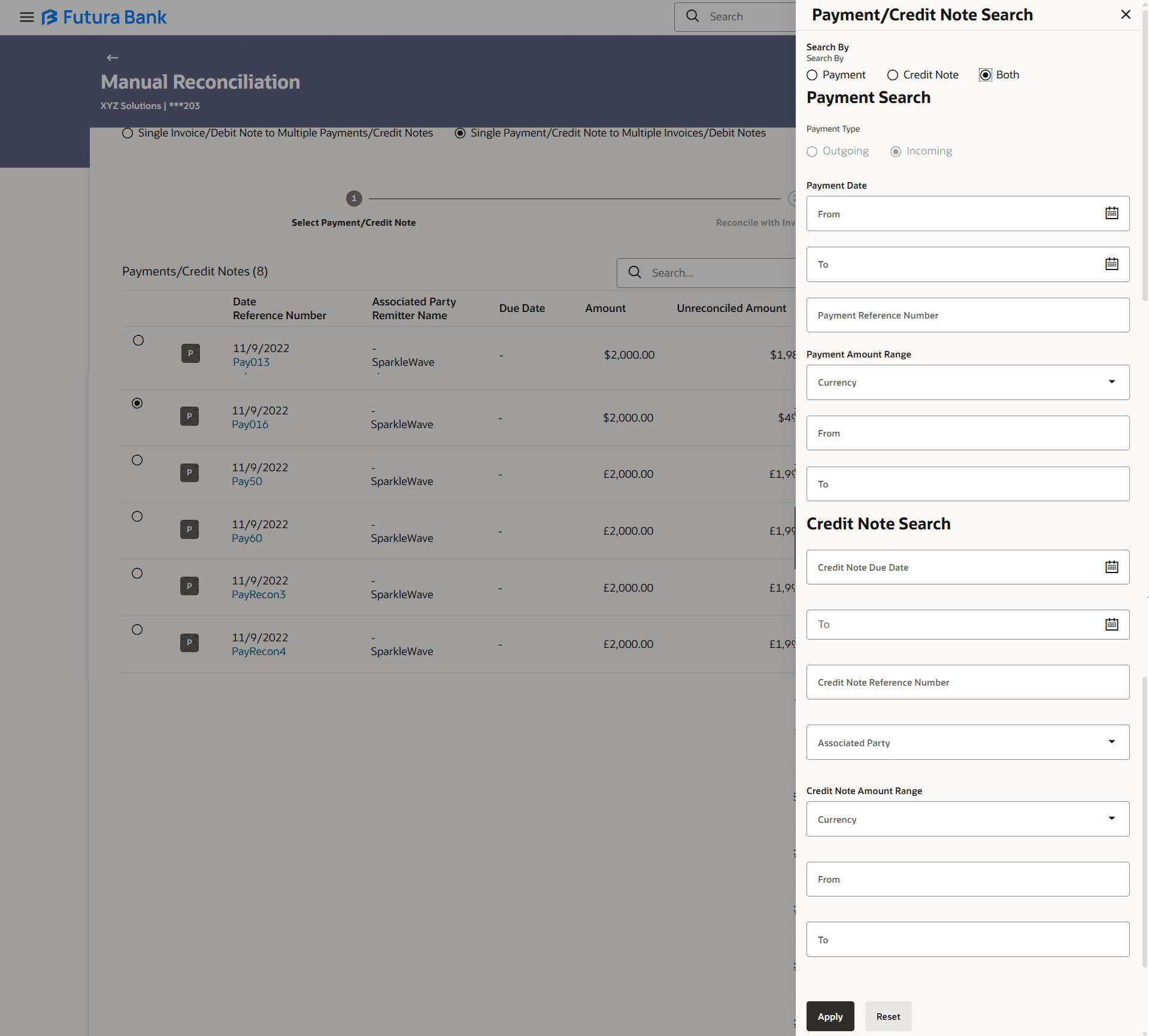
Table 8-31 Payments/Credit Notes Search - Field Description
| Field Name | Description |
|---|---|
| Search By | Indicates an option to filter the records based on payments only, or credit notes only, or both. |
| Payment Search | This section appears when you select the Payment option or the Both option in the Search By field. |
| Payment Type | Displays the type of payment, whether Incoming or Outgoing. This field is not editable. |
| Payment Date From/To | Specify the date range for filtering the required payment records. |
| Payment Reference Number | Specify the reference number of the payment record to be filtered. |
|
Payment Amount Range Currency From/To |
Select the currency and enter the payment amount range to filter the required payment records. |
| Credit Note Search | This section appears when you select the Credit Note option or the Both option in the Search By field. |
|
Credit Note Due Date From/To |
Specify the date range within which the credit notes to search for, will expire. |
| Credit Note Reference Number | Specify the reference number of the credit note record to be filtered. |
| Associated Party | Select the name of the associated party whose payments/credit notes are to be filtered. |
| Credit Note Amount Range Currency From/To | Select the currency and enter the credit note amount range to filter the required records. |
- On selecting/entering the required details, click Apply to apply the filter criteria, or, click Reset to reset the entered data.
Parent topic: Invoices/Debit Notes against Payments/Credit Notes