6.1 Overview
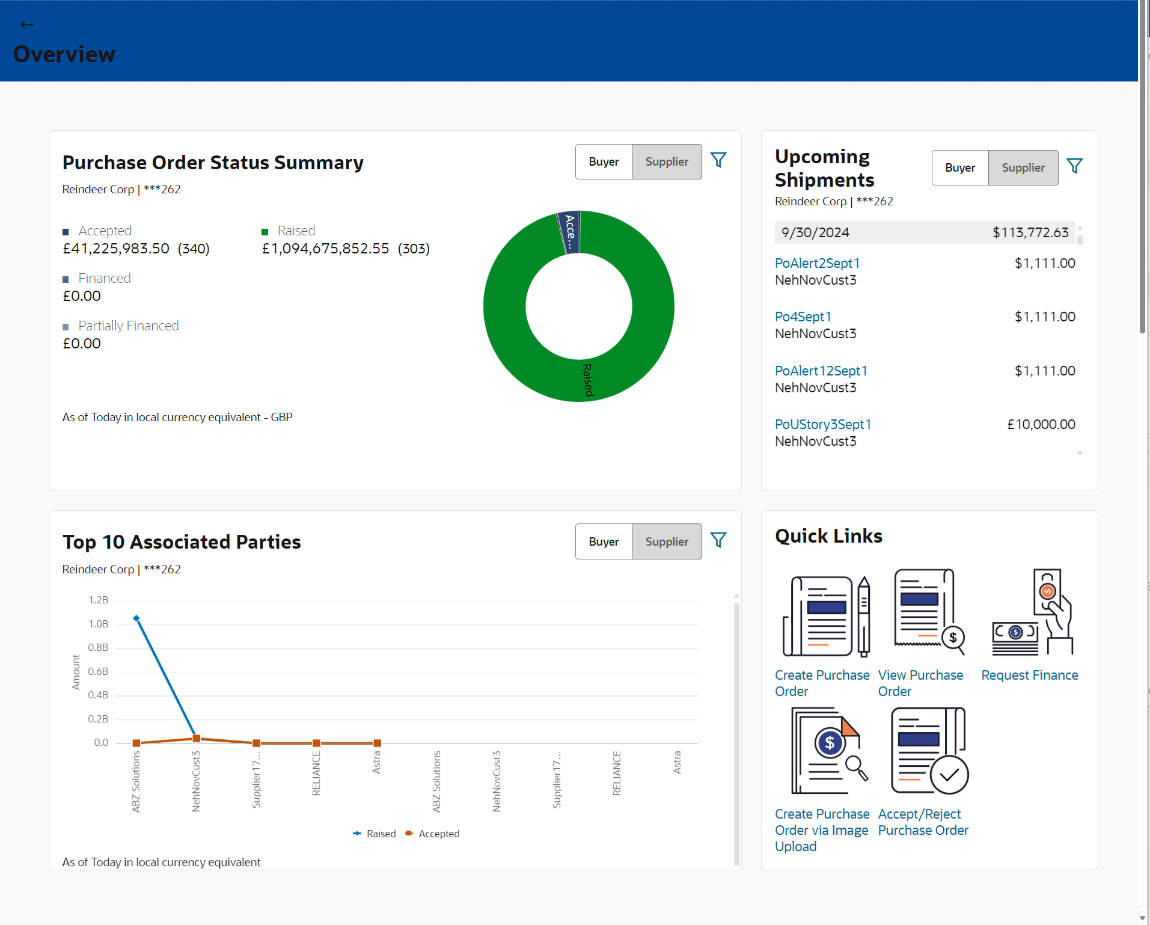
This screen gives an overview of the purchase orders associated with the corporate party.
The Purchase Order Overview screen consists of the following widgets:
- Purchase Order Status Summary
- Upcoming Shipments
- Top 10 Associated Parties
- Quick Links
Purchase Order Status Summary
This widget lists the total amount associated with purchase orders in each status. The amounts are specified in the equivalent local currency. A graphical representation of this data is presented by the donut graph. The percentage equivalents of the amounts can be seen by clicking or hovering the cursor over the respective sections in the graph. The data is available for both roles of the corporate party – Buyer and Supplier.
Click  to filter the purchase order status based on party name. On selection,
thewidget displays the purchase order status of the selected party.
to filter the purchase order status based on party name. On selection,
thewidget displays the purchase order status of the selected party.
Upcoming Shipments
This widget displays details of the upcoming shipments of the corporate party. Separate views are available for the corporate party’s role as Buyer and Supplier. The following details are displayed for each shipment: the purchase order reference number, the counter party name, and the purchase order amount. On clicking the purchase order reference number link, the View Purchase Order (details) screen appears. For more information on this screen, refer the View Purchase Order Details section in this document.
Click to filter the upcoming shipments based on party name. On selection,
thewidget displays the upcoming shipments of the selected party
Top 10 Associated Parties
This widget displays a graphical representation of the top 10 counter parties linked with the logged-in corporate party, for each of their roles – Buyer and Supplier. This widget provides a quick view of the top 10 associated parties of the corporate based on the value of purchase orders in Raised and Accepted status.
Click to filter the associated parties based on party name. On selection,
thewidget displays the associated parties of the selected party
Quick Links
The most commonly used transactions are provided as quick links for quick access. Following transactions are provided as quick links:
- Create Purchase Order
- View Purchase Order
- Request Finance
- Create Purchase Order via Image Upload
- Accept/Reject Purchase Order
Parent topic: Purchase Order Management