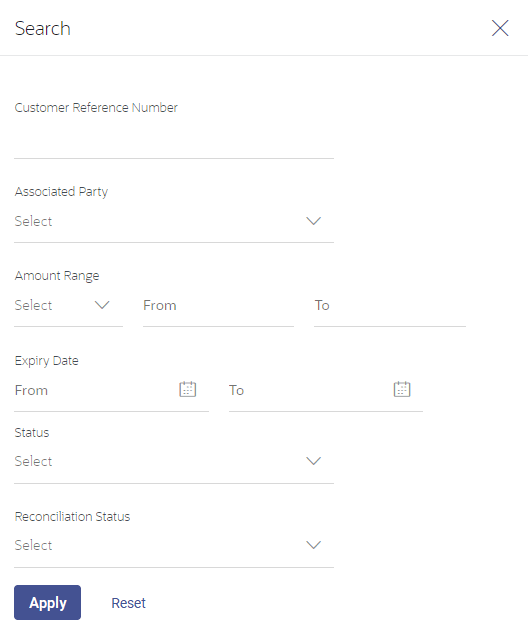
5.2.1 Search (overlay window for View Credit Note)
This window appears when you click in the View Credit Notes screen.
Figure 5-19 Search (overlay window for View Credit Note)
| Field Name | Description |
|---|---|
| Search (overlay window) | |
| Customer Reference Number | Indicates an option to search for a credit note using the reference number. |
| Associated Party | Indicates an option to search for credit notes based on the associated party. |
|
Amount Range Currency From-To |
Indicates an option to search for credit notes based on a particular currency and amount range. |
|
Expiry Date From-To |
Indicates an option to search for credit notes that expire in a specific period. |
| Status |
Indicates an option to search for credit notes based on the status. The options available are:
|
| Reconciliation Status |
Indicates an option to search for credit notes based on the reconciliation status. The options available are:
|
On clicking Apply, a list of relevant credit notes is displayed. On clicking Reset, the data entered in the Search overlay window is cleared.
Parent topic: View Credit Note