22.1 Search Islamic Guarantee/Stand - By LC Template
This topic provides the systematic instructions to search a Islamic Outward Guarantee/Stand By LC template in the application.
User can save guarantee application as a Template so that same can be used for
creation of similar kind of Guarantee, if required in future repeatedly. User can search the
saved guarantee template using Template Name. Also, it has different access levels for user
to save.
Note:
Guarantee Application saved as Template can be re used any number of times for Guarantee Initiation.To view the Initiate Guarantee in tabular form:
- Click the Search icon to search and select the The saved LC template appears based on search criteria.
Figure 22-2 Initiate Outward Guarantee/Stand By LC - Templates
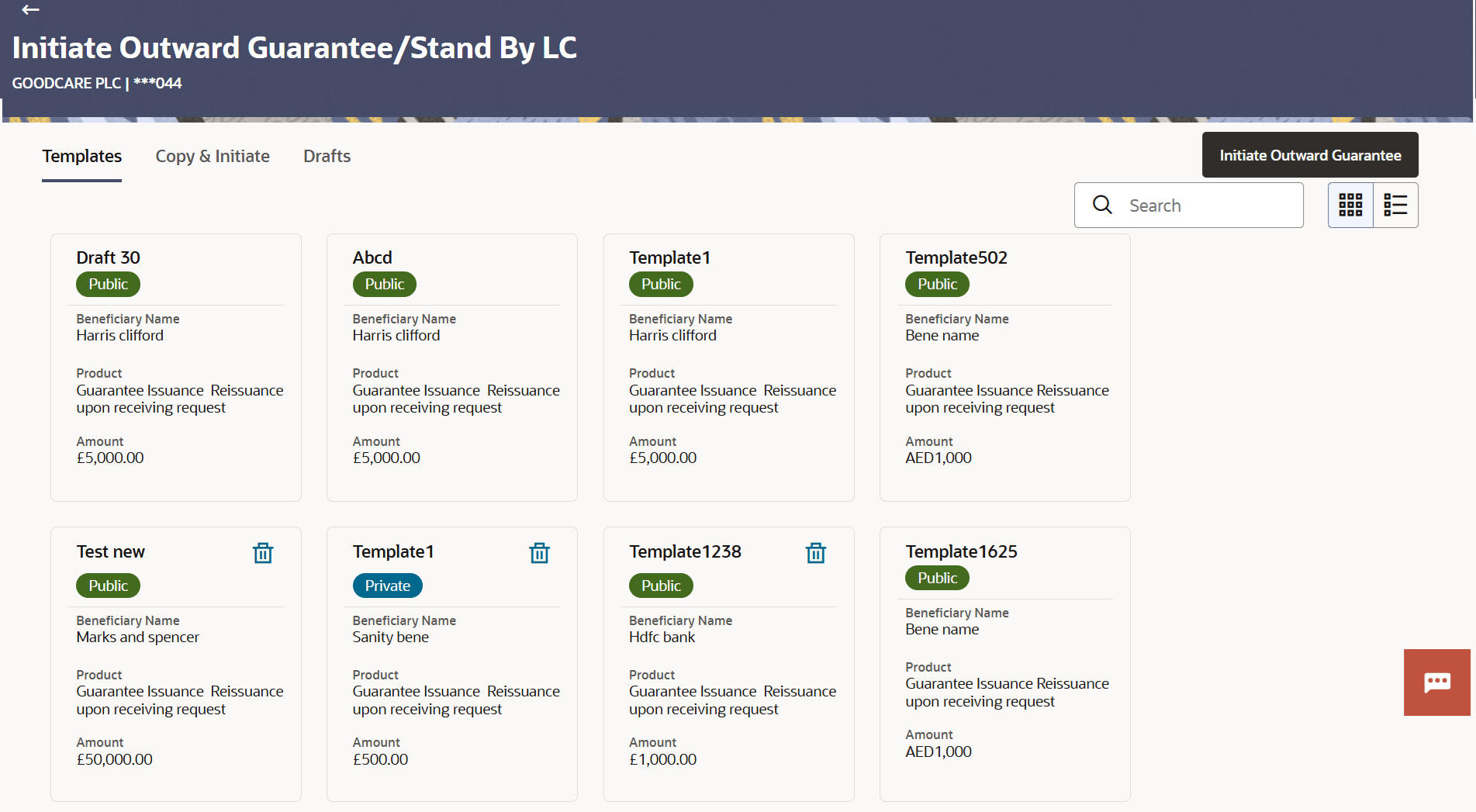
Description of the illustration initiate-outward-guarantee-stand-lc-guarantee-template.pngFor more information refer to the field description table below:
Table 22-1 Field Description
Field Name Description Party Name Displays the name of the applicant. Party ID Displays the party Id of the LC product is displayed in a masked format. Search Specify the name of the Outward Guarantee template to search and view its details. Partial search is allowed.
The saved Guarantee a template appears based on search criteria.
Search Results This section displays the search results. Initiate Outward Guarantee/Stand By LC Card The Outward Guarantee/Stand By LC template card displays the name of the Initiate Outward Guarantee/Stand By LC template along with the other details like Beneficiary name, Product, Amount and Access Type. Initiate Outward Guarantee/Stand By LC Card Details Following details are displayed on each Outward Guarantee/Stand By LC Template card. Template Name Displays the name using which template is stored and can be used to initiate a Outward Guarantee/Stand By LC application. Access Type Displays the access type assigned to the Outward Guarantee/Stand By LC, that is Private or Public. Beneficiary Name Displays the beneficiary name of the Outward Guarantee. Product Displays the name of product for the given Outward Guarantee/Stand By LC. Amount Displays the currency and amount of the Outward Guarantee application.
Parent topic: Initiate Islamic Outward Guarantee/Stand By LC