23 Amend Outward Guarantee
This topic provides the systematic instructions to view an initiate amendment of existing Outward Guarantee in the application.
Using this option, you can apply for amendment of an existing Letter of
Credit (LC) in the application. You can reopen a closed LC using this screen too. You can also
attach the scanned copies of the supporting documents for the amendment, file size should not
be more than 5 MB. Supported file types: .jpeg, .png, .doc, .pdf, .txt, .zip. Multiple files
can be uploaded at a time.
Pre-requisites
- User must have a valid corporate party Id and login credentials in place
- At least a single Outward Guarantee should exist for the party ID and party must having view rights for it
- From the Dashboard, click Menu, then click Trade Finance, and then
click Bank Guarantee/Stand By LC. Under Bank Guarantee/Stand By LC, click
Amend Outward Guarantee/Stand By LC. The Amend Outward Guarantee screen appears.
This topic contains following sub-topics:
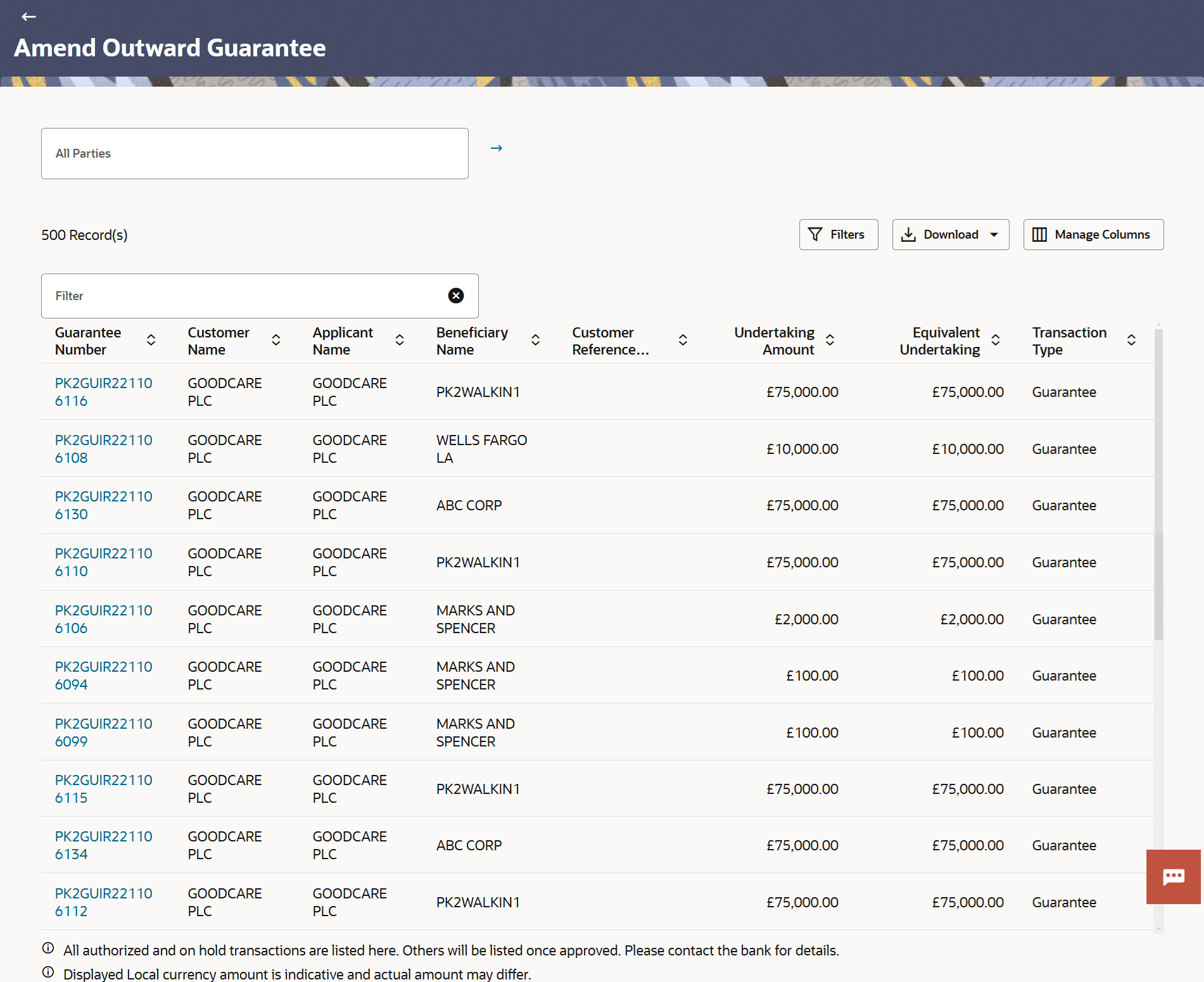
- Amend Outward Guarantee - Search
This topic provides the systematic instructions to search an Outward Guarantee Amendment in the application. - Initiate Outward Guarantee Amendment
This topic provides the systematic instructions to initiate an amendment to Import Letter of Credit in the application.