23.2 Initiate Outward Guarantee Amendment

This topic provides the systematic instructions to initiate an amendment to Import Letter of Credit in the application.

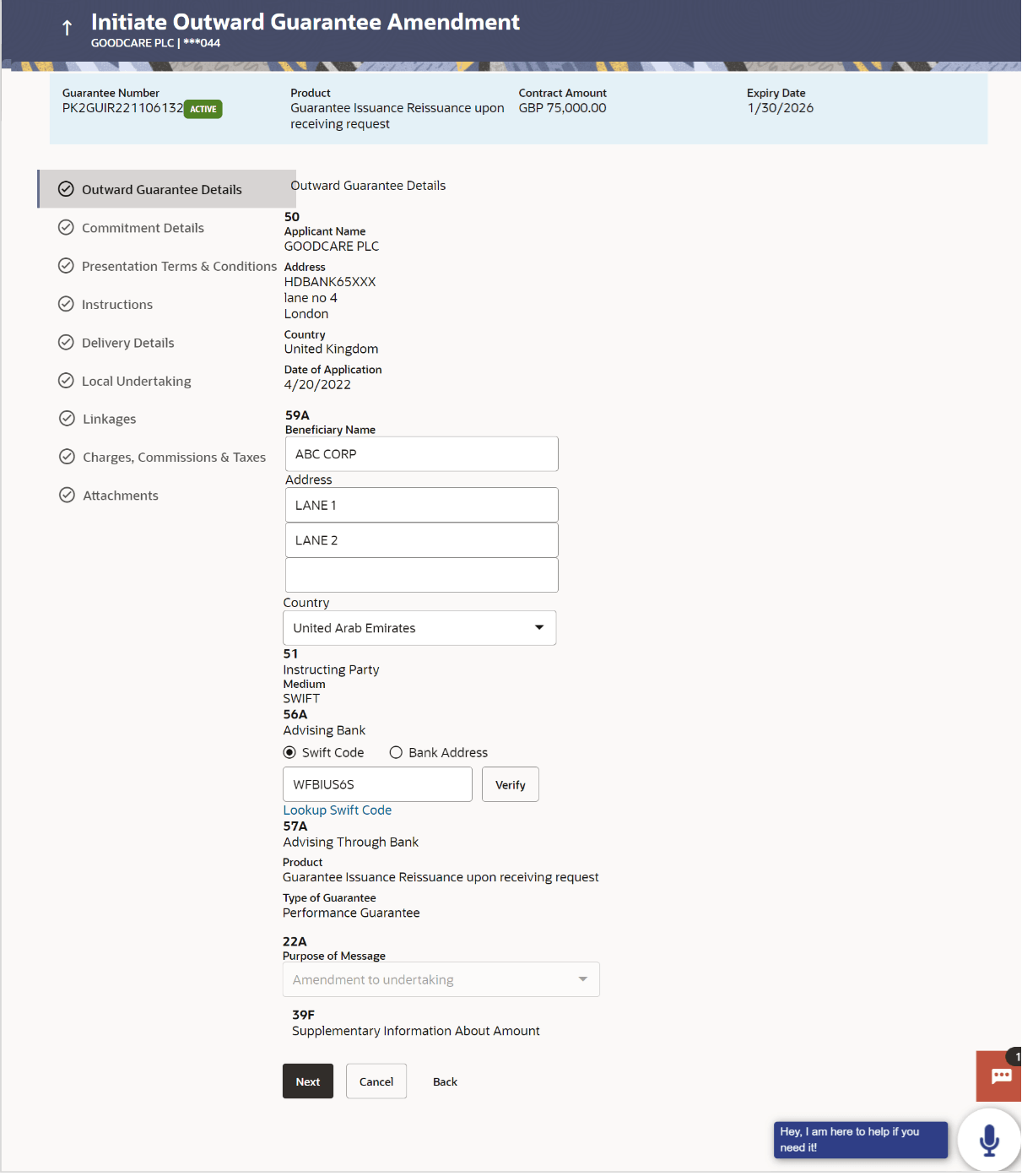
Initiate Initiate Outward Guarantee Amendment - Outward Guarantee Details tab captures the general details of the Outward Guarantee application process.

To initiate an Outward Guarantee Amendment:

  1. Navigate to Amend Outward Guarantee screen.
  2. On Amend Outward Guarantee, then click the Guarantee Number link.
    The Initiate Outward Guarantee Amendment - Outward Guarantee Details screen appears.

    Figure 23-4 Initiate Outward Guarantee Amendment - Outward Guarantee Details


  3. Update the Outward Guarantee details in the editable fields.

    Note:

    Following are the fields which can be amended:

    Beneficiary Name and Address, Undertaking Amount, Contract Reference Number, Effective Date, Underlying Transaction Details, Transfer Indicator, Demand Indicator, Governing Law and/or Place of Jurisdiction, Other Amendments to Undertaking, Expiry Type, Guarantee Expiry Date, Closure Date, Automatic Extension Notification Period, Automatic Extension Final Expiry Date, Delivery of Amendment to Undertaking, and Delivery To/Collection By.

    For the description of above fields refer Initiate Outward Guarantee section.