2.2 Maintenance for Oracle Banking Enterprise Limits
This topic describes the systematic instructions about maintenance of Oracle Banking Enterprise Limits.
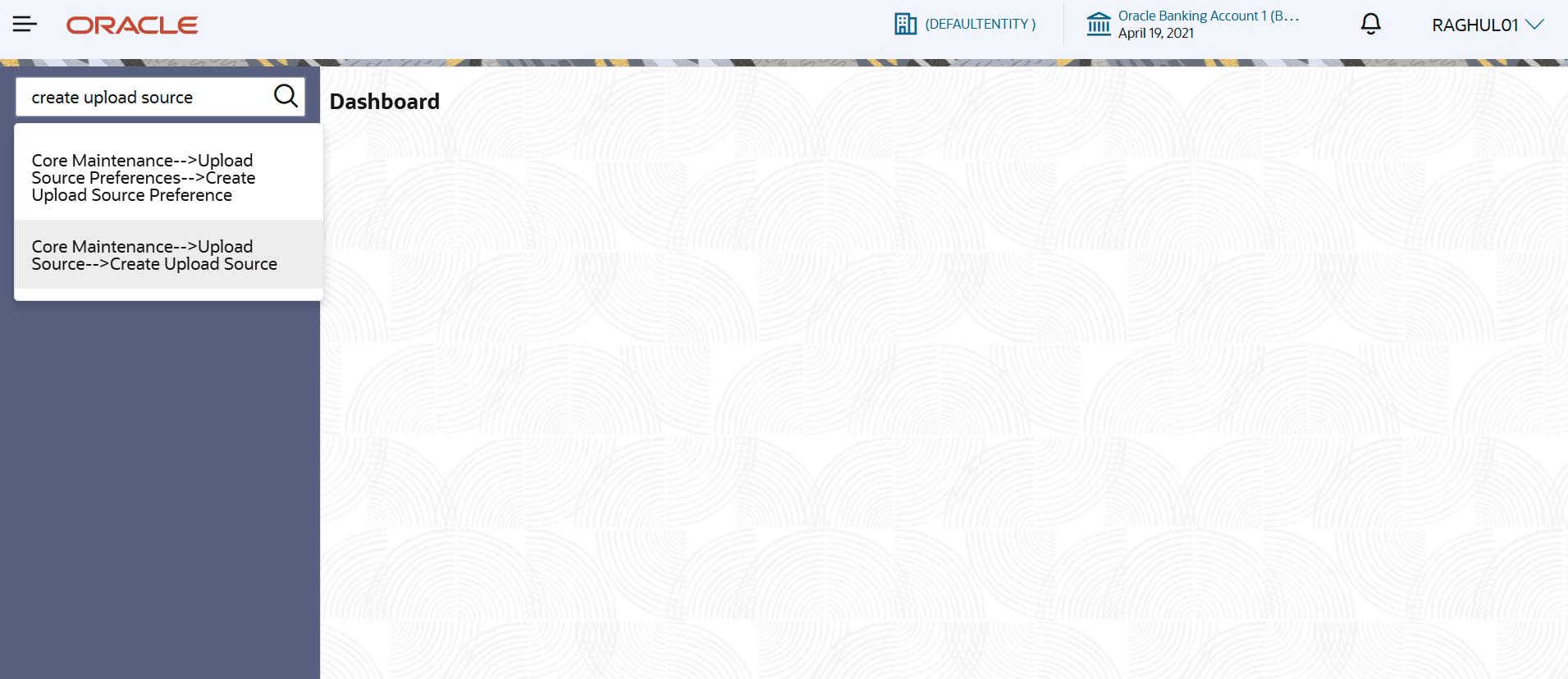
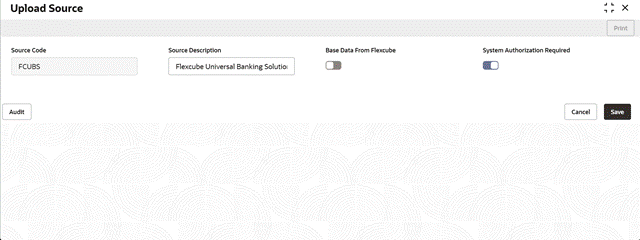
- Maintain the Source.From Home screen, click Core Maintenance. Under Core Maintenance, click Upload Source, under Upload Source, click Create Upload SourceThe Upload Source screen displays.
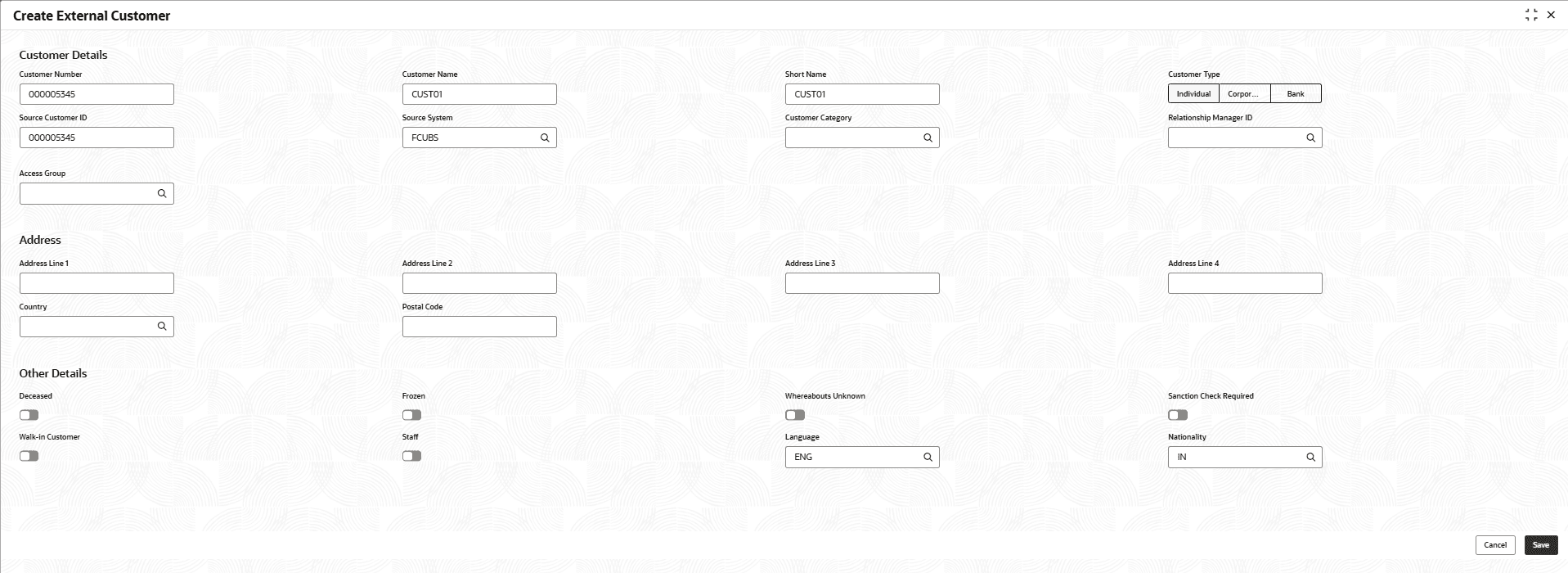
- Maintain the External Customer created in oracle FLEXCUBE universal Banking.From Home screen, click Core Maintenance. Under Core Maintenance, click External Customer, under External Customer, click Create External Customer
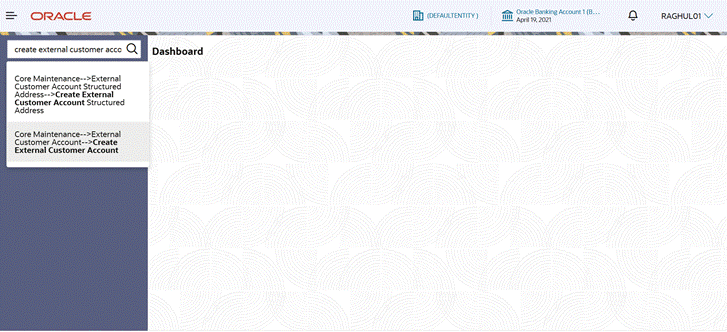
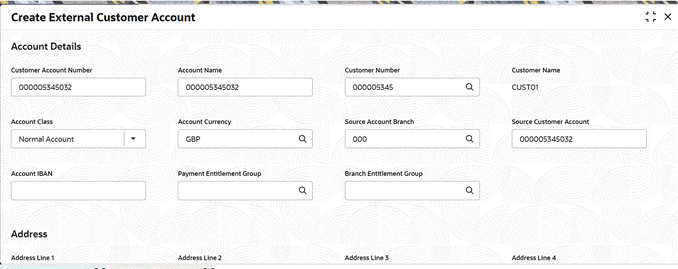
- Maintain the External Customer Account created in oracle FLEXCUBE universal Banking.From Home screen, click Core Maintenance. Under Core Maintenance, click External Customer Account, under External Customer Account, click Create External Customer Account
Figure 2-11 Create External Customer Account
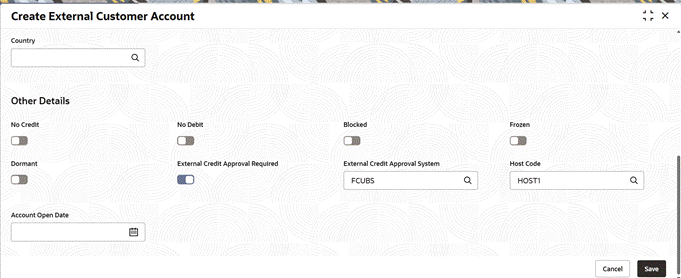
- Maintain the details with Source Customer Account and Source Account Branch as in Oracle FLEXCUBE Universal Banking. Enable the External Credit Approval Required toggle and External Credit Approval System as FCUBS.
Figure 2-12 Create External Customer Account
Figure 2-13 Create External Customer Account
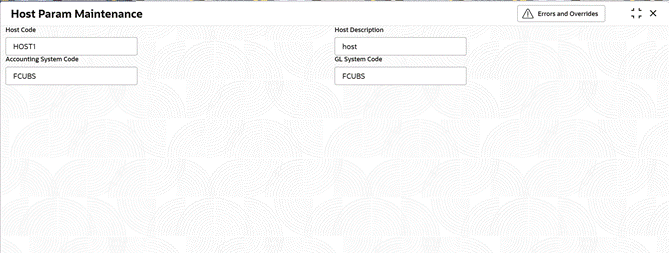
- Maintain the Host ParametersFrom Home screen, click Limits And Collaterals. Under Limits And Collaterals, click Common Maintenance. Under Common Maintenance, click Host Param. Under Host Param, click Host Param Maintenance
- Maintain the External System DetailsFrom Home screen, click Limits And Collaterals. Under Limits And Collaterals, click Common Maintenance. Under Common Maintenance click External System. Under External System, click External System Maintenance
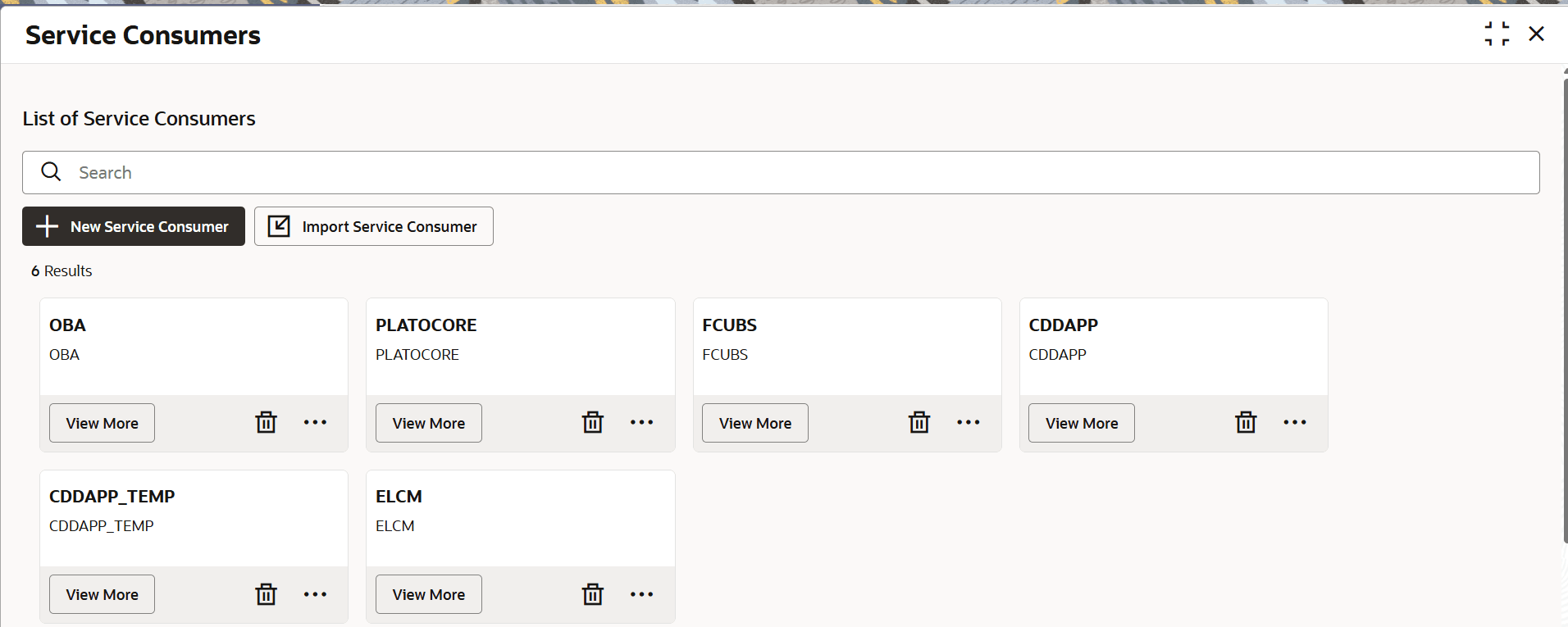
- Maintain the Oracle Banking Routing Hub configuration in common core for Oracle FLEXCUBE Universal Banking. From Home screen, click Core Maintenance. Under Core Maintenance, under Routing Hub, click Service Consumers
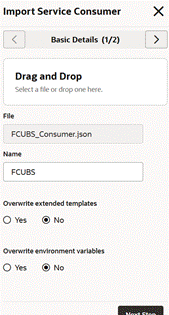
- Click Import and upload the FCUBS_Consumer.json file provided in the release and click Import
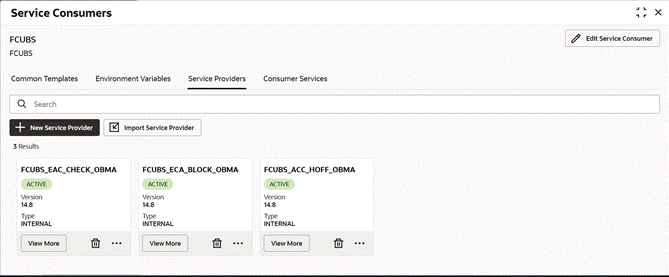
- Once imported, click FCUBS.
- Under Service Providers, click each service provider and edit the host and port as per the Oracle FLEXCUBE Universal Banking installation and save it.



Parent topic: Integration Guide