2.2 Process System Account Generator Job

This topic explains the systematic instructions for system account generator job.

This job is configured to automate the generation and processing of system accounts for each branch as part of intraday or EOD operations.
  1. On the homepage, click Task Management and then click Configure Tasks.
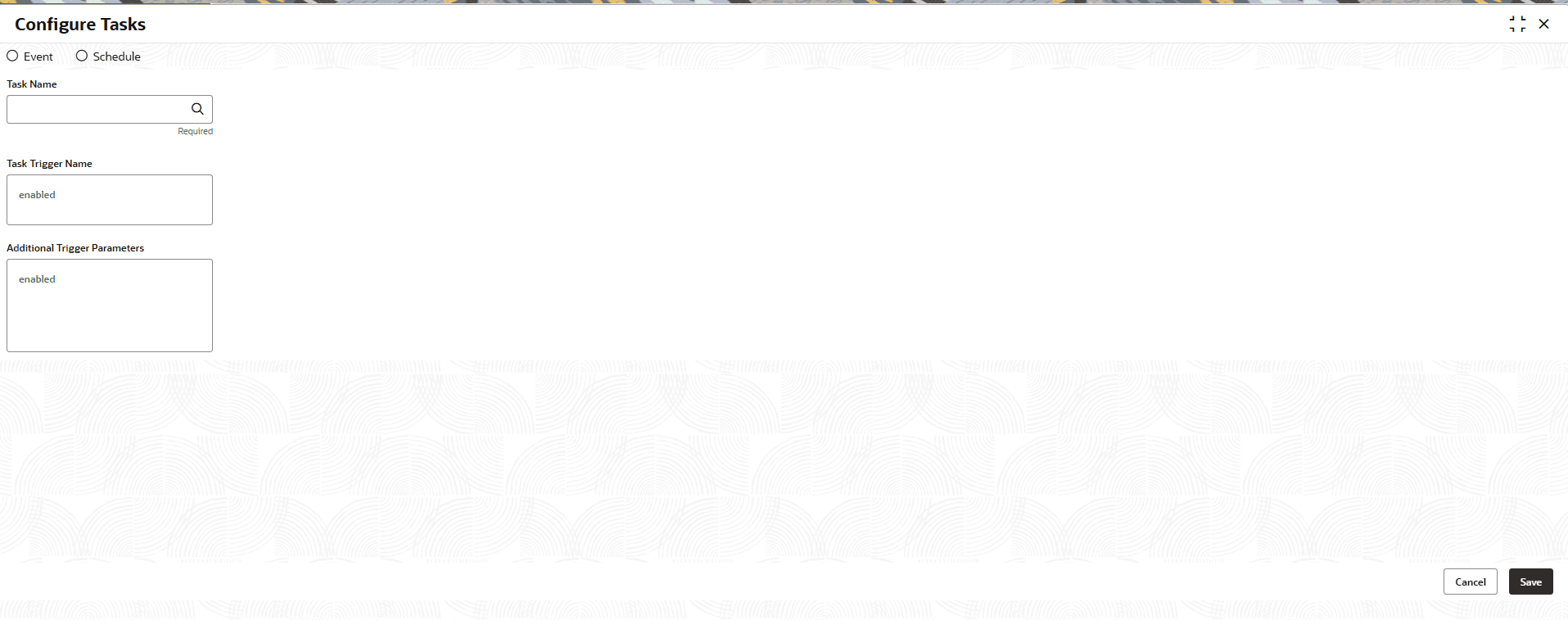
    The Configure Task screen displays.
  2. In Configure Tasks screen, specify the following details.

    Note:

    The fields marked as Required are mandatory.
    For more information on fields, refer to the field description table below.

    Table 2-2 Configure Task - Field Description

    Field Description
    Event Select this option to configure a task that is triggered based on a system event.
    Schedule Select this option to configure a task that runs based on a defined schedule.
    Task Name Specifies the name of the batch task to be configured. Select the required task from the List of Values (LOV).
    Task Trigger Name Displays the same name that selected in task name field.
    Additional Trigger Parameters Enter additional parameters required for task execution.
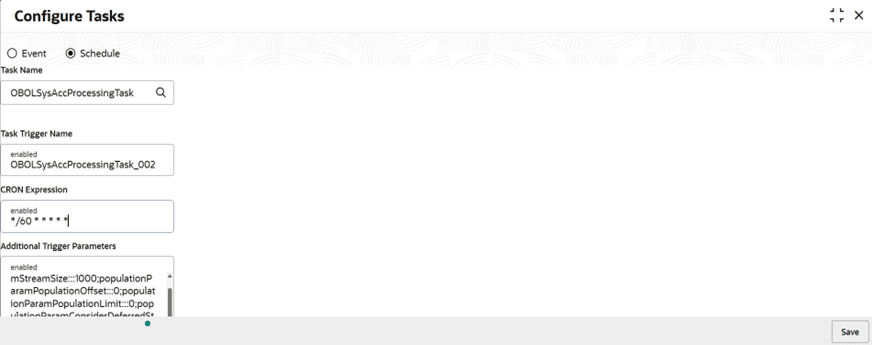
  3. Select the Schedule.
  4. In Task Name, select OBOLSysAccProcessingTask.
  5. Enter the Task Trigger Name as unique value per branch, using the format OBOLSysAccProcessingTask_<BRANCH_CODE>.
    Example: OBOLSysAccProcessingTask_002
  6. Enter the CRON Expression, below are the standard CRON expressions.
    0 0 * * * * = the top of every hour of every day.

    */60 * * * * * = every sixty seconds.

  7. Enter the Additional Trigger Parameters .
    branchCode:::BRANCH_CODE;populationParamStreamSize:::1000;populationParamPopulationOffset:::0;populationParamPopulationLimit:::0;populationParamConsiderDeferredStreams:::true

    In Above format give branch code for which job scheduler needs to setup.

    branchCode:::002;populationParamStreamSize:::1000;populationParamPopulationOffset:::0;populationParamPopulationLimit:::0;populationParamConsiderDeferredStreams:::true

    Table 2-3 Parameters - Description

    Parameters Description
    branchCode Branch for which the job runs.
    populationParamStreamSize Size of each stream.
    populationParamPopulationOffset Offset of data population in driver table.
    populationParamPopulationLimit Limit of data population in driver table.
    populationParamConsiderDeferredStreams Whether to include deferred streams in processing.
  8. Click Save.

    Figure 2-4 Configure Tasks - System Account Generator Job


    Once configure task is saved successfully, it gets registered to plato-batch-server and job will trigger per the defined schedule.