3.1.1.1 Main Tab
This topic explains the Main tab of the screen.
- Click the Main tab in the main screen.The Main details are displayed.
Figure 3-2 NEFT Inbound Transaction Input - Main Tab
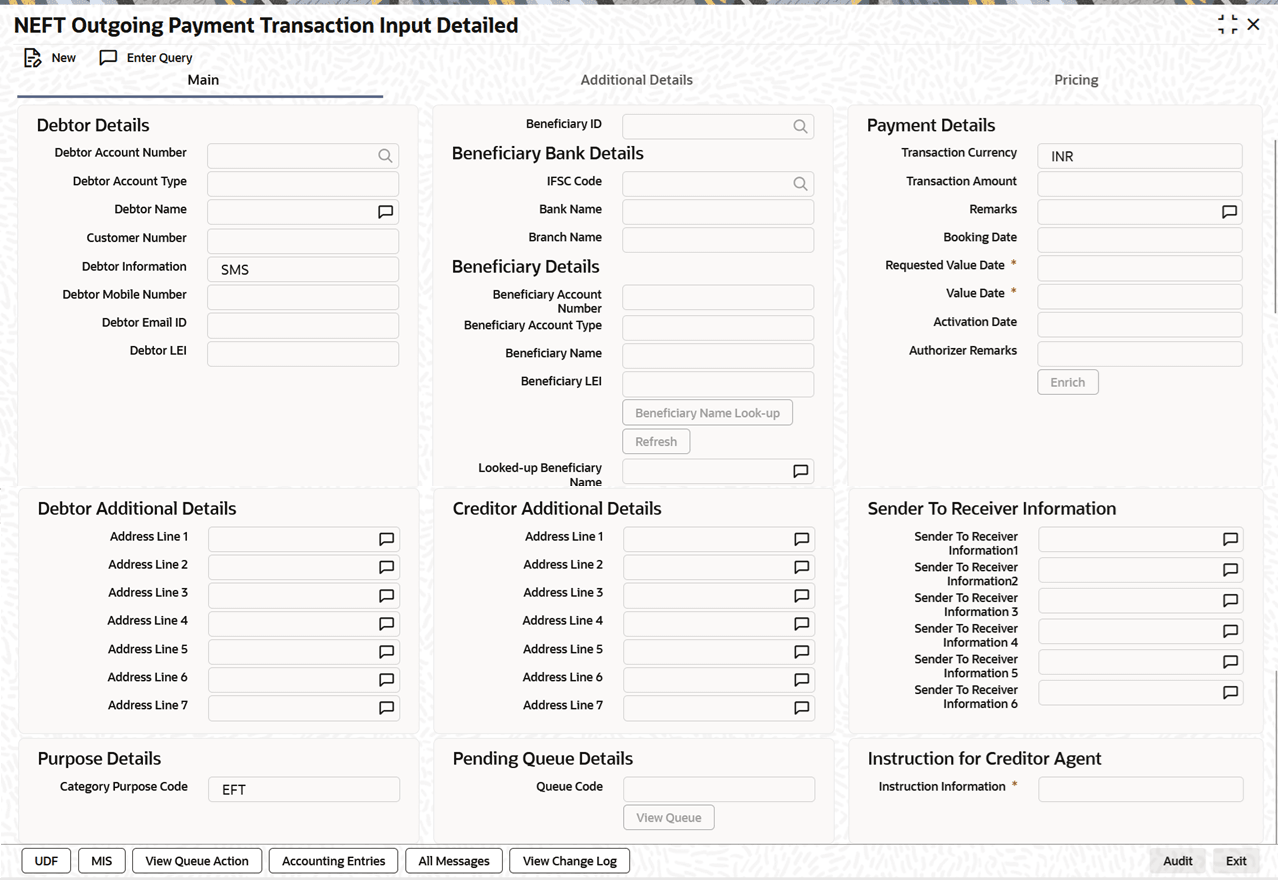
Description of "Figure 3-2 NEFT Inbound Transaction Input - Main Tab" - On Main tab, specify the fields.
Table 3-2 NEFT Inbound Transaction Input_Main Tab - Field Description
Field Description Creditor Details This section displays the Creditor Details.
All open and authorized accounts maintained in External Account maintenance are listed. You can select the creditor account. The list of values search page displays the Account along with Customer No & Customer Name.
Beneficiary Account Number Specify the Beneficiary Account Number. You can select the Beneficiary Account Number from the list of values. The list of values lists Loan Account numbers along other customer account Beneficiary Account Type System defaults the Beneficiary Account Type based on the account number selected. Beneficiary Name System defaults Beneficiary name of the Beneficiary Account number selected. Beneficiary LEI System displays Beneficiary LEI. Credit Account Number System displays the biller account which is resolved based on the Credit Card Number received in Incoming pacs.008.001.09 file as Beneficiary Account.
Credit Account Currency System displays the Credit Account Currency. Credit Account Branch System displays the Credit Account Branch. Transaction Currency System defaults the Transaction Currency as INR. This is not modifiable.
Transaction Amount Specify the Transaction Amount. This field is populated as the transfer amount converted in credit account currency. Debtor Details This section displays the Creditor Details.
Debtor Account Number Specify the Debit Account number. Debtor Account Type Select the Debtor Account type from the drop-down values displayed. Following are the options listed:- Savings Bank (10)
- Current Account (11)
- Cash Credit (13)
- Loan Account (14)
- Overdraft (12)
- NRE (40)
Debtor Name Specify the Debtor name for the Debtor account specified. Debtor LEI System displays Debtor LEI. IFSC Code Select the IFSC Code from the list of values. All the valid IFSC codes are listed here. Booking Date System defaults the booking date as current date. Instruction Date System defaults this date as Current date and the payment is processed on the Instruction Date. System allows to modify the Instruction Date. Activation Date System derives the activation date on clicking Enrich button. Validate Account Validate Account button gets enabled only if all the following conditions are satisfied:- The Host allows Virtual Identifiers and
- Transaction is not Credit to GL and
- Credit account is not valid based on core accounts /VAM accounts available,
When user clicks Validate Account, the system sends an ECA request to the OBVAM system.
Parent topic: NEFT Inbound Transaction Input