1.8.33 External Notification Queue
The External Notification Queue screen allows users to set the external notifications and communication preference to various external systems.
- On Homepage, specify PMDEXTNT in the text box, and click
next arrow.The External Notification Queue Detailed screen is displayed.
Figure 1-166 External Notification Queue Detailed
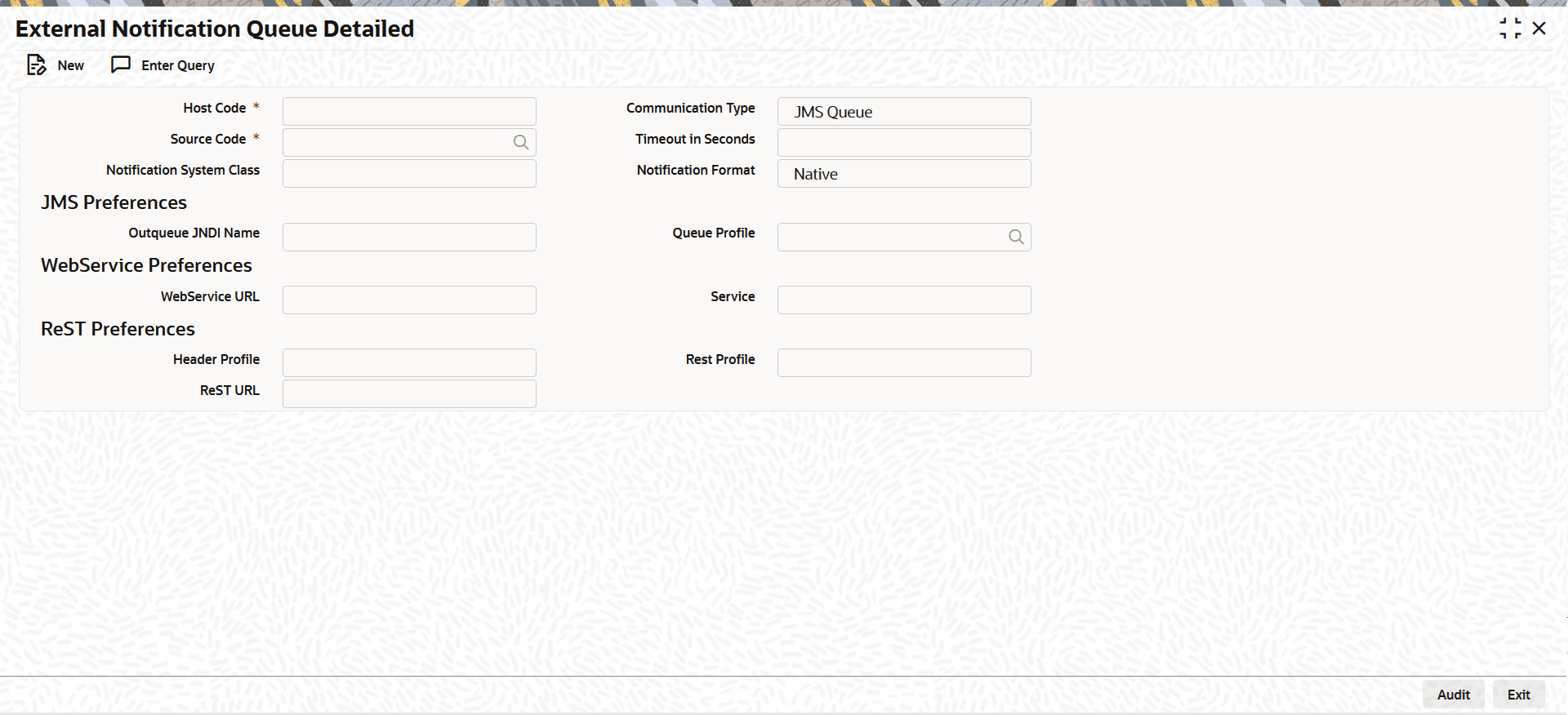
Description of "Figure 1-166 External Notification Queue Detailed" - On External Notification Queue Detailed screen, click
New to specify the fields.For more information on fields, refer to the field description table.
Table 1-91 External Notification Queue Detailed - Field Description
Field Description Host Code System defaults the host code of transaction branch on clicking New. Source Code Select the source code from the list of values. Select the source, for which exclusive notification preference to be set. Notification System Class Select the Notification System Class, for which the external notification queue details has to be set. The options are: - PM
- FCUBS
- OFCL
- OBLM
- OBTF
- OBTR
- OBREMO
- FCCore
Communication Type The communication type is based on the selected notification system class. Alternativley, user can also select the Communication Type from the following: - JMS Queue (Default)
- Web Service
- ReST
For communication types, refer Table 1-92 at bottom.
Timeout in Second Specify the time in seconds for the notification timeout. Notification Format Select the required Notification Format from the drop-down list. The available options are:- Native (Default)
- ISO pain.002
Note:
The system generates a pain.002 notification when either of the following conditions is met:- The customer preference for pain.002 is enabled in Customer Preferences Maintenance (PMDFLPRF), or
- A source-level notification preference is maintained in PMDEXTNT with Notification Format set to ISO pain.002.
If a pain.002 is generated for an origination file received in pain.001, and a corresponding PMDEXTNT record exists for the Source Code with Notification Format as ISO pain.002, the system delivers the pain.002 message to the source system via a multi-part RESTful API.
JMS Preferences This section displays the JMS Preferences.
Outqueue JNDI Name Specify outqueue details applicable for PM system class.
For PM System Class jms/ NOTIFOUTQ jms Queue can be used.
Queue Profile Select the queue profile from the list of values. All the valid Queue profiles maintained as part of Queue Connection Profile Maintenance (PMDQPROF) are listed. The profile details defined are linked here to post the request and receive the responses respectively. Web Service Preferences This section displays the Web Service Preferences.
WebService URL Specify Webservice URL details applicable for FCUBS/OFCL system class. Service Specify the Service details. ReST Preferences This section displays the ReST Preferences.
ReST URL Specify ReST URL details applicable for OBLM system class. Note:
For every system class, only the following communication types are supported:Table 1-92 System Class and Communication Type
System Class Communication Type PM JMS Queue FCUBS Webservice OFCL Webservice OBLM ReST
- External Notification Queue Summary
The External Notification Queue Summary screen enables users to view external notifications and the corresponding communication preferences for various external systems.
Parent topic: Common Payments Maintenances