1.4.1.4 Reverse File

This topic provides the systematic instructions to process the Reverse File screen.

File reversals trigger the reversal of underlying ACH debit and credit originations, as well as transaction-level reversal accounting. File-level accounting is also applied to reversal files. Transaction codes are updated accordingly to indicate reversals.

  1. From the main screen, click Reverse File.
    The US ACH File Reversal screen is displayed.

    Figure 1-119 US ACH Dispatch File log summary_Reverse File
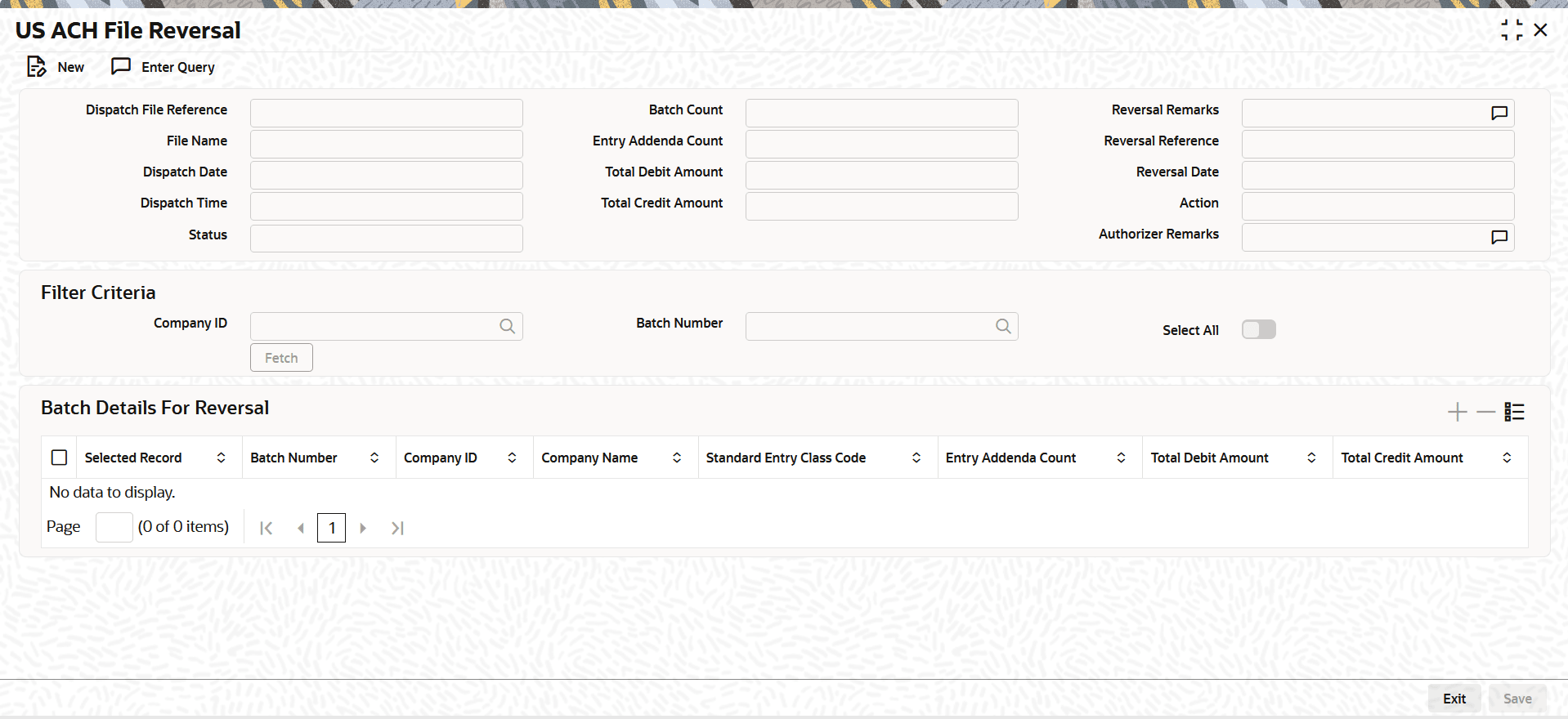


  2. Use the Reverse File option to perform a full or partial reversal, applying file-level reversal accounting and transaction-level reversal for each entry in the dispatch file.
    For more information about the fields, refer to field description table.

    Table 1-86 US ACH Dispatch File log summary_Reverse File - Field Description

    Field Description
    Dispatch File Reference Displays the Dispatch File Reference.
    File Name Displays the File Name.
    Dispatch Date Displays the Dispatch Date.
    Dispatch Time Displays the Dispatch Time.
    Status Displays the Status.
    Batch Count Displays the Batch Count.
    Entry Addenda Count Displays the current Entry Addenda Count.
    Total Debit Amount Displays the Total Debit Amount.
    Total Credit Amount Displays the Total Credit Amount.
    Reversal Remarks Specify the Reversal Remarks.
    Reversal Reference Displays the Reversal Reference , which is automatically generated by the system.
    Reversal Date Displays the Reversal Date, which defaults to the current date.
    Action Displays the Action.
    Authorizer Remarks Displays the Authorizer Remarks.
    Filter Criteria This section displays the Filter Criteria.
    Company ID Specify the Company ID.
    Batch Number Specify the Batch Number.
    Select All This flag indicates whether all batches should be selected or not.
    Batch Details For Reversal The Batch Details for Reversal section will list all batches linked to the file that have not yet been reversed. All batches will be auto-selected by default, and the user may modify the selection as needed.