1.1.3 Instrument Corporate Action
This topic provides systematic instructions to instrument corporate action.
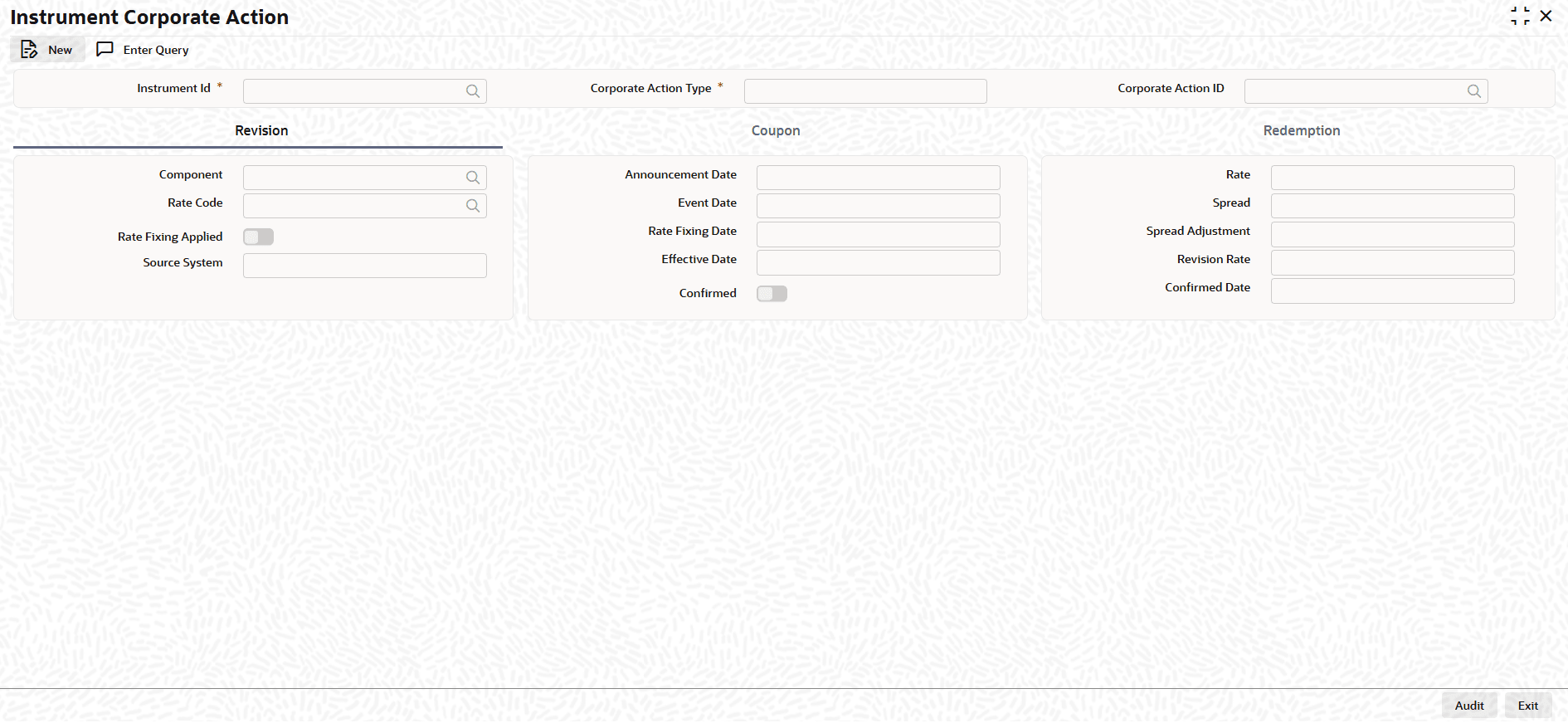
- On the Home screen, type TIDICADF
in the text box, and click Next.The Instrument Corporate Action screen displays.
- On the Instrument Corporate Action screen, Click New.
- On the Instrument Corporate Action screen, Specify the
details as required.
Table 1-7 Instrument Corporate Action - Field Description
Field Description Instrument ID Specify the Instrument product. Corporate Action Type Specify the corporate action type. Corporate Action ID Specify the unique ID for corporate action processing. Component Specify the revision details can be filtered based on components. Announcement Date Enter the date on which the issuer would have declared the interest revision event. Rate Enter the final rate after applying the margins to the benchmark rate. Rate Code Enter floating rate code for a coupon. Event Date Enter the event date, each rate revision defined is having a event date from when it will be applicable. From this date the interest revision rate will be effective. Spread Enter the spread float rate, it is the additional margin or percentage points added to a benchmark interest rate to determine the final floating rate. Rate Fixing Applied Switch the toggle on, if rate has been received and fixed for a schedule. Rate Fixing Date Specify the date on which rate is fixed for a schedule. Spread Adjustment Specify the spread adjustment during the transaction period of RFR. Source System Specify the source system from where we have received the revision rate. Effective Date Specify the date from which the interest revision rate will be effective. Once a rate comes into effect, it will be applicable till another effective date. Revision Date Specify the revision rate that you enter here will be effective as of the value date defined. Confirmed Switch this toggle on to indicate if the occurrence of the event is confirmed. Confirmed Date When you switch on the confirmed toggle and save the record the confirmation date will be defaulted with the current date. - On the Instrument Corporate Action screen, click
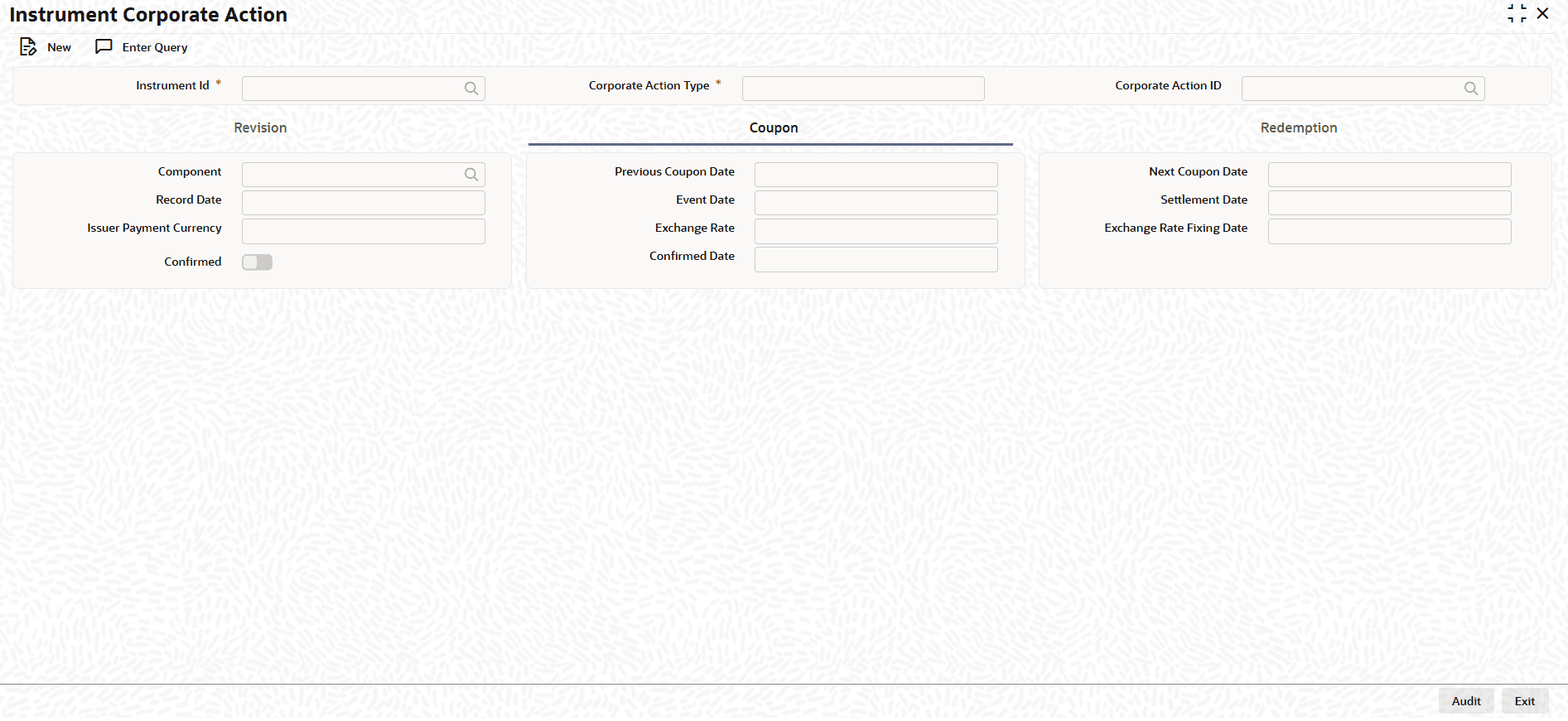
Coupon.The Coupon tab displays.
Figure 1-8 Instrument Corporate Action - Coupon
- On the Coupon tab, specify the fields.
Table 1-8 Coupon - Field Description
Field Description Component Specify the component associated to the instrument. Previous Coupon Date Specify the previous coupon settled date. Next Coupon Date Specify the next or upcoming coupon schedule date. Record Date Specify the date on which the issuer determines the beneficiary eligible for the coupon based on the registered owner of the securities. The record date is computed from the ex days set up defined for the local market of issue. Holdings are considered for coupon calculation as on record date.
Event Date Specify the event date, which is the actual date when the issuer pays the coupon interest. Settlement Date Specify the actual settlement happens for the coupon. Issuer Payment Currency Specify the currency used for settlement. Exchange Rate Specify the exchange rate.
When the issuer payment currency is different from the security currency, the exchange rate between the security currency and the payment currency has to be indicated.
Exchange Rate Fixing Date Specify the date on which the exchange rate will be announced. Indicate the exchange rate announcement date. Confirmed Switch this toggle on to indicate that the occurrence of the event is confirmed. Confirmed Date When you switch on the confirmed toggle and save the record the confirmation date will be defaulted with the current date. - On the Instrument Corporate Action screen, click
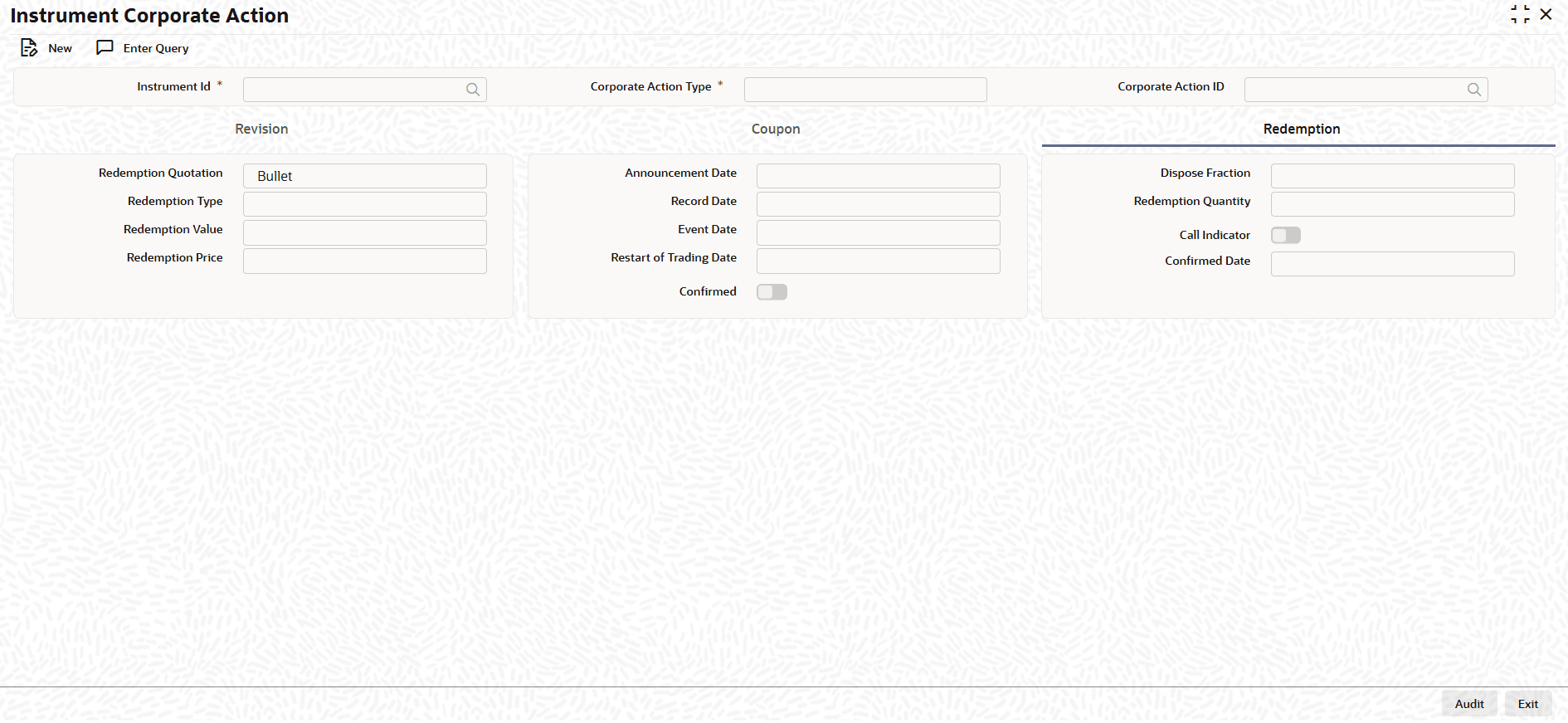
Redemption.The Redemption tab displays.
Figure 1-9 Instrument Corporate Action - Redemption
- On the Redemption tab, specify the fields.
Table 1-9 Redemption - Field Description
Field Description Redemption Quotation Specify the quotation type of redemption. Announcement Date Specify the date on which the bond issuer officially declares their intention to redeem the bond. In the case of callable bonds, this is when the issuer exercises their option to repay the principal early. Dispose Fraction Specify the dispose fraction from the drop-down list. The available options are: - Retain
- Round Up
- Round
- Down
- Round
- Standard
- Null
Redemption Type Enter the price of the redemption. Record Date Specify the record date that is the cutoff date on which the issuer determines which bondholders are eligible to receive the redemption proceeds. Redemption Quality Enter the redemption quality. Redemption Value Specify the redemption value. Event Date Specify the actual date on which the issuer repays the principal amount (face value) of the bond to the bondholders of record. Any final interest payments are also typically settled on this date. For bonds with a call option, this is the date the early repayment occurs. Call Indicator Switch this toggle on for issuer can call the repayment. Redemption Price Enter the redemption price. Restart of Trading Date Specify the date on which trading in the security will be suspended and the date on which the trading will be resumed. This is done by way of specifying the End of Trading Date and the Restart of Trading Date. Confirmed Date When you switch on the confirmed toggle and save the record the confirmation date will be defaulted with the current date. Confirmed Switch this toggle on to indicate that the occurrence of the event is confirmed.
Parent topic: Introduction of Inflation Linked Bonds