2.5 File Upload

This topic provides instructions for uploading files from your system to the application.

  1. From Home screen, click Interconnect. Under Interconnect, click File Exchange.
  2. Under File Exchange, click File Upload.
    The File Upload screen displays.

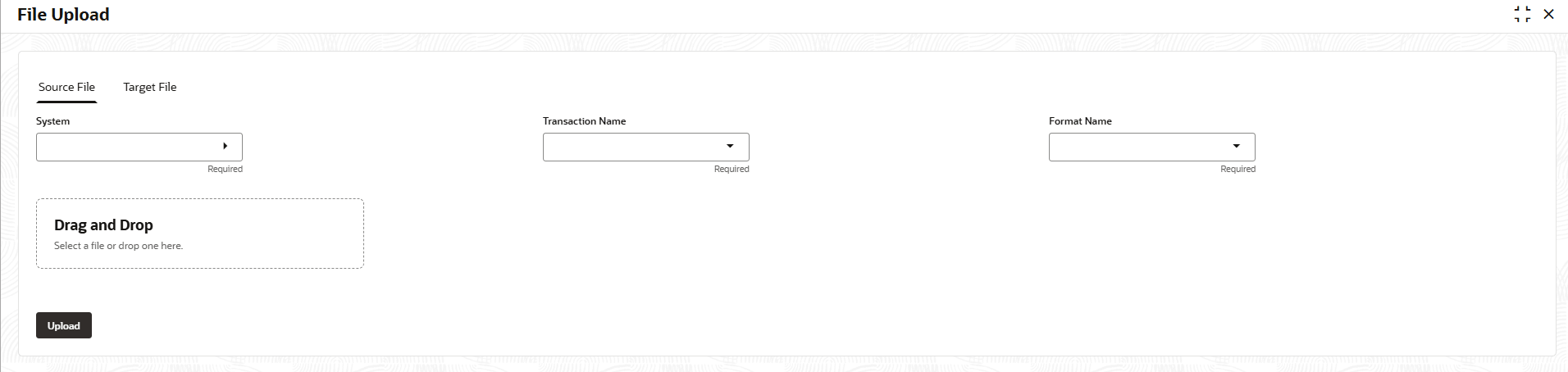
    Figure 2-24 File Upload - Source File


  3. Specify the fields on File Upload - Source File screen.

    Note:

    The fields marked as Required are mandatory.
    For more information on fields, refer to the field description table.

    Table 2-22 File Upload - Source - Field Description

    Field Description
    System Click the Select button to choose a source from the list.
    Transaction Name Click the Select button to choose a transaction name from the drop-down list.
    Format Name Click the Select button to choose a format name from the drop-down list.
    Drag and Drop Click this button to upload a file by either selecting it from your system or dragging and dropping it into the upload area.

    Once uploaded, the system reads and validates the file to extract the input data used for further processing or transformation.

  4. Click the Upload button to select the source file.
  5. Click the Target File tab to specify the required details.
    The File Upload screen displays.

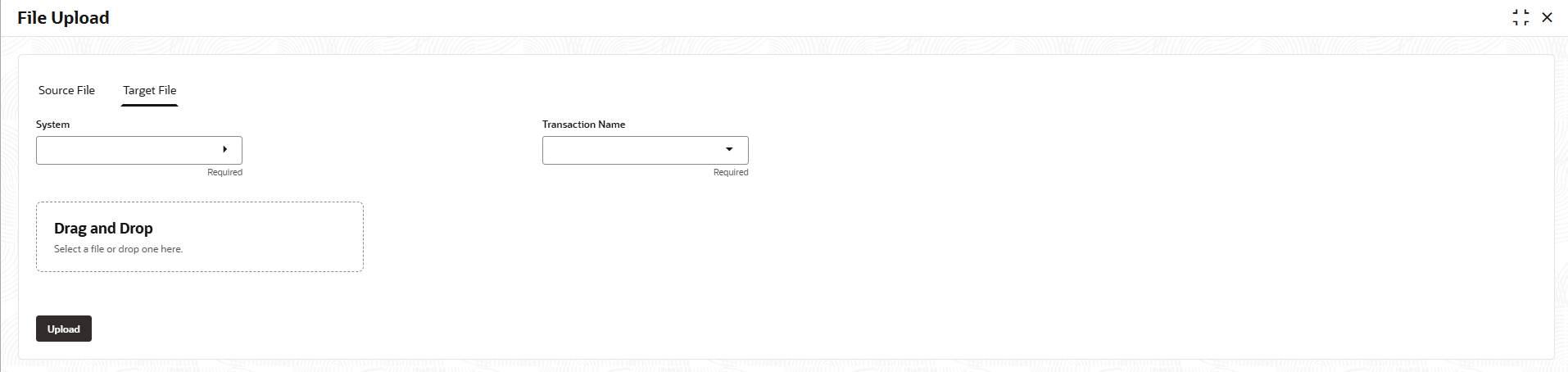
    Figure 2-25 File Upload - Target File


  6. Specify the fields on File Upload - Target File screen.

    Note:

    The fields marked as Required are mandatory.
    For more information on fields, refer to the field description table.

    Table 2-23 File Upload - Target - Field Description

    Field Description
    System Click the Select button to choose a target system from the drop-down list.
    Transaction Name Click the Select button to choose a transaction name from the drop-down list.
    Drag and Drop Click this button to upload a file by either selecting it from your system or dragging and dropping it into the upload area.

    After upload, the system validates the file and uses it as the reference or output structure for mapping or transformation.