C.8 Close Case
This topic provides the information about the process of closing a case after completing the required activities, including status updates and final actions within the system.
A particular work order or case which is already scheduled for repossession can be closed after validating the preceding status and subsequently a repossession may not be required on the account mapped to the work order.
Accordingly, when the status of a work order is changed to PENDING
CLOSE in Work Orders screen, system triggers
closeCase() web service request to update the status of
corresponding mapped case in third party system. This ensures that the work order is not
processed further with third party vendor managed systems.
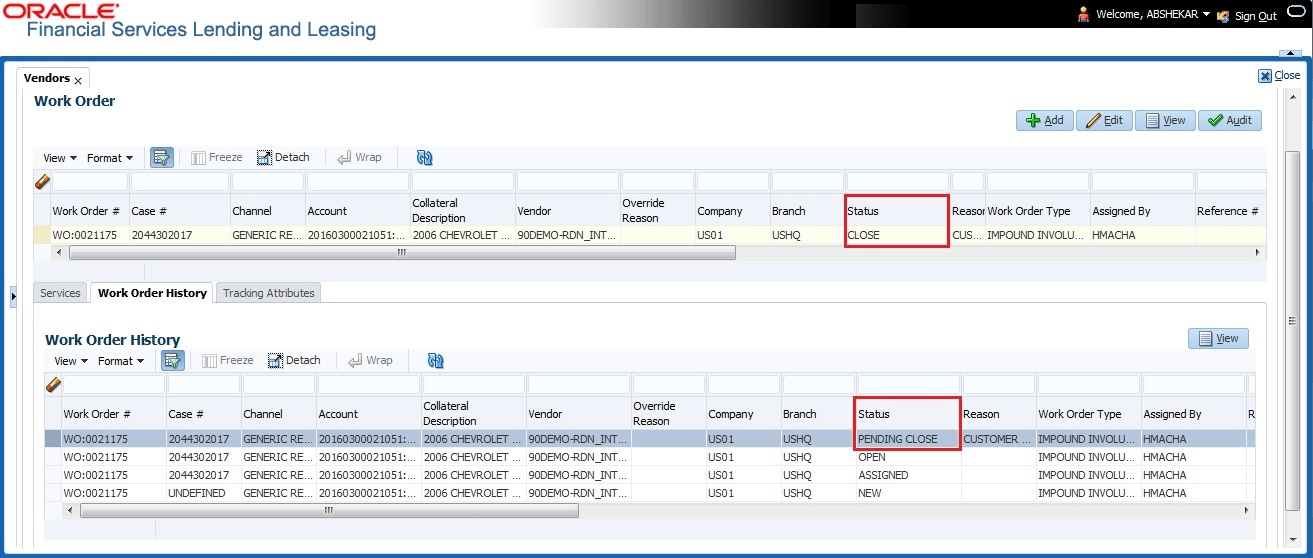
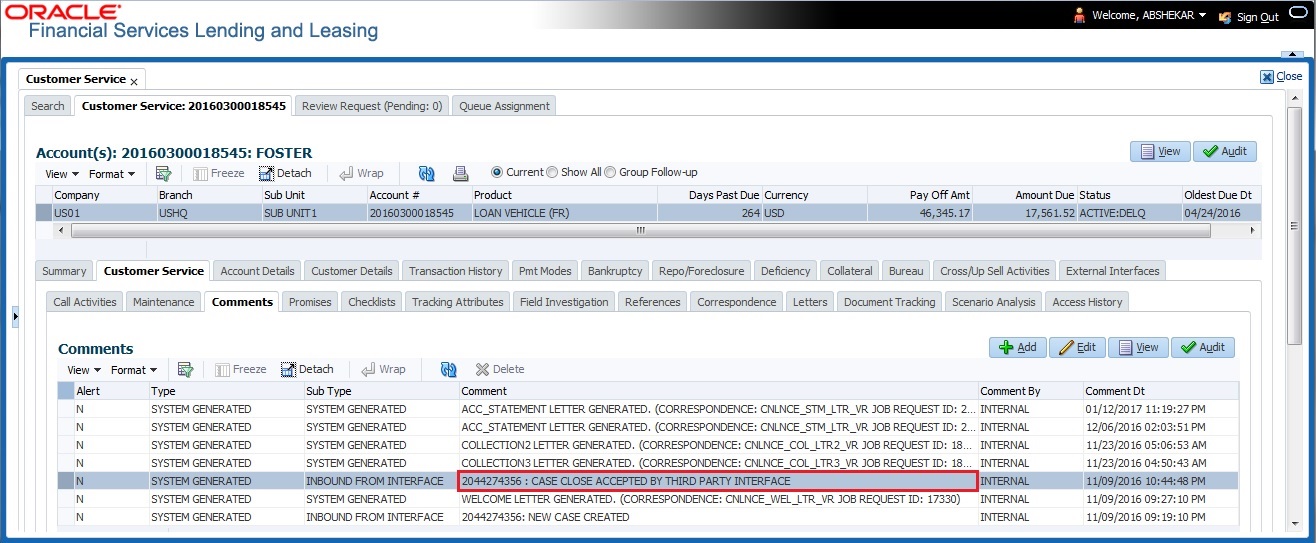
If the web service request is successful, a comment is posted on the
corresponding account in Customer Service, click
Comments tab, with the following details:
- Alert = N
- Type = SYSTEM GENERATED
- Sub Type = INBOUND FROM INTERFACE
- Comment = CASE NO: “<<CASE CLOSE REQUEST ACCEPTED BY THIRD PARTY INTERFACE >>”
- Comment By = “INTERNAL”
- Comment Dt = Comment Posted date
In case of an error in the web service response received from third party system,
following details are posted as a comment against the account with an alert flag and the
status of Work Order is not changed.
- Alert = Y
- Type = SYSTEM GENERATED
- Sub Type = INBOUND FROM INTERFACE
- Comment = CASE NO: “<<CASE CLOSE REQUEST NOT UPDATED IN THIRD PARTY INTERFACE >>”
- Comment By = “INTERNAL”
- Comment Dt = Comment Posted date
Parent topic: Appendix : Generic Recovery Interface (GRI)