4.2.2 Comments Sub Tab
This topic provides information on comments. It allows users to add, view, and manage remarks or notes related to records for better tracking and communication.
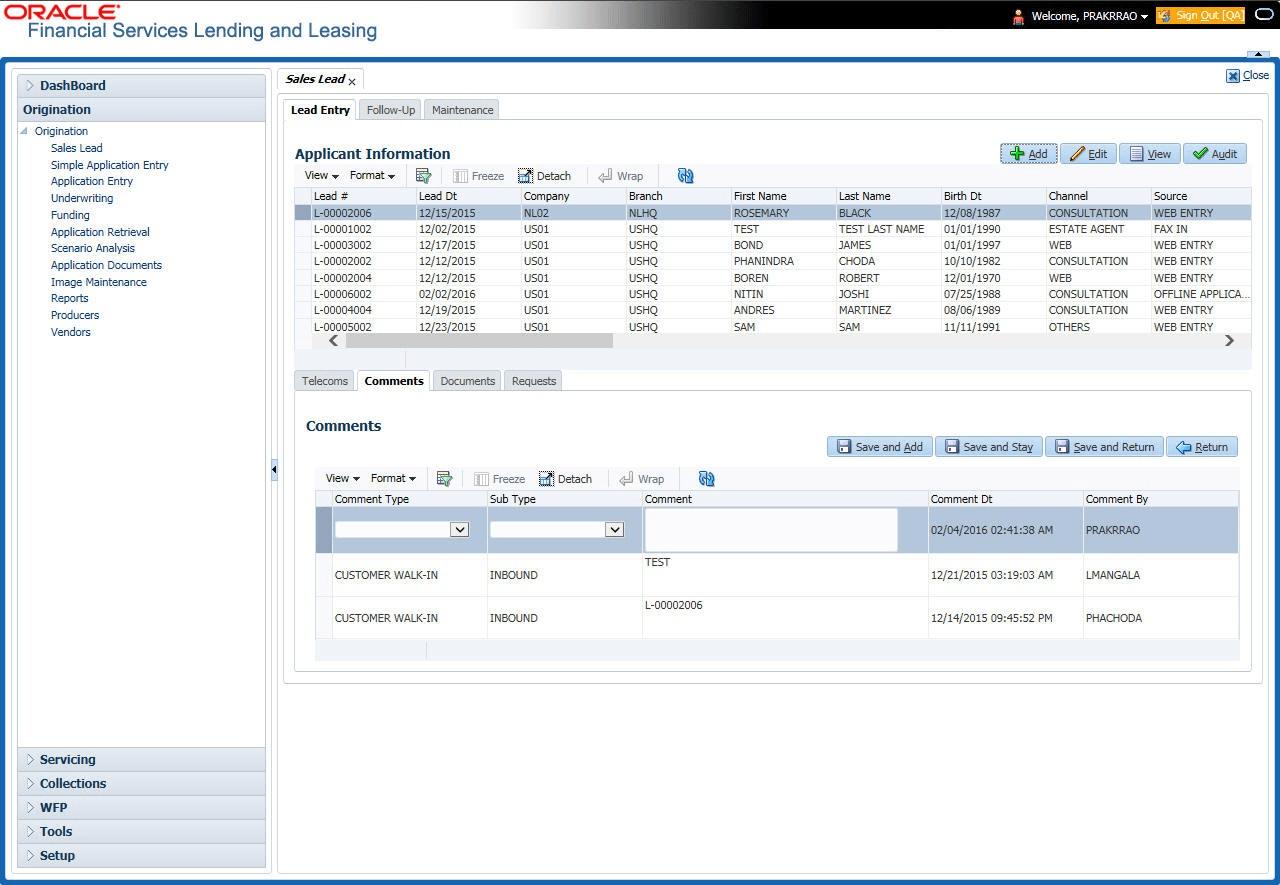
The Comments sub tab records any comments regarding the sales lead.
To complete the Comments sub tab
- On the Origination, click
Origination. Under Origination,
click Sales Lead. Under Sales
Lead, click
Comments.
The Comments screen displays.
- User can perform any of the Basic Operations mentioned in Preface chapter.
A brief description of the fields is given below:
Table 4-3 Comments
Field Description Comment Type Select the comment type from the drop-down list. Sub Type Select the comment sub type from the drop-down list. Comment Specify the comment. Comment Dt View the date when comment was entered and saved. Comment By View the user id of the person who entered and saved the comment. - Perform any of the Basic Actions mentioned in Preface chapter.
Parent topic: Lead Entry