C.2 Create Case
This topic provides the information about the process of creating a new case in the system, including required details, inputs, and steps involved.
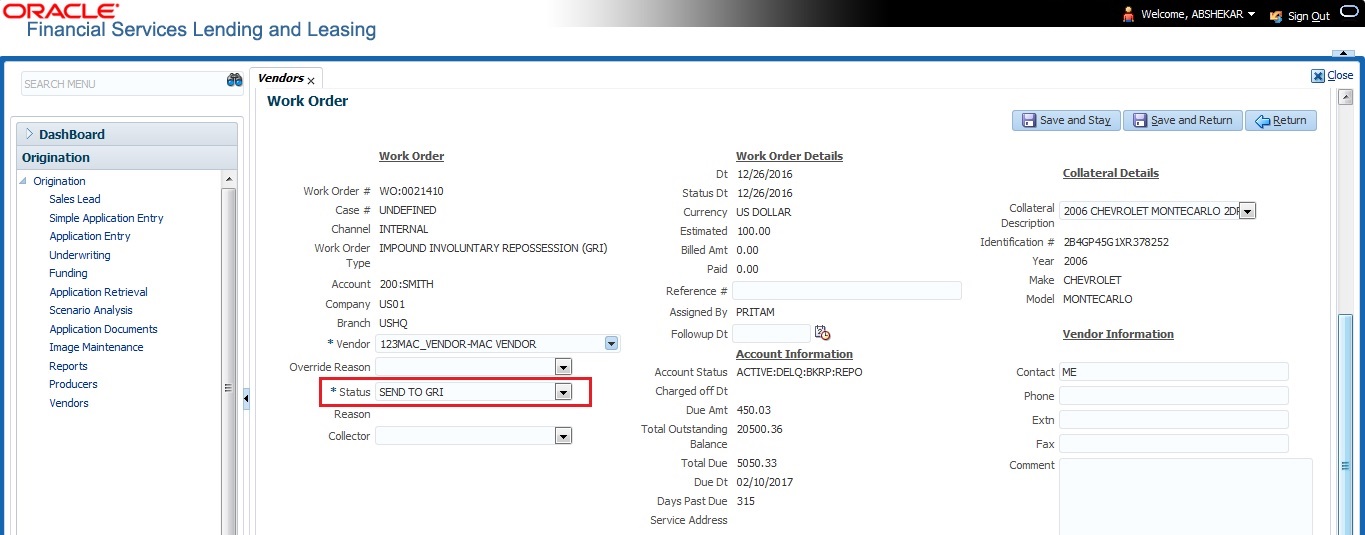
Once a non-performing account is identified in OFSLL, the details are to be registered in the third party system for further action. Using the Work Orders tab (Vendors, click Work Orders tab), user can create a work order with the identified account details and selecting the channel as Generic Recovery Interface (GRI).
- If there is already a case created with the same work order type which is active on the account. On updating the details and clicking Save, system displays an error message as ‘Active Work Order with same Order Type already exists on account’.
- If a CURE letter is issued on an account and the same is in-force. If the case creation date is before the cure letter expiry date, then system displays an error message as ‘Cure Letter Issued and Active. Cannot create work order’.
For information on creating a work order, refer to section Vendors, click Work Orders tab.
When the Channel is selected as GENERIC RECOVERY INTERFACE, the Work Orders tab enables Vendor Messages section to specify additional details that are required by the third party vendors to act upon the case. For more information, refer to Case Comments section.
- Primary Customer
- Secondary Customer (Based on the sequence)
- Address Details
- Account Details
- Collateral Details
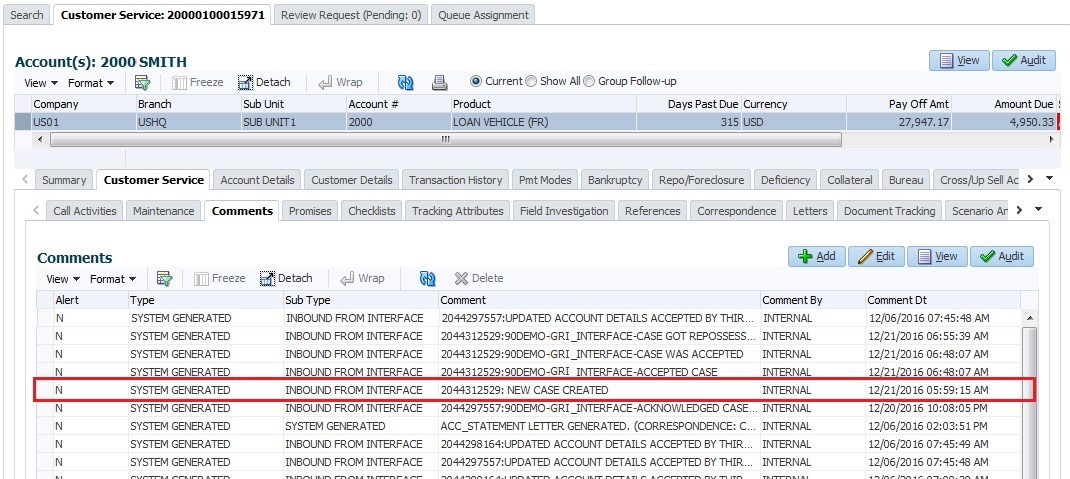
- Type = SYSTEM GENERATED
- Sub Type = INBOUND FROM INTERFACE
- Comment = [Case No]: "NEW CASE CREATED"
- Comment By = "INTERNAL"
- Comment Dt = Comment Posted date
- Type = SYSTEM GENERATED
- Sub Type = INBOUND FROM INTERFACE
- Comment = "<<Error Message>>"
- Comment By = "INTERNAL"
- Comment Dt = Comment Posted date
Note:
Error in web service response can also arise when a work order type is not mapped between the two systems and a case creation request is sent to third party system.Parent topic: Appendix : Generic Recovery Interface (GRI)