3.4.3 Monitoring Services
This topic provides information on monitoring services. It explains that system processing services are tracked, managed, and controlled through the services.
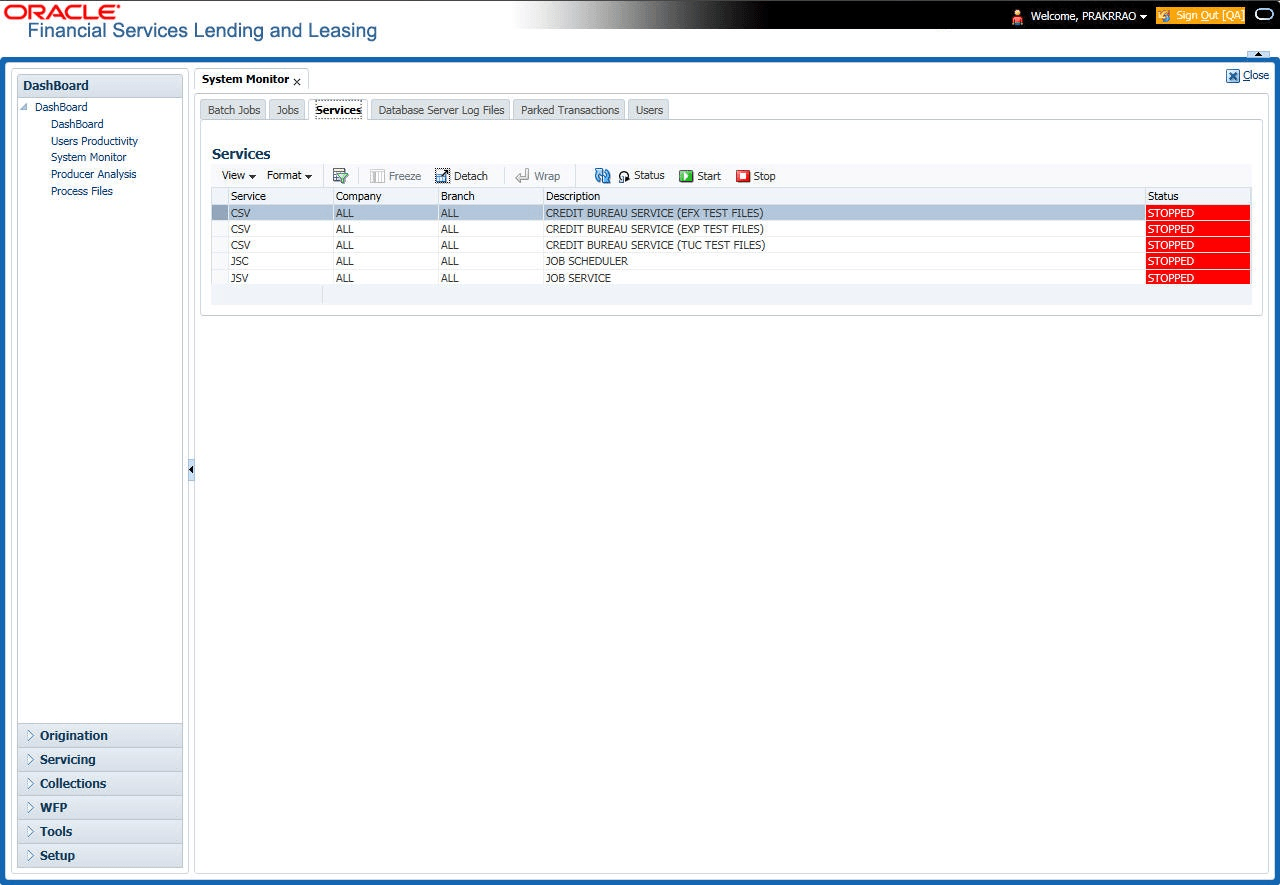
The Services screen allows user to track and maintain the system’s processing services, including credit bureaus, fax-in and batch job scheduler. The system administrator can start or stop the service on this screen using the action buttons respectively.
To stop, start or refresh a processing service
- On the Dashboard, click Dashboard.
Under Dashboard, click System
Monitor. Under System Monitor, click
Services.
The Services screen displays.
For more information on fields, refer to the field description table.Table 3-10 Services
Field Description Service Displays the service name. Company Displays the service company. Branch Displays the service branch. Description Displays the service description. Status Displays the service status. - In the Action section, select the processing service user want to work with
and choose one of the following commands in Action section.
Table 3-11 Action
Choose System Status Refreshes (updates) the status of service. The Service screen does not update the status in real time. User must choose Status after choosing Start or Stop to perform that command. Start Starts the job service. Stop Stops the job service.
Parent topic: System Monitor