2.3.4 Search Using Business Details
This topic provides information on search using business details.
To search and load an account with specific business using the Search screen
- On the Servicing, click
Servicing. Under Servicing, click
Servicing. Under Servicing, click
Customer Service. Under Customer
Service, click Search
Criteria.
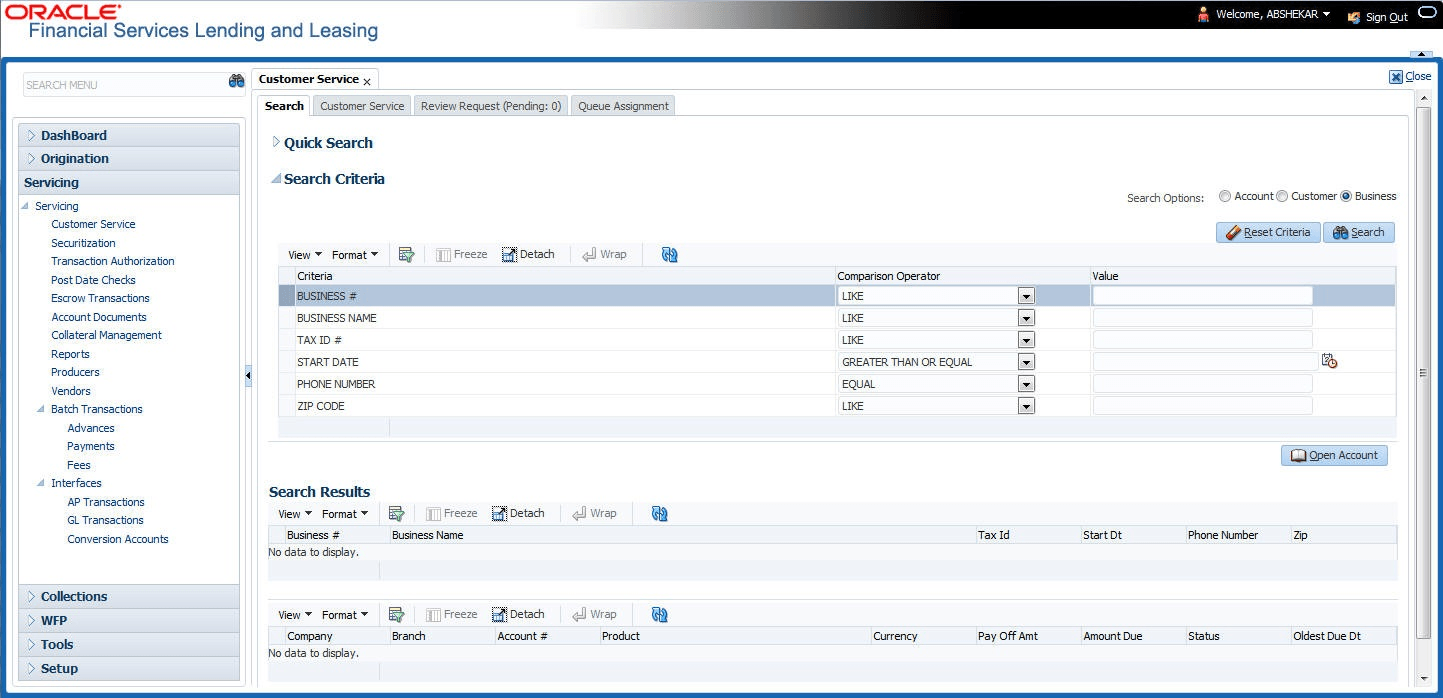
The Search Criteria screen displays.
- Select Business as the search option.
- On the Criteria screen, use the Comparison Operator and Value columns to create a search criteria to find the business type. User can click Reset Criteria at any time to clear the Comparison Operator and Value columns.
- Click Search. The system locates and displays all
the records that meet user search criteria on Search Results section.
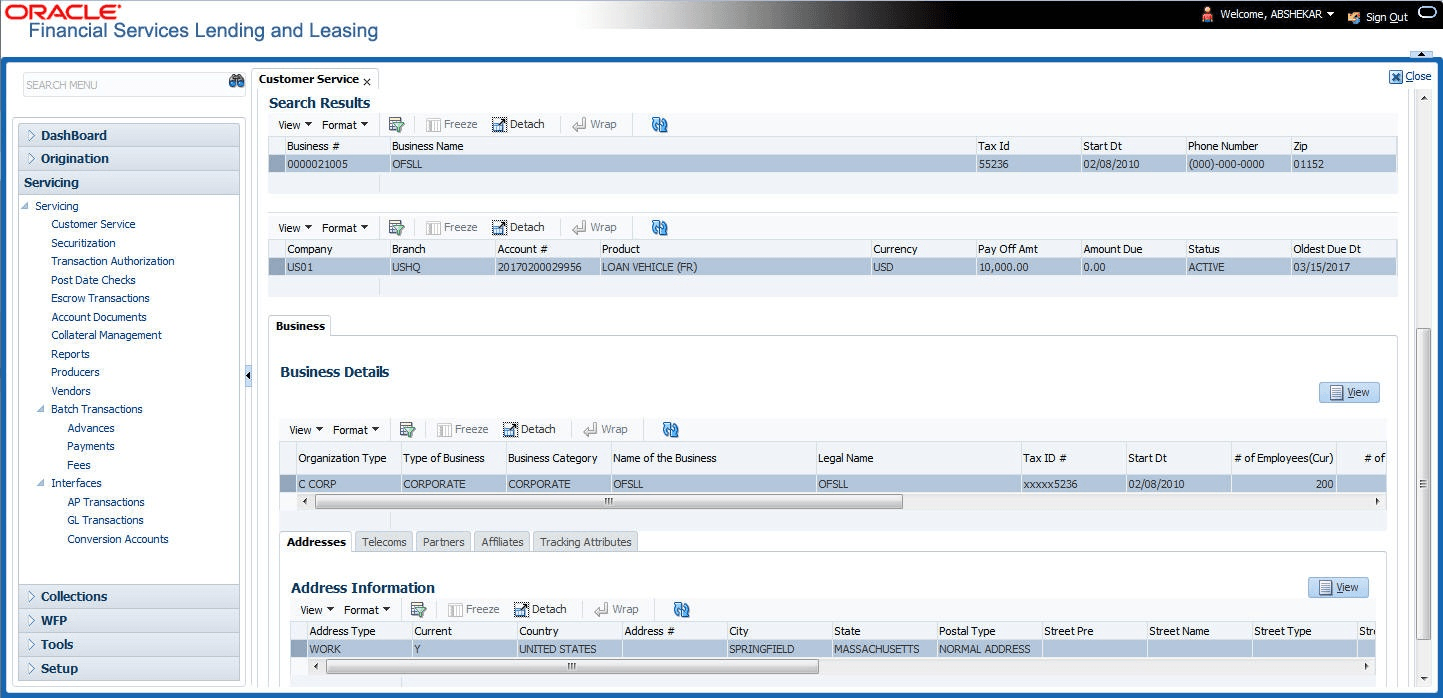
User can view the following information for each business record:
Table 2-10 Criteria Screen - Search
Field Description Business # Displays the registered business number of the company. Business Name Displays the name of the business. Tax ID Displays the taxation identity number of the business. Start Dt Displays the date when the business was initiated. Phone Number Displays the contact number of the business. Zip Displays the zip code where the business is established. - On the Results screen, select the business type of your
interest. The sub section displays the accounts associated with the selected
business with the following details:
Table 2-11 Results Screen
Field Description Company Displays the company of the account. Branch Displays the branch of the account. Account # Displays the account number. Product Displays the Loan product of the account. Currency Displays the currency in which the account is operated. Pay Off Amt Displays the total pay off amount on the account. Amount Due Displays the total amount due on the account. Status Displays the status of the account. Oldest Due Dt Displays the oldest payment due date on the account. Also, the Business section below displays the Business Details along with Addresses, Telecoms, Partners, Affiliates and Tracking Attributes. User can click View to display the details in each section.
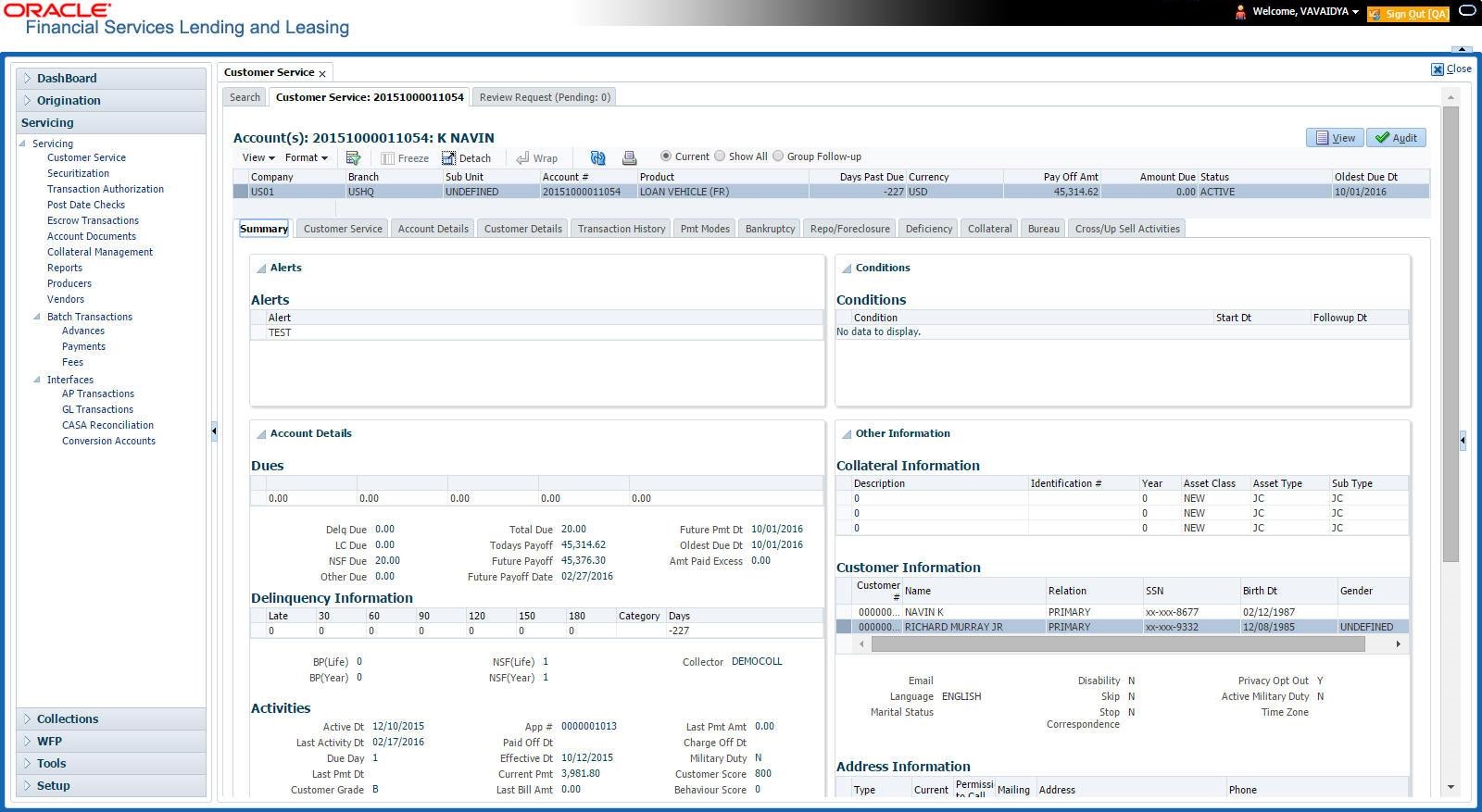
- Select the required account and click Open Account. The system loads the account associated with the business type in the Customer Service tab.
Parent topic: Searching for an Account and Customer