2.3 Searching for an Account and Customer
This topic provides information on searching for an account and customer.
User can search or retrieve a particular account or customer through Customer Service screen. The search tab available in the screen enables user to locate an account or customer using a broad range of search criteria.
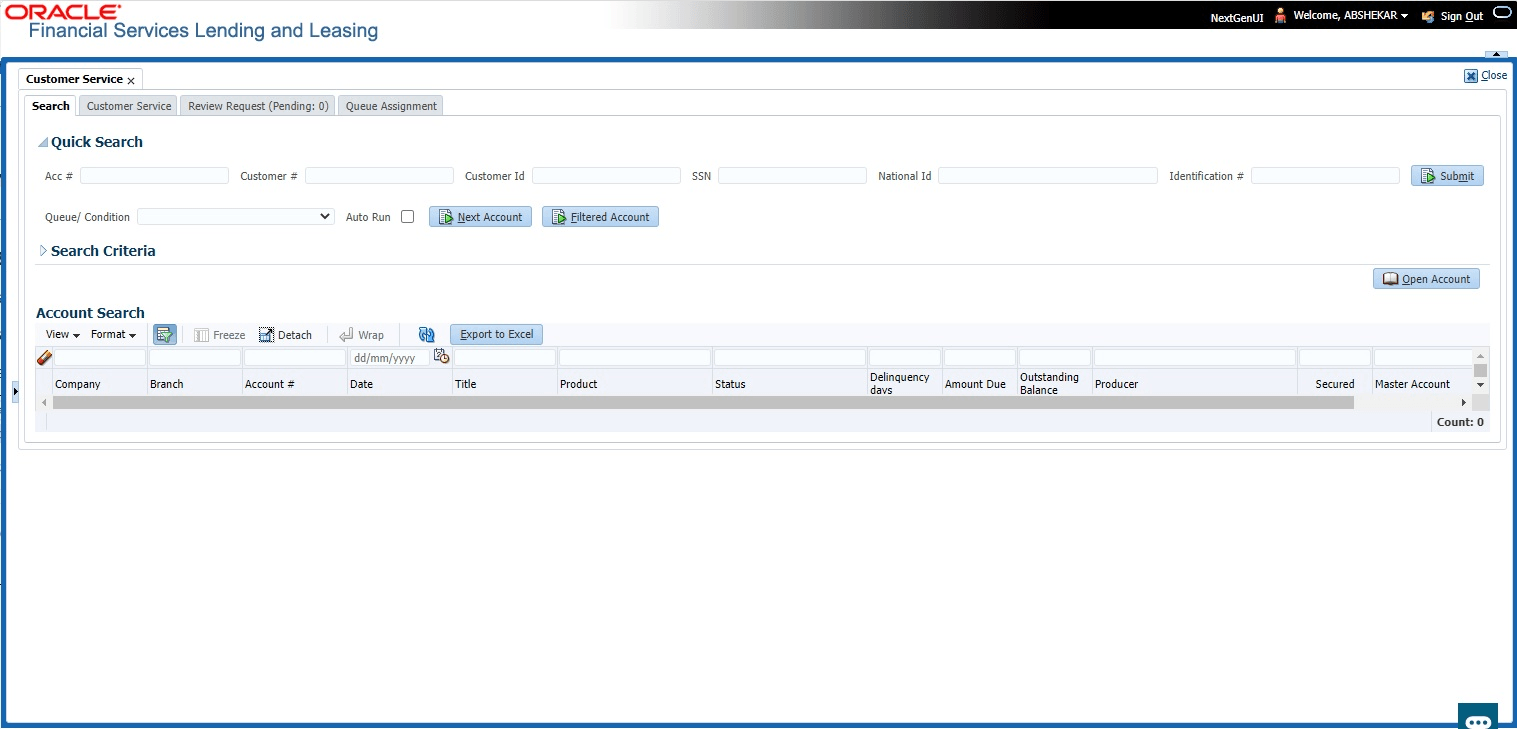
To view the Search screen during Loan servicing
- On the Servicing, click Servicing.
Under Servicing, click Customer
Service. Under Customer Service, click
Search.
The Search screen displays.
Note:
Oracle Financial Services Lending and Leasing does not display the financial details of secured accounts if the logged-in user is not authorized. Though the search display the results, the fields such as Status, Delinquency Days, Amount Due, and Outstanding Balance are masked with ‘xxxxx’ and clicking on the same displays an error message indicating ‘Cannot open secured account’.
- Click the Search Criteria
tab.
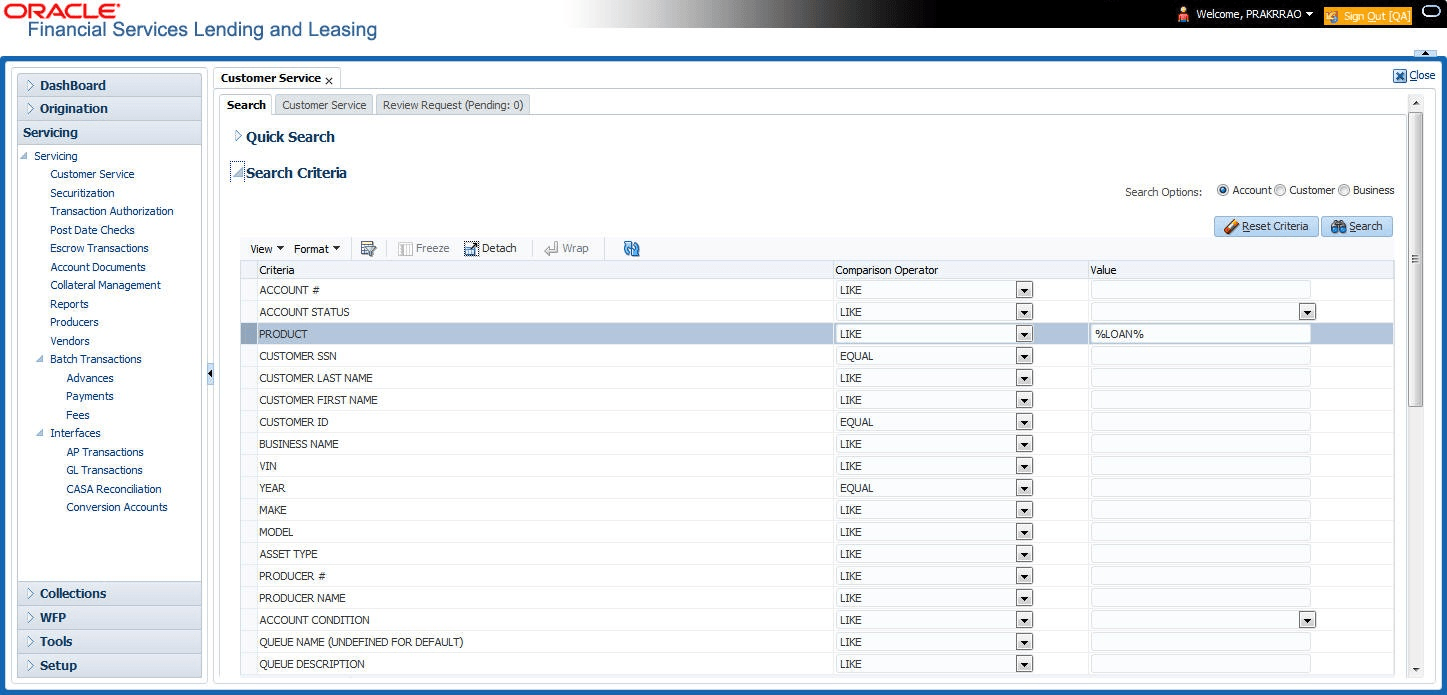
The Search Criteria screen displays.
Using the Search Tab
- Create a search criteria by specifying the required details in Comparison Operator and Value columns.
- Click Search. System displays all accounts that meet the search criteria in the Results tab.
- On the Search Results/Task screen, select the account user want to load and
click Open Account.
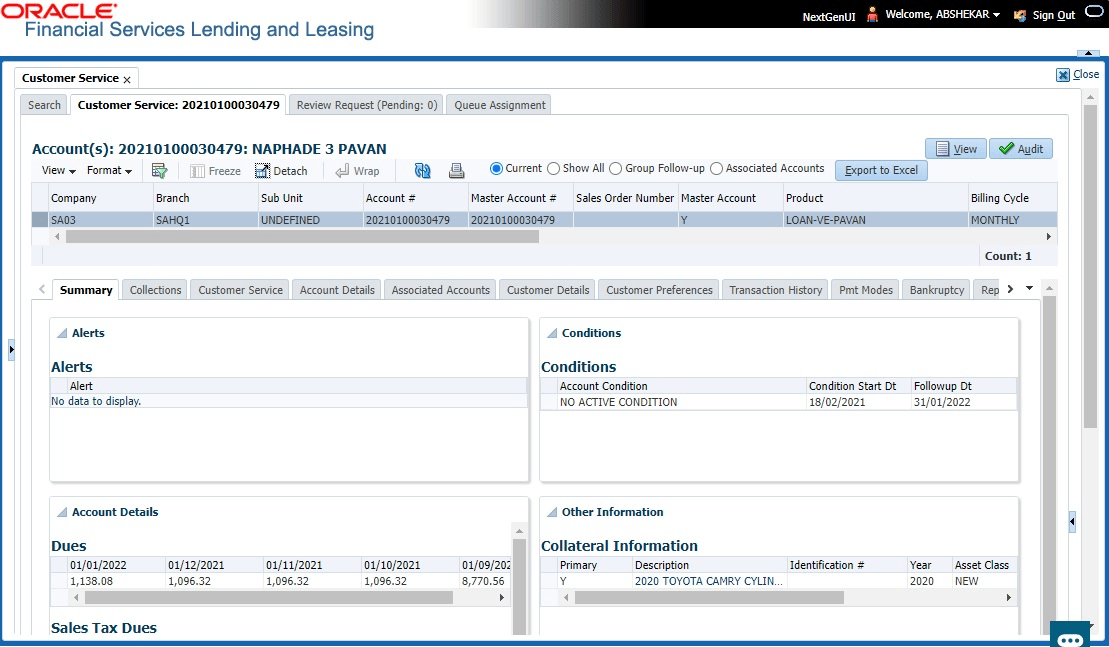
The system loads account on Customer Service screen.
This section consists of the following topics:
- Quick Search Section
This topic provides information on the quick search section, which allows users to locate applications efficiently. - Search Using Customer Details
This topic provides information on searching using customer details. - Search Using Account Details
This topic provides information on search using account details. - Search Using Business Details
This topic provides information on search using business details.
Parent topic: Search Function