8.1.4.2 Post Provisioning of Environment
This topic provides the systematic instruction information to customer to manage the encryption post environment provisioning.
From Encryption option, the customer can manage the following:
- Encrypt using customer-managed keys (BYOK)
- Change keys for customer-managed keys encryption (BYOK)
- Revert to Oracle-managed keys
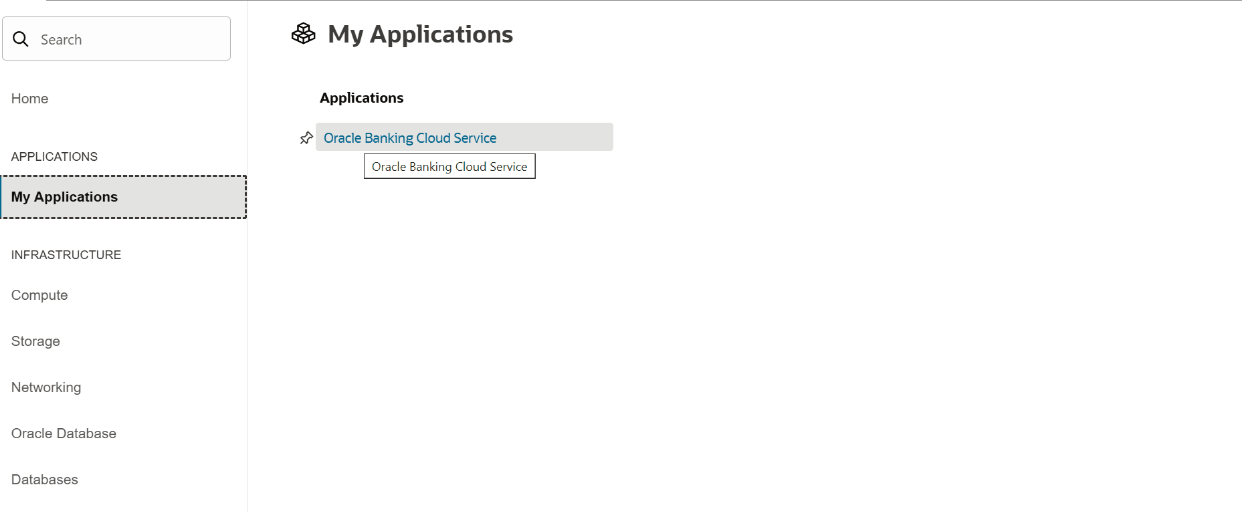
- Navigate to the Menu, select My Applications, and then click the Oracle Banking Cloud Services link.
Figure 8-21 My Application
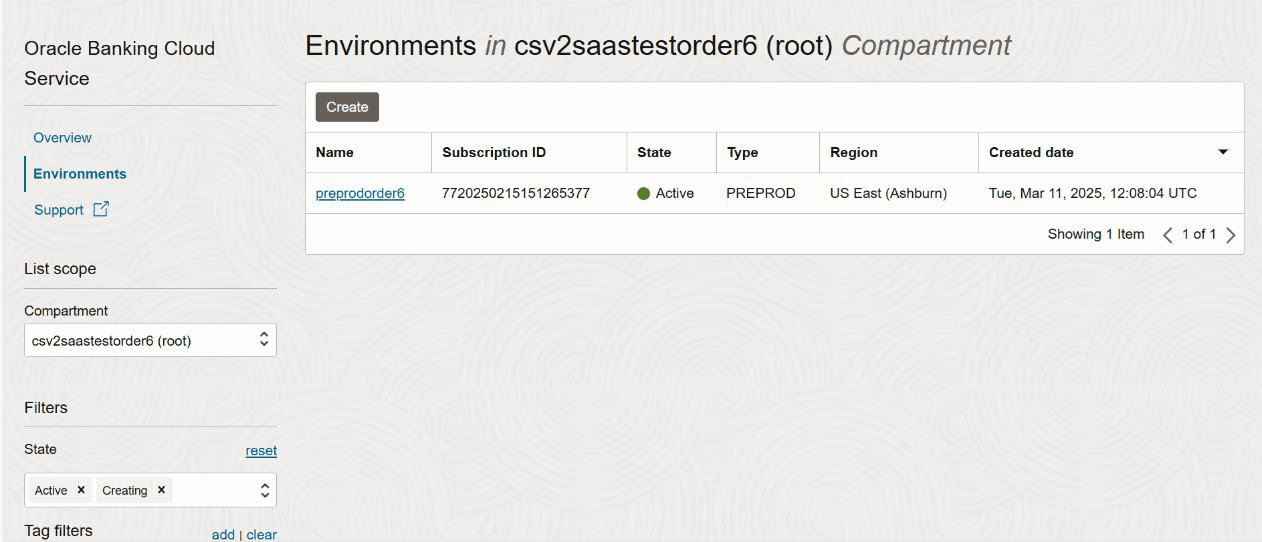
- Click the Environments link.The list of provisioned environments is displayed.
Figure 8-22 Environment Details
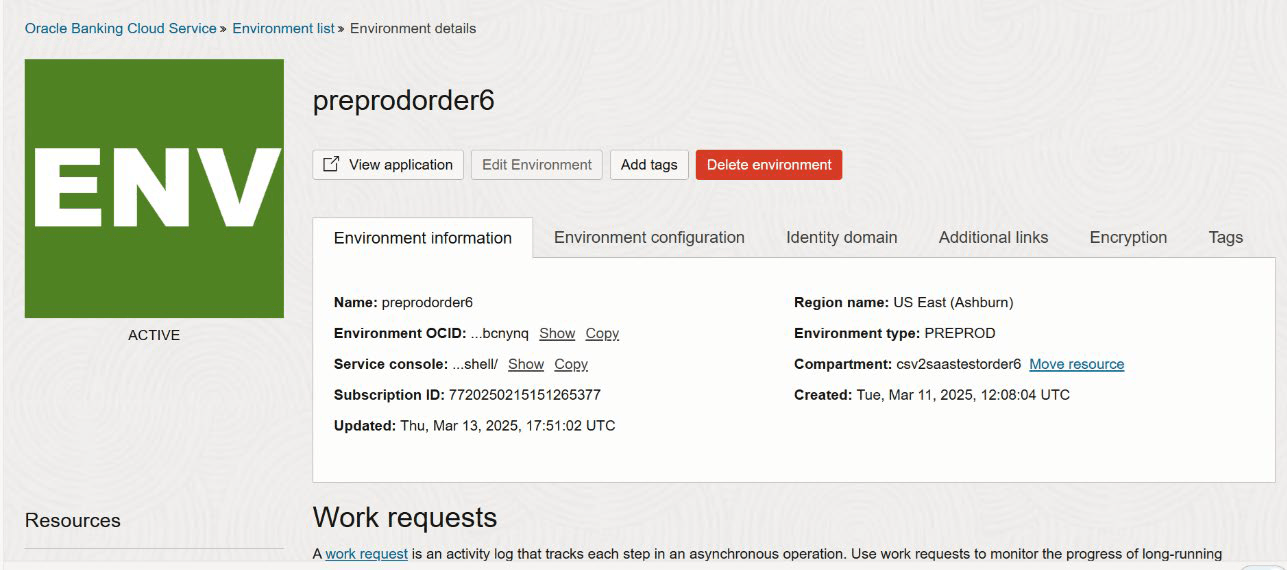
- Select the environment to encrypt.
Figure 8-23 Environment Information
- Navigate to Encryption tab, based on the changes made, follow the respective steps below:
- Revert to Oracle-managed keys: To switch back to oracle-managed keys for the previous environment.
- If previously encrypted with Customer-managed keys, then click Manage.
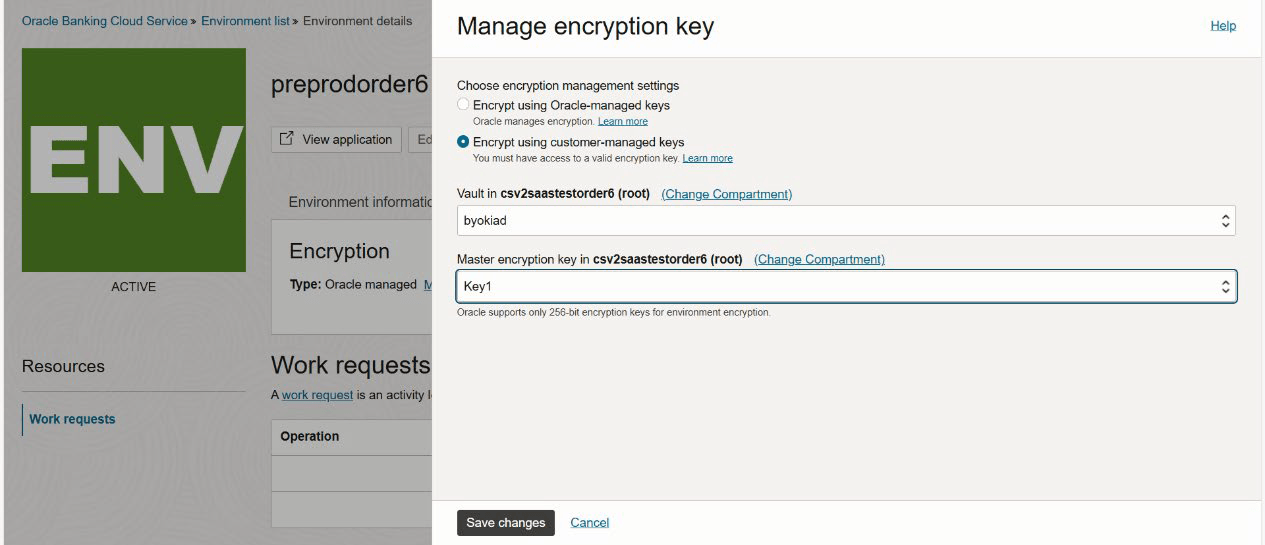
- Select the Oracle-managed keys option.
- Click Save Changes.
Figure 8-24 Encryption
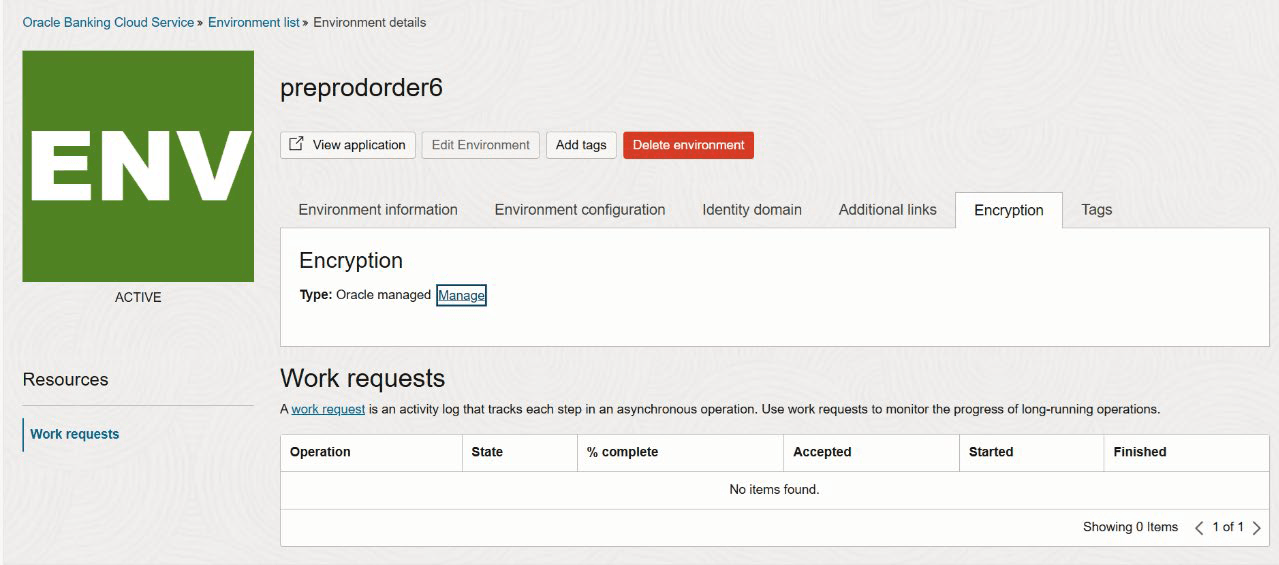
Figure 8-25 Manage Encryption Key
- Revert to Oracle-managed keys: To switch back to oracle-managed keys for the previous environment.
Parent topic: Customer Managed Keys Encryption