8.1.2.1 Vault Replication
This topic provides the systematic instructions to create vault replication.
After creating the vaults, replicate the production vault to a secondary region for disaster recovery. Replication makes the vault and its encryption keys available in the remote region.
Before starting replication, add this IAM policy at the tenancy level:
Allow service keymanagementservice to manage vaults in tenancy.
Once the policy is in place, initiate vault replication:
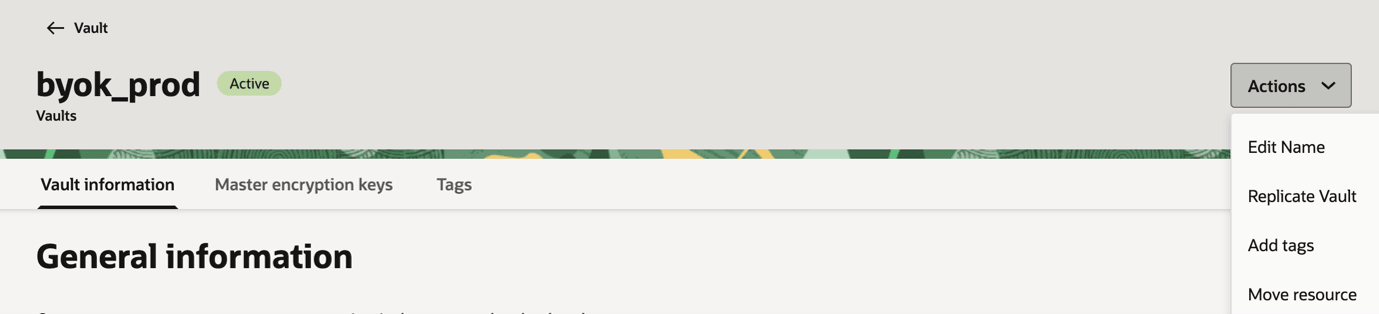
- Select Actions, then select Replicate Vault.
Figure 8-6 Replicate Vault
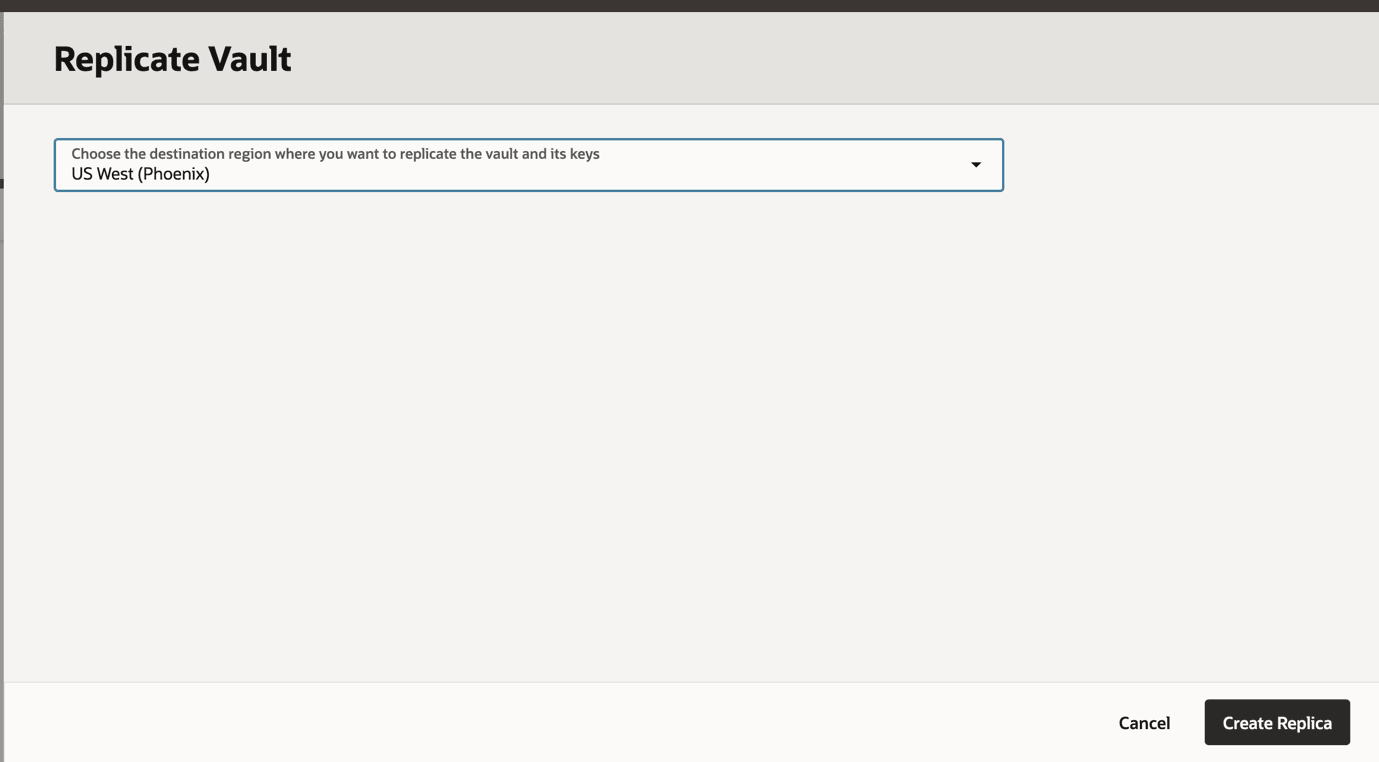
- In the Replicate Vault dialog box, select a destination region from the list, and then select Create Replica.
Figure 8-7 Create Replica
- Viewing a Replicated Vault's Details.
- Select View Replica Details.
Figure 8-8 View Replica Details
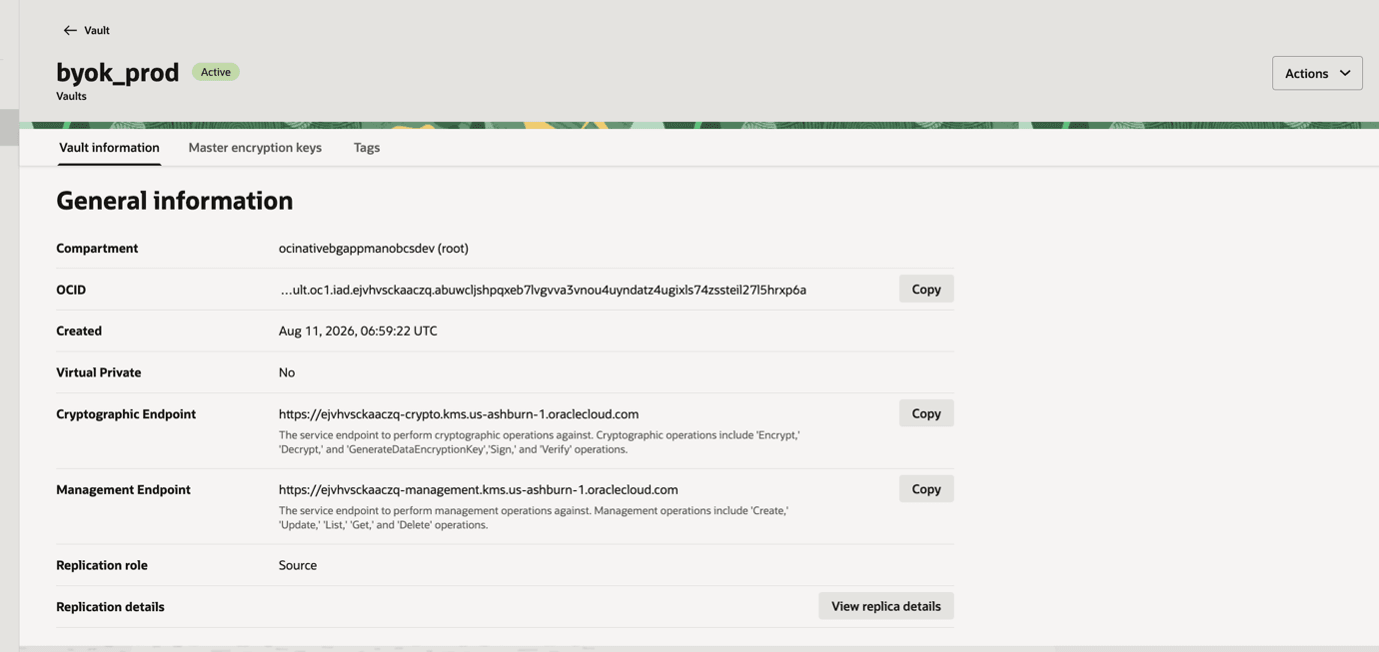
Figure 8-9 View Replica Details
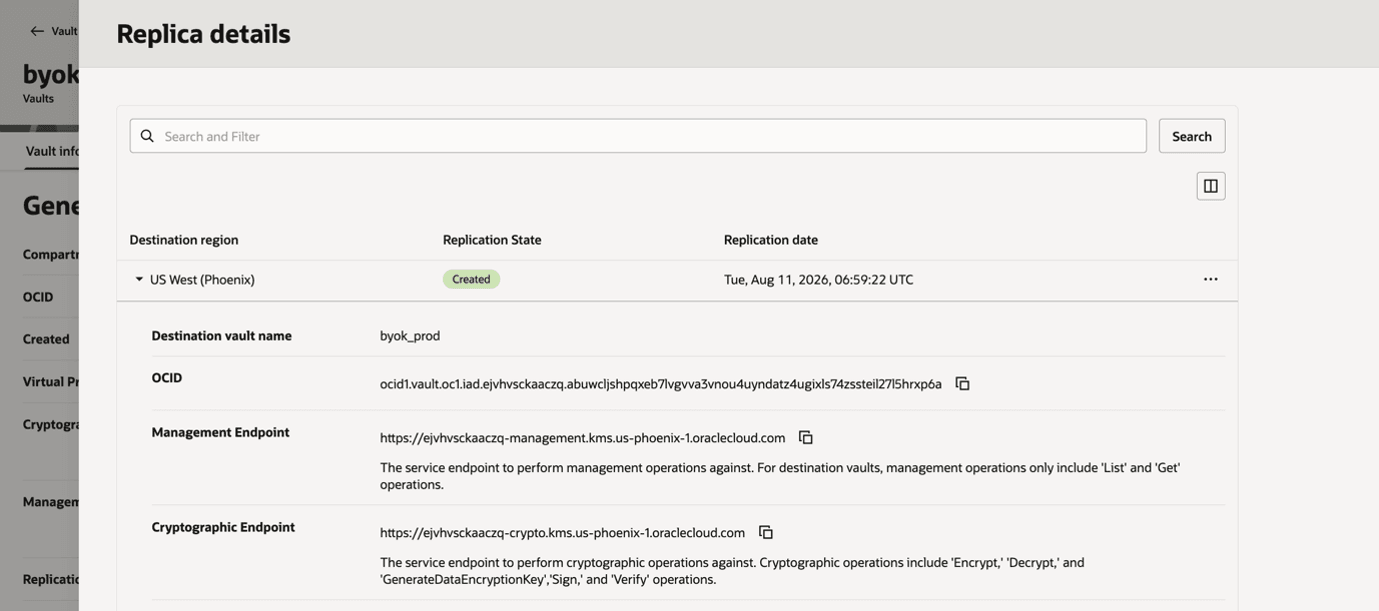
- Select View Replica Details.
Parent topic: Create Key and Vault in Customer Tenancy