8.1.2.2 Create a Master Encryption Key
This topic provides the systematic instructions to create a master encryption key in OCI's Key Management service..
Note: When the user uses a customer-managed master encryption keys with a vault in a remote tenancy, the vault and the Autonomous Database instance must be in the same region. Refer for more information.
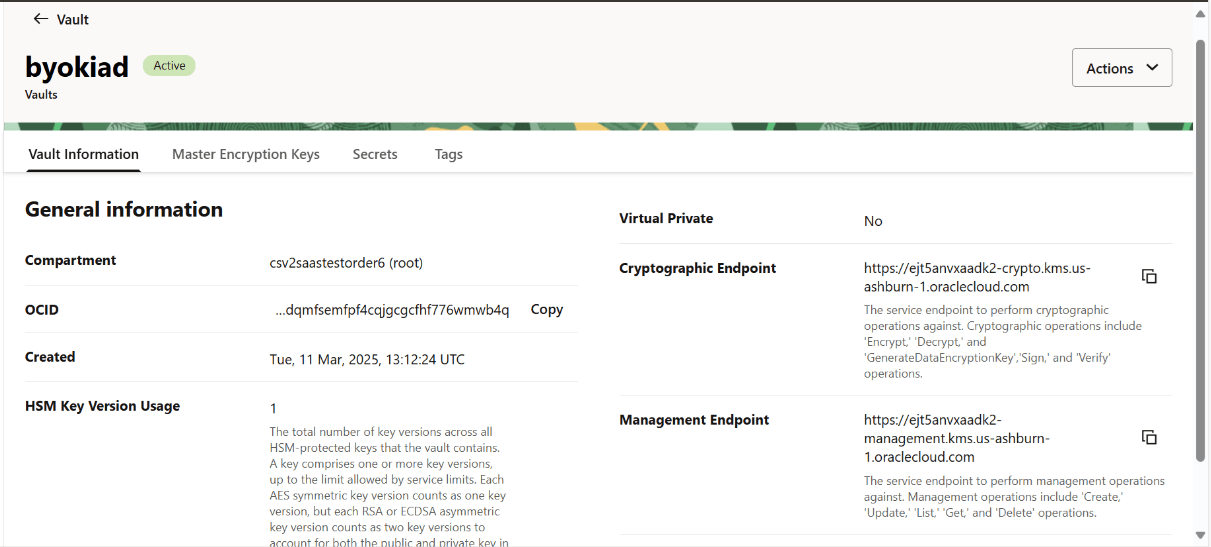
- Once the vault is created successfully and in Active status, click on the vault created.
Figure 8-10 Vault Information
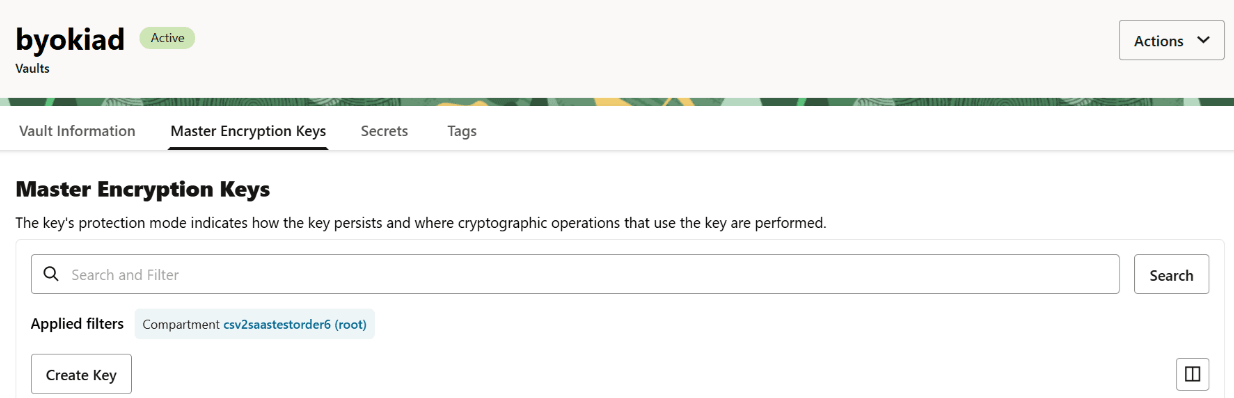
- Navigate to Master Encryption Keys tab and click Create Key.
Figure 8-11 Master Encryption Keys
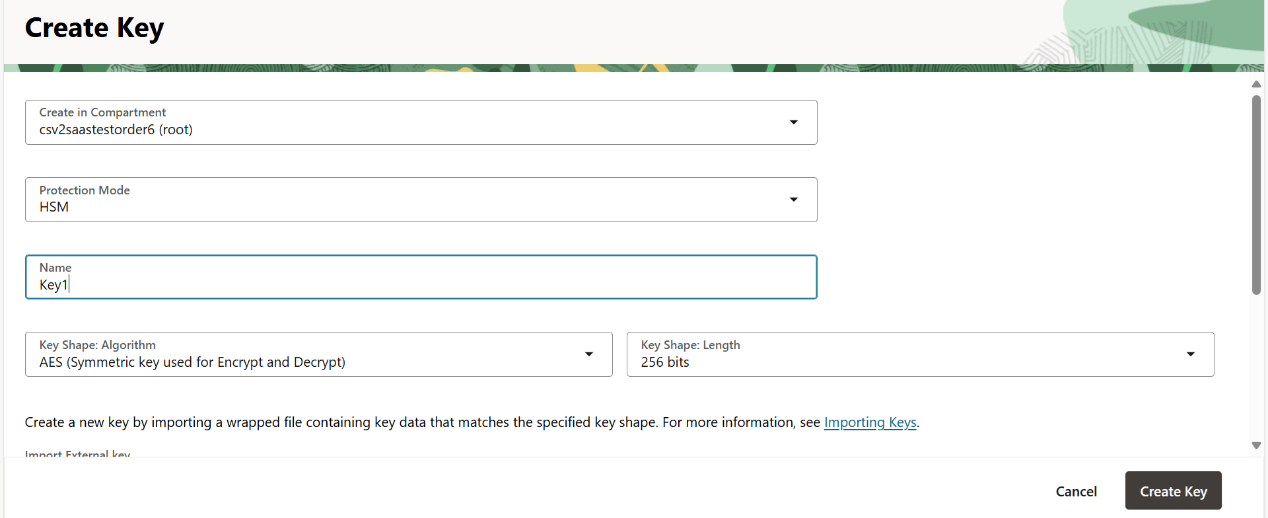
- Specify the key name, other details, and click Create Key.
Figure 8-12 Create Key
Note:
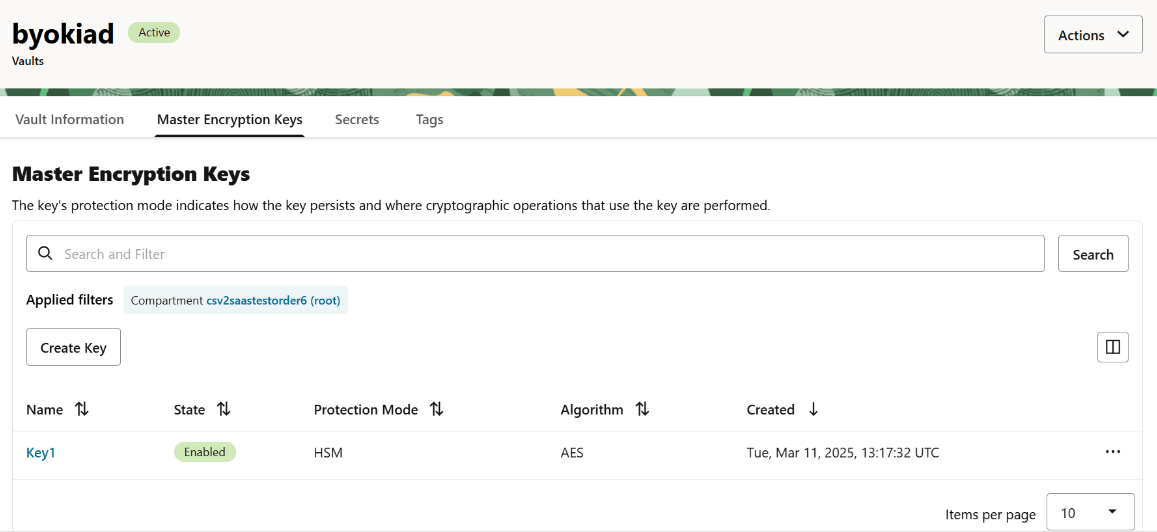
Once the key is created successfully, the state is changed to Enabled.Figure 8-13 Key in Enabled State
Parent topic: Create Key and Vault in Customer Tenancy