7.8.3 Retiring a Business Assumption Definition
You can retire a business assumption definition when a definition is no longer valid and not required to be included in the selection of a new run calculation. To retire a definition once it is approved, follow these steps:
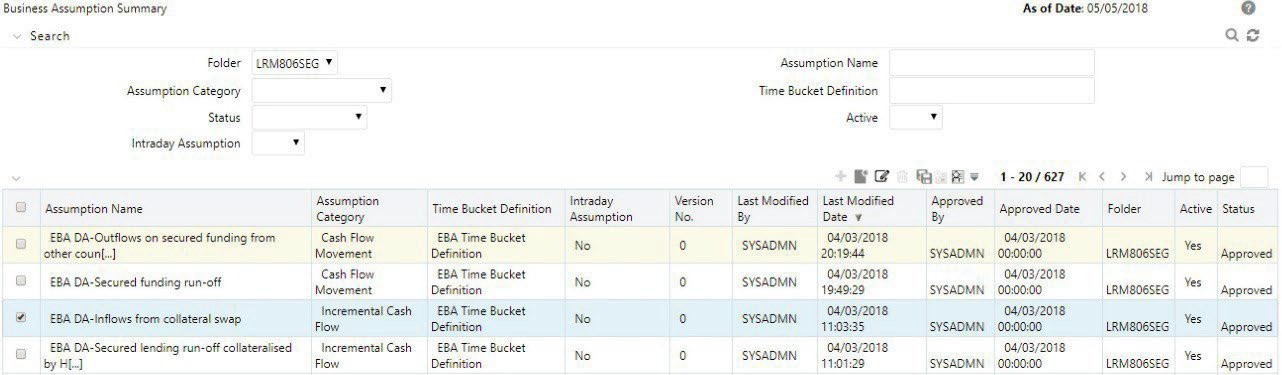
- To retire a definition, click Select icon to select a definition from the list of business assumptions and then click View icon or Edit icon .
Figure 7-83 Business Assumptions – Retire
The Business Assumption Definition window is displayed.
Figure 7-84 Business Assumption Definition window image 177
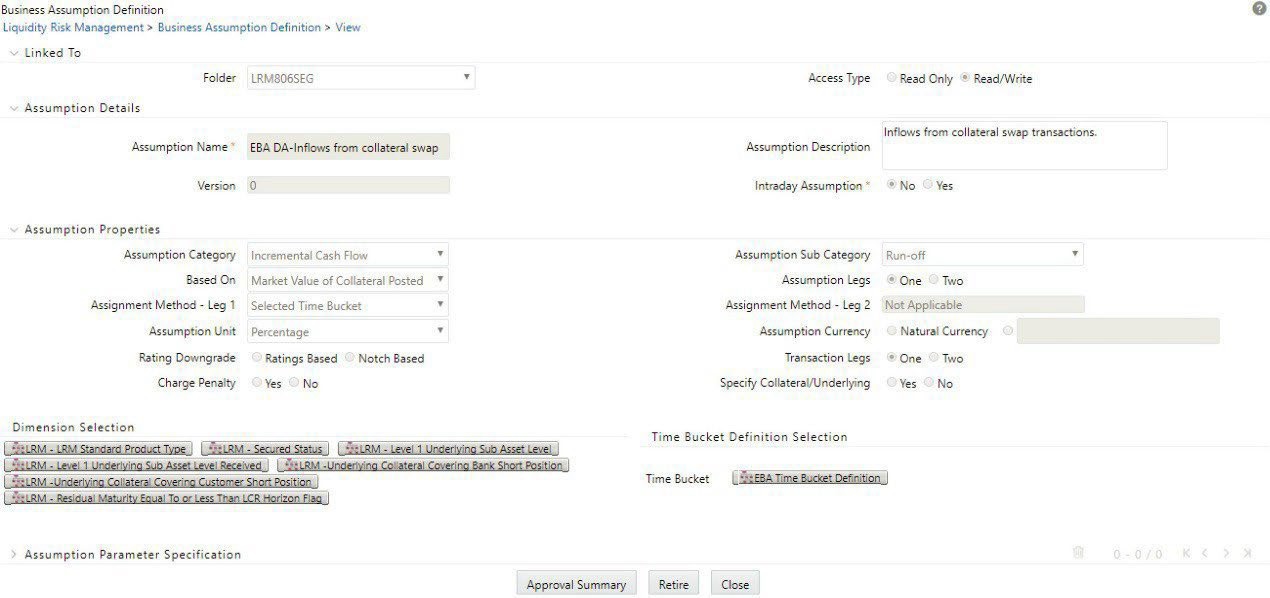
- Click Retire . A retired definition will not be available for selection as part of a new Run definition.
Note:
- After approval, when an assumption is edited and is in In Review status, it is not picked up for execution. Only when the definition goes through the entire approval process and is approved it is marked as latest and it can be used for execution.
- After the definition is approved, the latest version of such approved definitions are executed. While executing the Run executes the latest version of that assumption (that is, the version marked as latest). Run automatically picks up the definition which is marked as latest. Only the version marked as latest will be executed at a given point of time.
- If the business conditions change, and you require a previously defined version number to make it active, select the assumption from the Business Assumption Summary window and click Make Active. Once it is approved, that version is automatically marked as latest, but you can always go back and mark a previous version as the latest in Business Assumption Summary window (Make Active).
- The status updated in the Business Assumptions Summary window allows you to search the pre-defined business assumption definitions on the basis of approval status. This field displays a list of statuses that you have access to as a drop-down list that is, Approved, Draft, In Review, Open, Pending Approval or Retired. Click the drop-down list to select the status. The selection of a status from the drop- down list displays only those business assumptions that have been defined within the selected status in the List of Business Assumption table.
- Business assumption definitions can be edited before or post- approval. If edited before approval, it is resaved with the same version number. If edited post-approval, it is resaved with a new version number. You cannot edit the definition once sent for approval and in Pending Approval status.
- The business assumption definition, once saved and approved, is registered as a Rule in the Rules Framework of Oracle Financial Services Analytical