Recode a MedDRA or MedDRA J dictionary
About MedDRA Recode
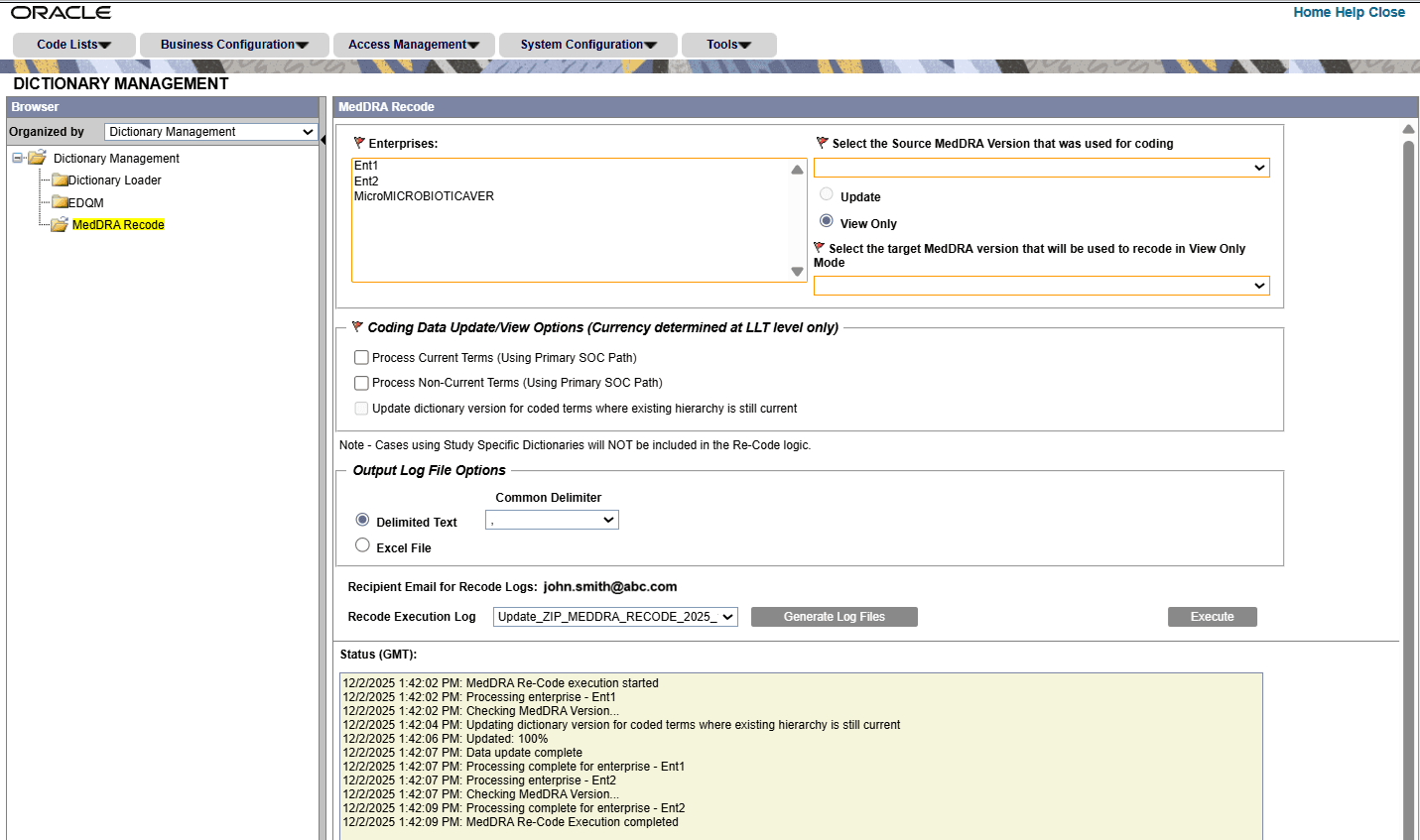
MedDRA recoding is the process of re-coding the medical terms used in the existing cases that were already coded with a prior version of MedDRA to a new version of MedDRA. This new MedDRA version must be configured in the System Configuration.
This is necessary when a new MedDRA version is released, and it ensures that medical product safety data remains accurate and consistent over time by updating terms that may have changed or been organized differently in the new dictionary.
To access the MedDRA Recode menu, the user must login through the default enterprise and must belong to a user group that has the MedDRA Recode option enabled under Access Management, in the Groups window, in the Menu section.
The MedDRA Recode pages are asynchronous, once the recoding is initiated, you can move to other windows.
Recode the MedDRA terms
To recode the MedDRA terms, make sure an enterprise must have at least one case. An enterprise is eligible for selection only if it has associated cases.
See also:
- MedDRA Recode field descriptions
The MedDRA Recode window is used to recode the already coded MedDRA terms to the MedDRA dictionary version configured in System Configuration. It supports recoding in multi-tenant environments. - Logic to Recode MedDRA
- Fields affected by recode activity
- About the log file generation
- MedDRA recode logs
Parent topic: MedDRA dictionaries