Artifact drawers
Artifact drawer updates improve clarity with updated labels, aligned date fields, helpful tooltips, and a consistent History tab layout for easier navigation.
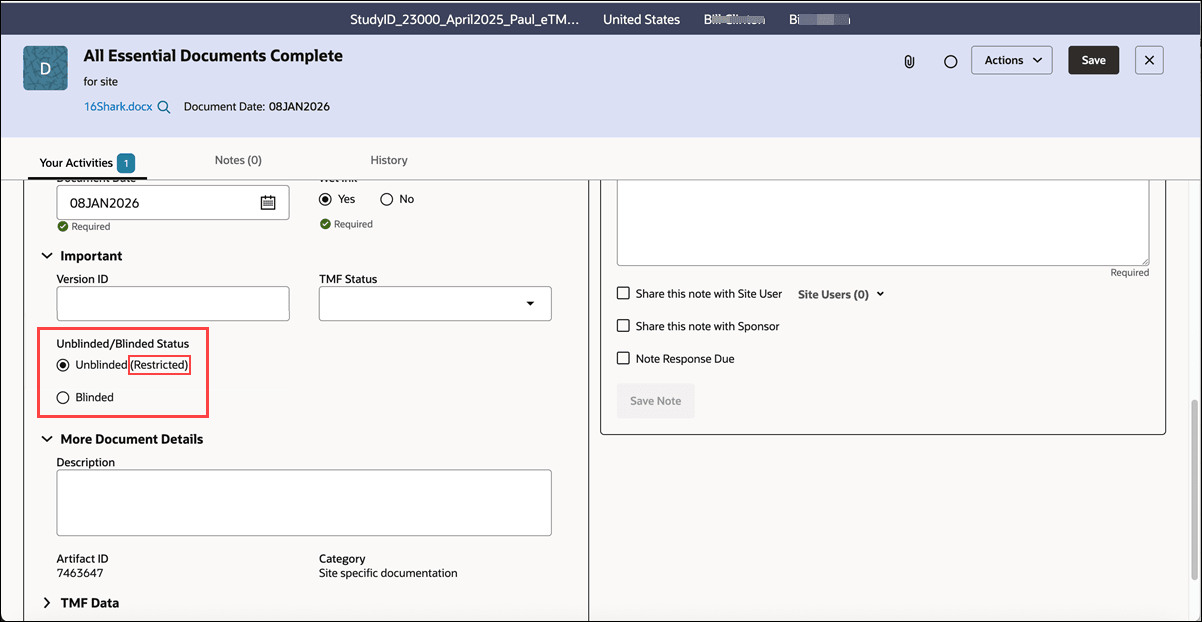
Unblinded artifacts
To help you understand when a document is restricted (unblinded), we updated the artifact drawer Metadata panel to restore the “(Restricted)” label after “Unblinded.” You’ll see the Unblinded/Blinded status options in the Metadata panel only on Documents and Contracts, per design.
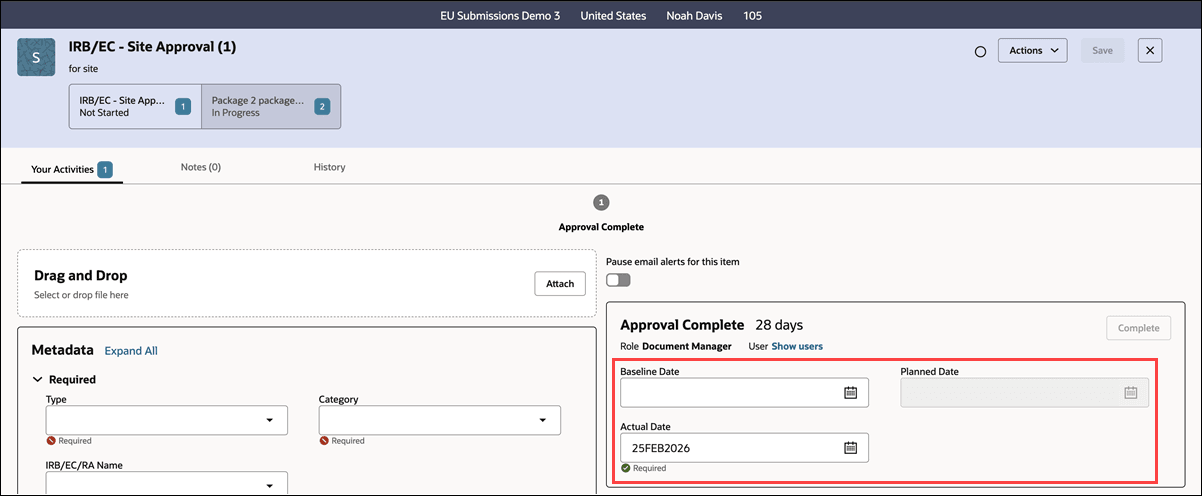
Baseline, Planned, and Actual dates
We made a minor update to the artifact drawer to group and align the Baseline, Planned, and Actual date fields, so you see a more consistent and intuitive layout wherever these fields appear. On activities with decision options, you’ll see Baseline Date and Planned Date on the same line, with Actual Date displayed directly below.
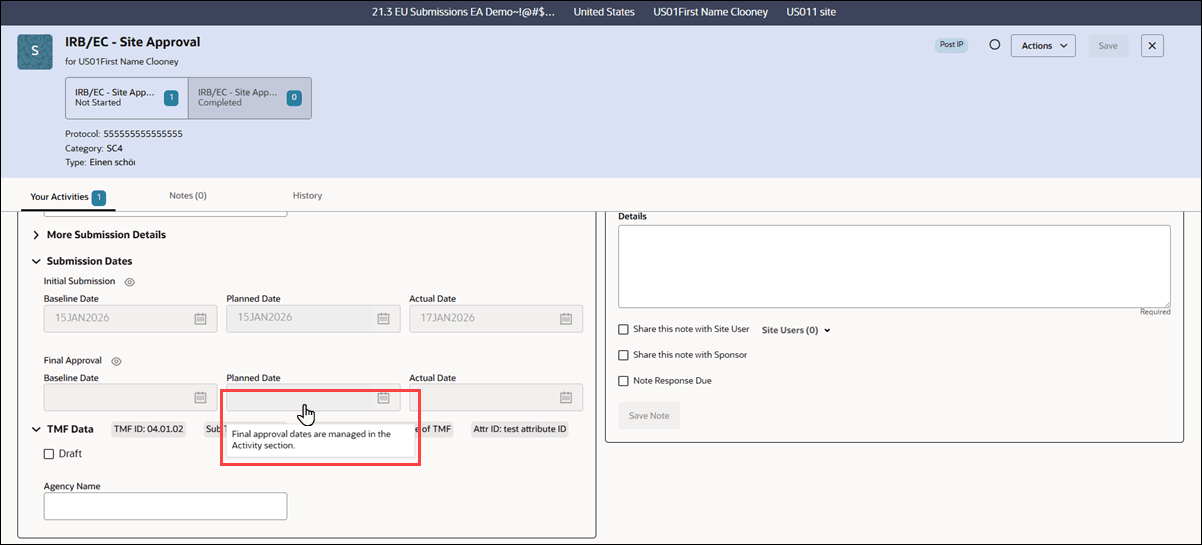
Disabled milestone submission dates
This release adds a tooltip to disabled final approval date fields in the artifact drawer Submission Dates area. The message clarifies where to manage the final approval dates. When you hover over the disabled fields, you’ll see the message “Final approval dates are managed in the Activity section.” The new tooltip will display on hover over only when the fields are disabled because the current activity is the final activity on the screen.
Files on History tab
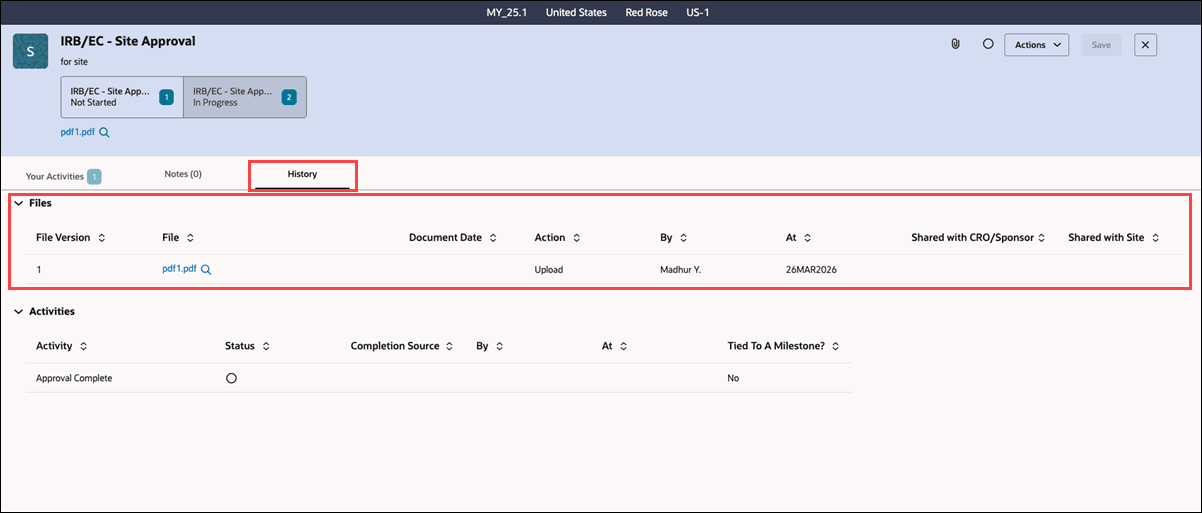
Release 25.1.1 updates the Artifact drawer’s History tab so the Files section is always displayed, even when no files are attached, keeping the layout consistent and easier for you to navigate. When no files are present, the Files section displays the message “No data to display.” The Activities section continues to display below the Files section without change.
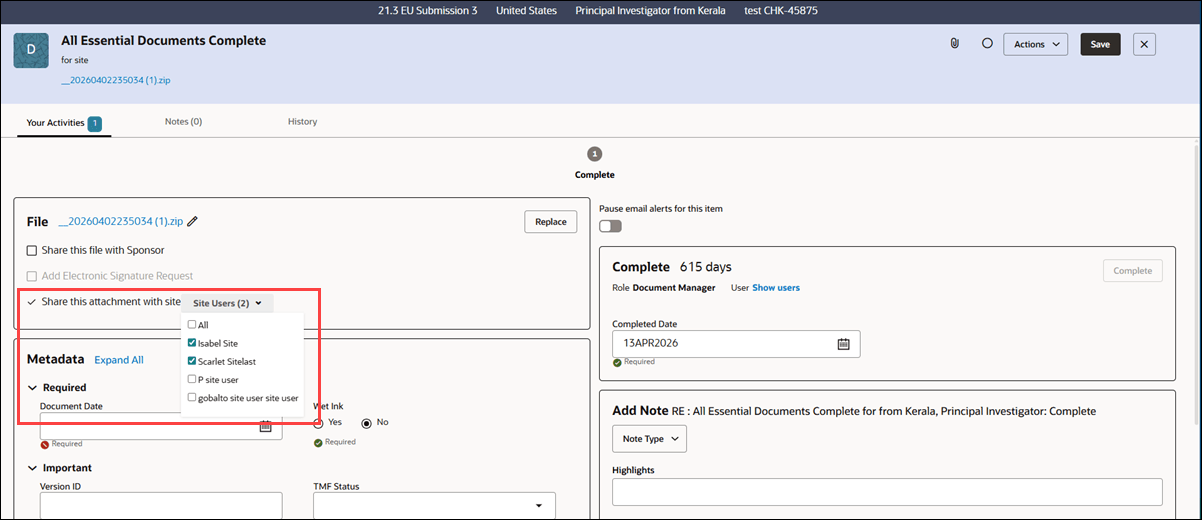
Unshare an attachment
We enhanced the artifact drawer attachment option to support removing shared site users from the “Share this attachment with site” list. This change aligns the user interface with backend functionality, so when you remove a site user from an artifact’s shared attachment list, that site user no longer sees the attachment.