Bulk work
This release introduces a new drawer layout for contract artifacts.
Batch amendment processing
When you select "Add amendments for all contracts in a country," the Bulk Work page opens pre-filtered to the relevant country, displaying Contracts and Items that can be amended, with all items selected by default. This is previously existing functionality designed to streamline your workflow and save time.
With enhancements in this release, the list now uses progressive loading, so you can scroll to access additional contracts as needed and include them in the group requiring the amendment.
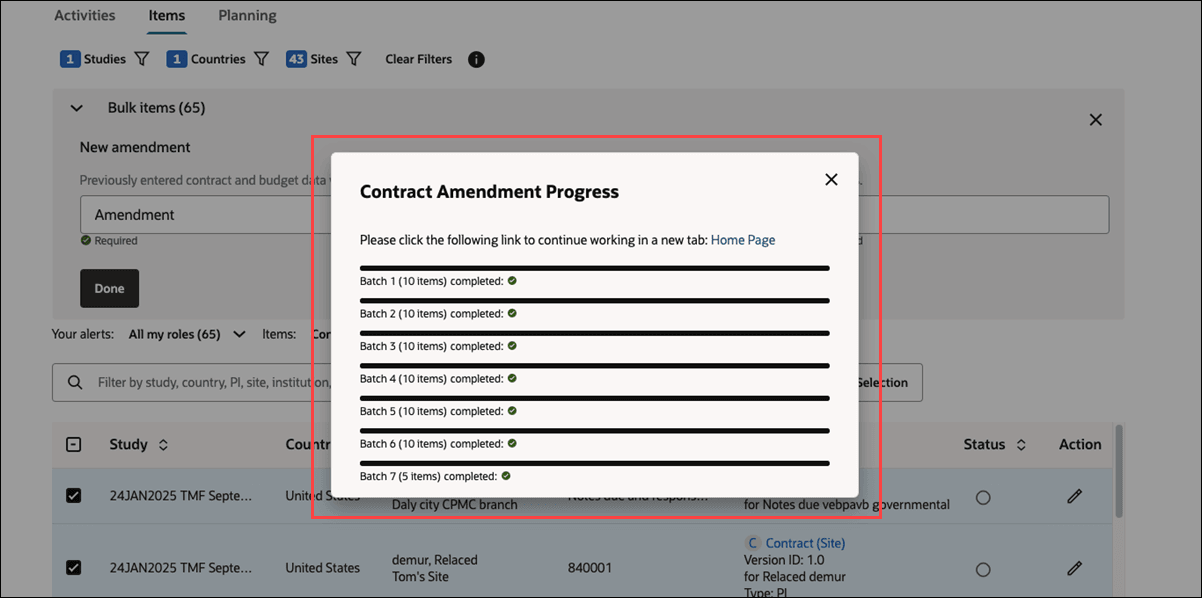
A new modal will display after you complete the New amendment fields and click Done. The modal displays processing in batches of up to 10 items, and you'll see each batch marked as Done when completed. You cannot close the modal until all batches are finished, but the modal includes a Home Page link that lets you continue working in a new tab if preferred.