Study management
The study drop-down has improved user interaction, you can specify site profile type when adding a study from My Dashboard, and the Site counts and cycle times dashboard lets you export in CSV, Excel, or PDF format.
Study picker usability enhancements
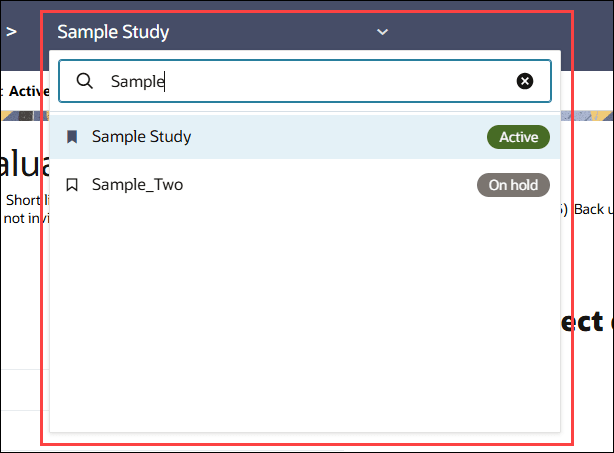
You can now find and switch studies more easily using an enhanced study picker. A search field lets you search by study name, and each study displays its current status in a badge so you can quickly distinguish active (green badge) and inactive (gray badge) studies.
You can also favorite or unfavorite studies directly from the picker, and your selections are retained when you reopen it. The currently selected study is clearly identified at the top of the list.
Epic: SEL-22489
My Dashboard site profile type selection for new studies
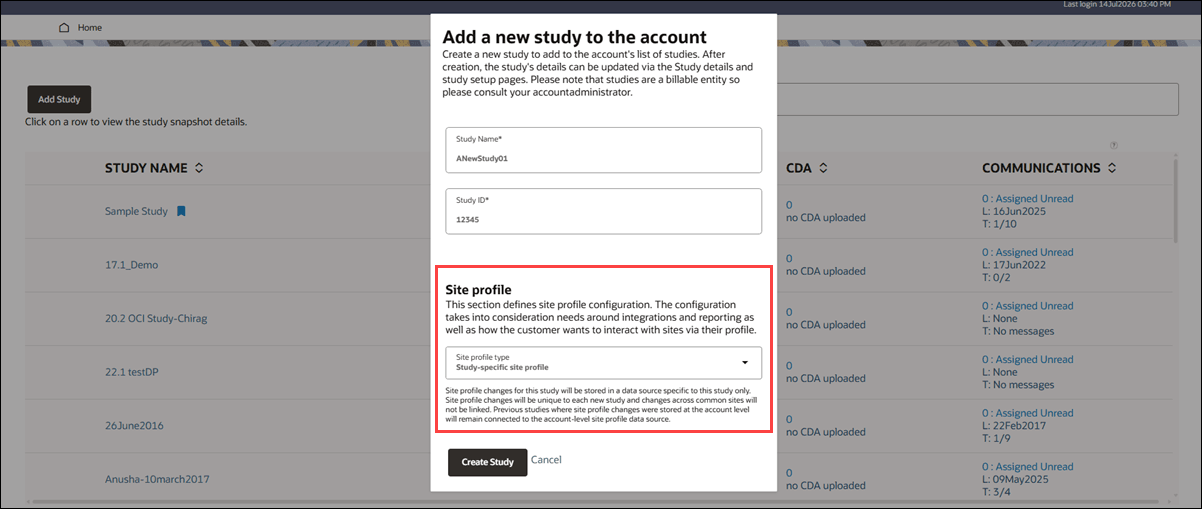
If you have Account study creation permission and you create a study from My Dashboard, you can choose whether the study uses an account-level or study-specific site profile. This selection lets you configure the site profile type for an individual study without changing the account’s default setting.
The Add a new study to the account modal now includes a Site profile section. In the Site profile type list, you can select Account-level site profile or Study-specific site profile. The initial selection is inherited from the setting on the Account page, and contextual information explains how each option stores and applies site profile changes. If you select a site profile type that differs from the inherited account default, a confirmation message explains that the selection cannot be changed after the study is created.
With an account-level site profile, changes are stored in the account-level data source and apply across studies that use it. With a study-specific site profile, changes are stored only for the new study, and changes to common sites aren’t linked across studies. Existing studies that use the account-level data source remain connected to it.
Your selection applies only to the new study and doesn’t update the setting on the Account page. After you create the study, the selected site profile type is read-only. The existing study creation confirmation, navigation to the new study home page, and Manage study details link remain unchanged.
Epic: SEL-22489
Site count dashboard export
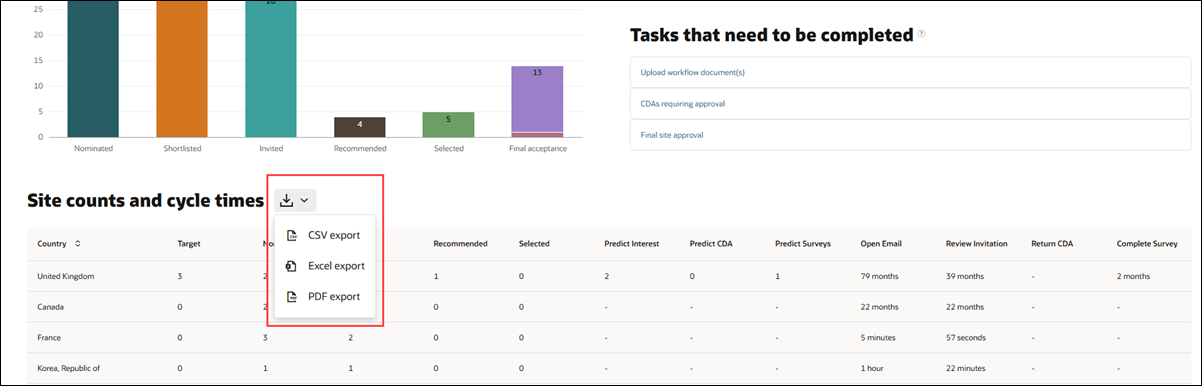
With this release, you can export the Site counts and cycle times dashboard from the study home page in CSV, Excel, or PDF format. The export icon  is now a drop-down menu that includes all three options. The previously existing CSV export behavior hasn’t changed.
When you select the Excel option, you receive a workbook with country-level data from the Study site count dashboard on the first tab and a separate tab for each country containing its site-level data. When you select the PDF option, you can export the entire Site Count dashboard view.
Epic: SEL-22489
Parent topic: What's new