User interface
The global navigation menu has new tooltips, your account administrator can now specify custom link text if your organization uses a custom support URL, and footer text now meets accessibility guidelines.
Global navigation menu icon tooltips
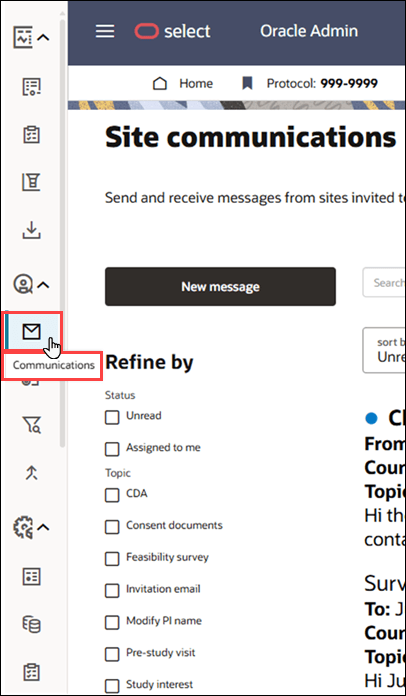
The collapsed global navigation menu now displays tooltips when you hover over each icon, making it easier to identify menu options. The currently selected page is also highlighted.
By design, tooltips aren’t displayed in the fully expanded menu because each menu item label is already visible.
Epic: SEL-22489
Custom help link text
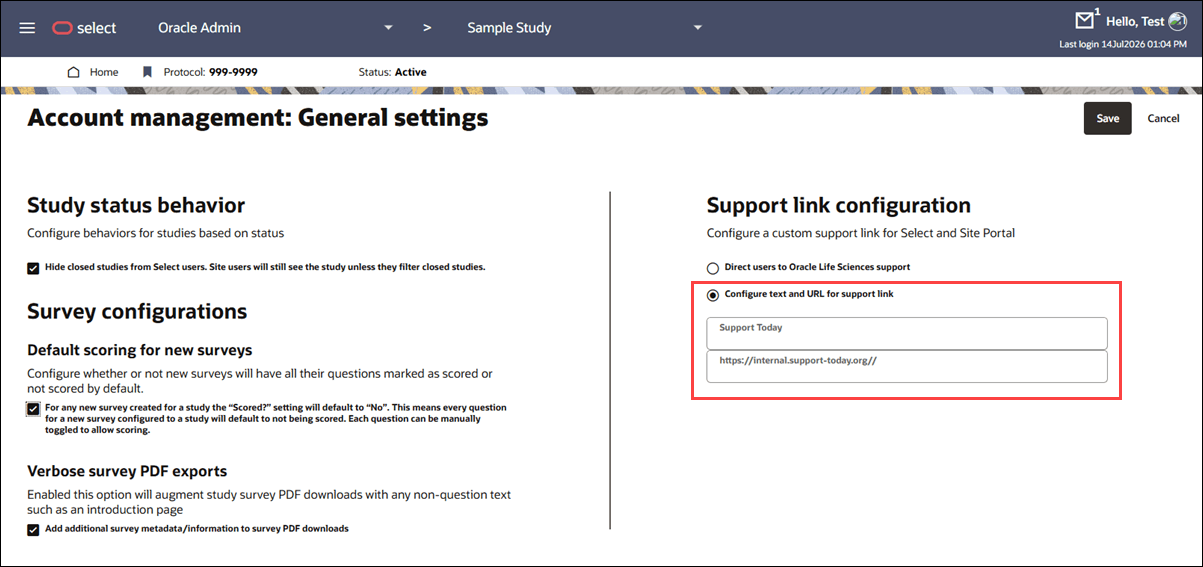
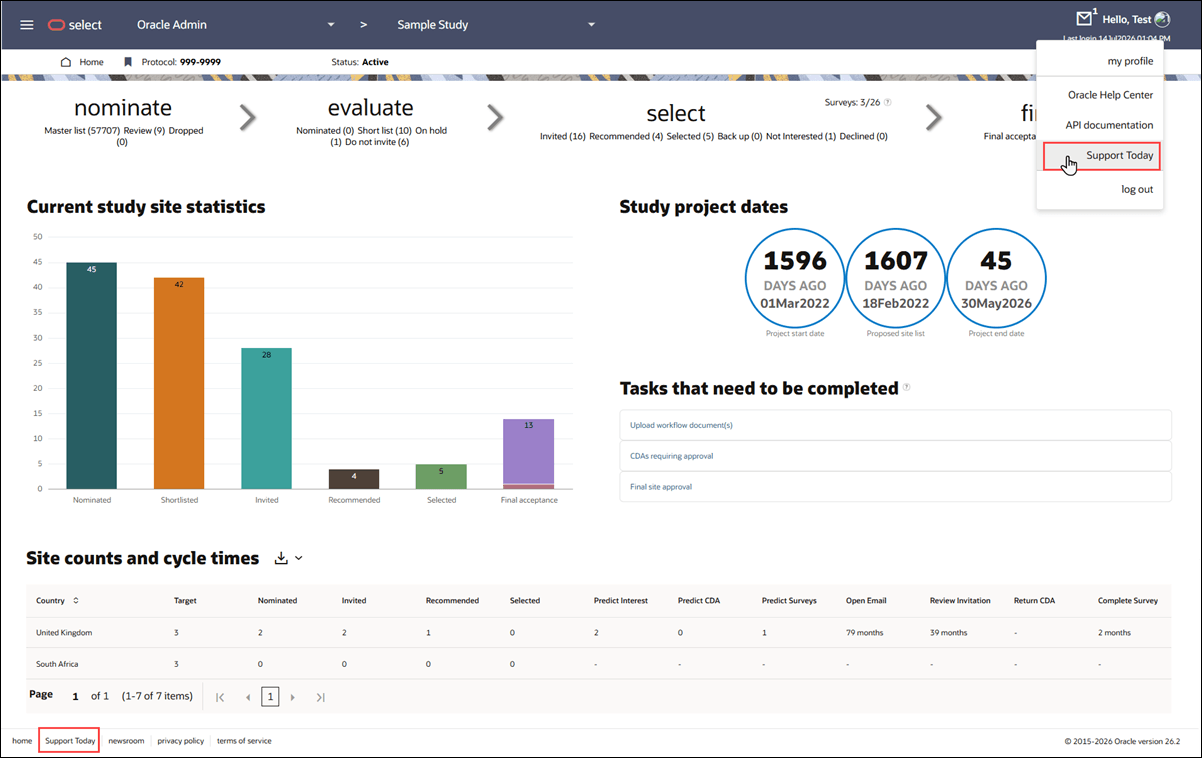
When your account administrator enables the custom help center link option, they can now specify the link text displayed in Oracle Site Select and the Site portal. The custom link will display in both the user account drop-down menu at the far right of the page header and in the page footer.
The fields to configure the custom text and URL are available when the custom link option is enabled on the Account management: General Settings page.
Epic: SEL-22883
Accessible page footer
We updated the Oracle Site Select footer on authenticated pages to meet accessibility guidelines. Footer text with links to home, support, newsroom, copyright and release version, etc. now uses the standard Oracle color palette and font, with improved color contrast. We also improved footer links so that you can access them using only the keyboard if preferred.
These enhancements don’t apply to unauthenticated pages, such as Login and Forgot Password.
Epic: SEL-22489
Parent topic: What's new