API integration
Event notifications now include more account details in emails, and now you can filter which bucket states trigger site status notifications.
Event notifications
Site status event failure notifications now provide more details to help you troubleshoot issues. The email includes the account name, account ID, and host (environment name).
Site status event notification filter
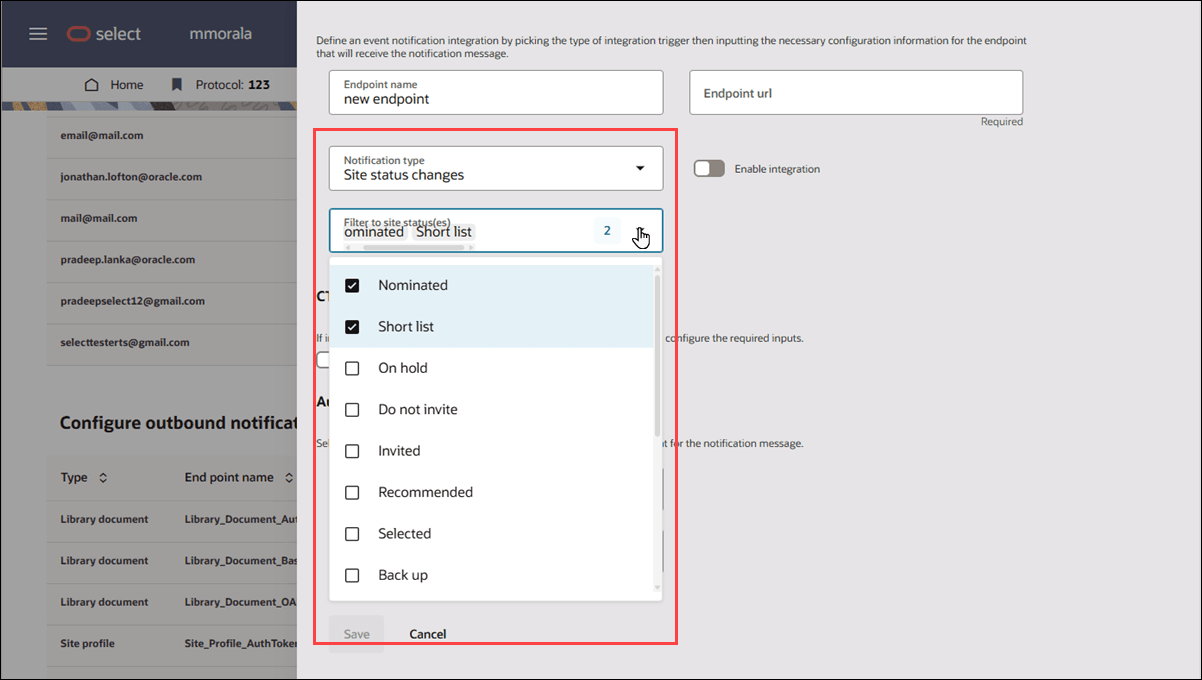
You can now filter which bucket states trigger site status event notifications to reduce unwanted traffic to your configured endpoint URL. In the outbound notification configuration drawer, you’ll find a new multi-select "Filter to site status(es)" drop-down. You can choose from all available bucket states, except for those in the Master list, Review, and Dropped, since notifications are not sent for sites in these buckets.
If you leave the site status filter blank, all status changes will continue to generate notifications as before. If you have multiple event notifications, you can configure each of them with different site status filters, so only status changes matching your selected criteria will result in an outbound notification for that configuration.
Parent topic: What's new in release 26.1