Site portal
The Study documents tab has usability updates, sites can delete returned CDAs, CDA reviewer comments show on resubmission, and the login page has a new Oracle help center link.
Study documents
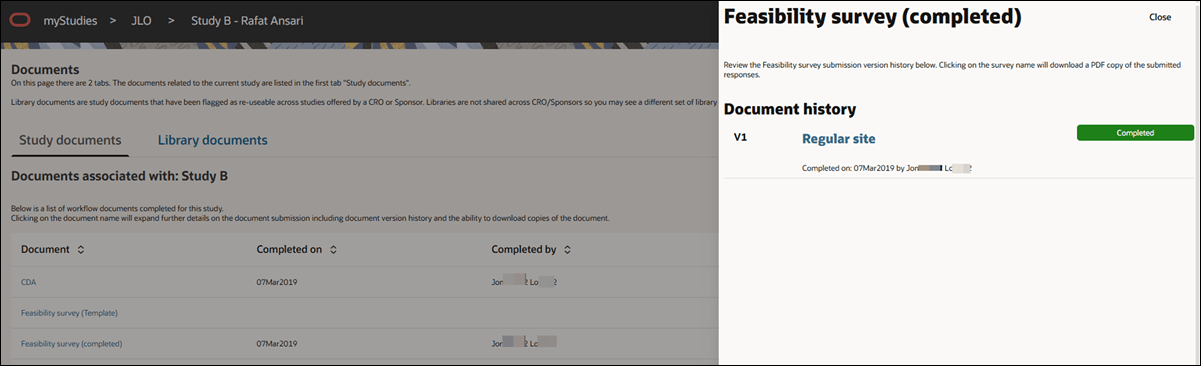
We made several updates to improve clarity and usability in the Site portal document experience. To begin, in the document history drawer, the “Task history” section title is updated to “Document history,” and the “X” close icon is replaced with a styled Close button for consistency and easier interaction.
On the Study documents tab, the study name now appears prominently as a subheading above the document list, with the text “Documents associated with: <studyname>.” This enhancement ensures that site users always know which study’s documents they are viewing.
Site portal users can also download the feasibility survey template and completed surveys from the Study documents tab. When the user selects Feasibility survey (Template), the document drawer opens, and the user can click the linked survey template name to download a blank PDF of the survey questions.
Finally, when a survey task is completed in the assigned workflow, the Study documents tab now shows the Completed on date and Completed by name in the document row; clicking the feasibility survey name opens the document drawer, where they can download the completed document as preferred. The drawer’s Document history section also displays the completion details.
CDA file deletion
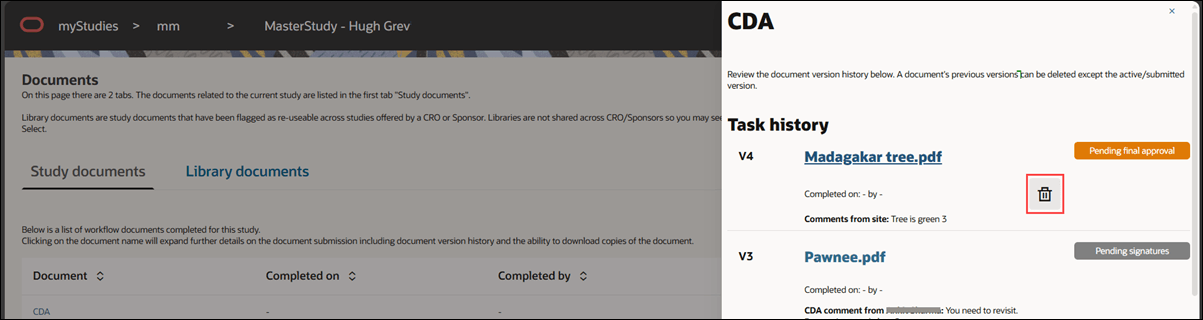
Site users can now delete an uploaded file from the Site portal > Documents > Study documents tab when a CDA has been returned with a comment and file. After an Oracle Site Select user marks a CDA as “Requires Site Signature” and the site user returns the CDA with a comment and file, the file appears in Study documents with a clear delete  option.
Previously, the uploaded file appeared in Study documents, with no way for the site user to remove it. Now, the Study Documents tab includes a delete option, allowing users to manage files associated with returned CDAs directly from the Site portal.
CDA reviewer comments
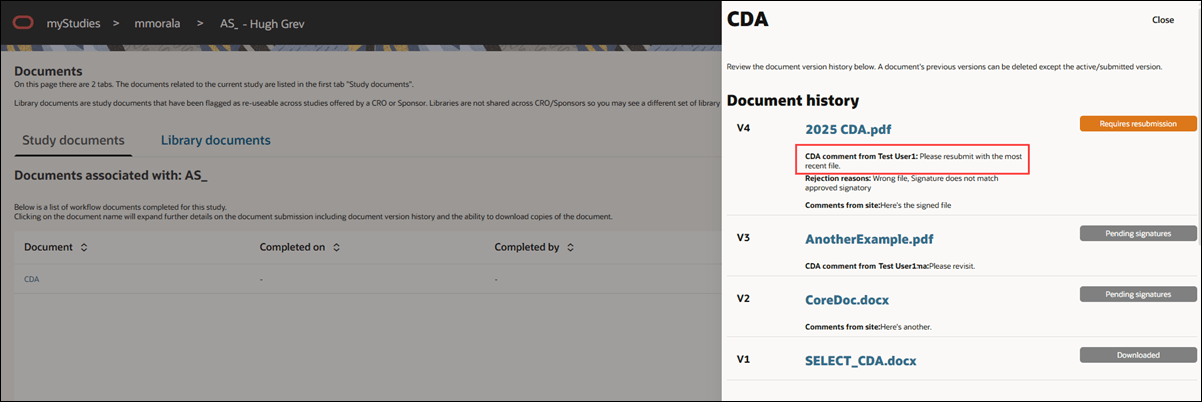
This enhancement ensures reviewer comments are displayed in the Site portal when “Requires Resubmission” is selected during CDA review. When a reviewer submits a decision with comments and an attachment, the comments now appear on the corresponding CDA task in the Site portal.
Previously, comments entered with “Requires Resubmission” weren’t visible in the Site portal, which left site users without guidance. With this change, site users can view the reviewer’s feedback associated with the task to understand the reasons and instructions for resubmission.
Site portal help file
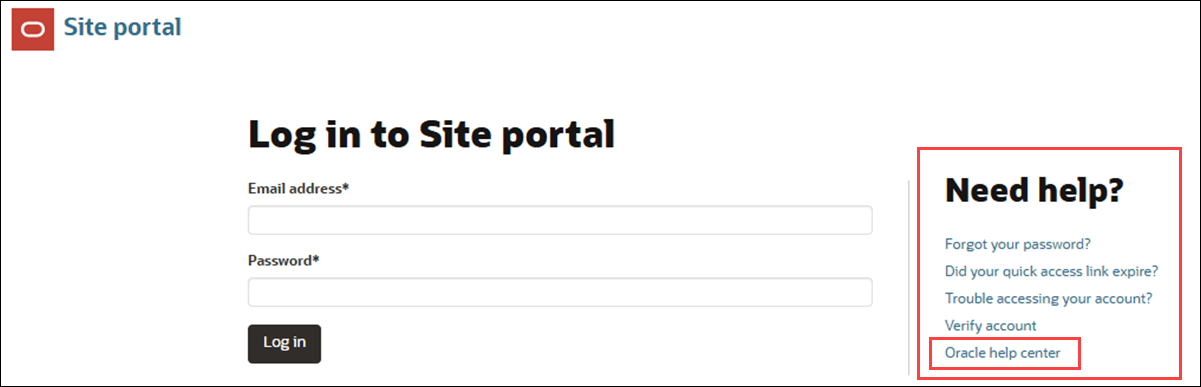
We added an “Oracle help center” link to the bottom of the Need help? list on the login page, making support resources easier to find for Site portal users. The link is intended to streamline access to onboarding and guidance materials.
When a site user clicks the link, the Oracle Site Portal Cheat Sheet for Investigative Sites PDF opens in a new browser tab. This provides quick reference information without disrupting the current session.
Parent topic: What's new in release 26.1