Approach 4: Rules Agent in Natural Language
Use the Rules Agent on the Manage Rules screen to create rules using natural-language descriptions. The Rules Agent supports promotion, markdown, and regular-pricing rules. It interprets the specified business intent, validates the request against supported rule types and available business data, and generates a rule that can be reviewed, modified, and saved through the standard rule-creation workflow.
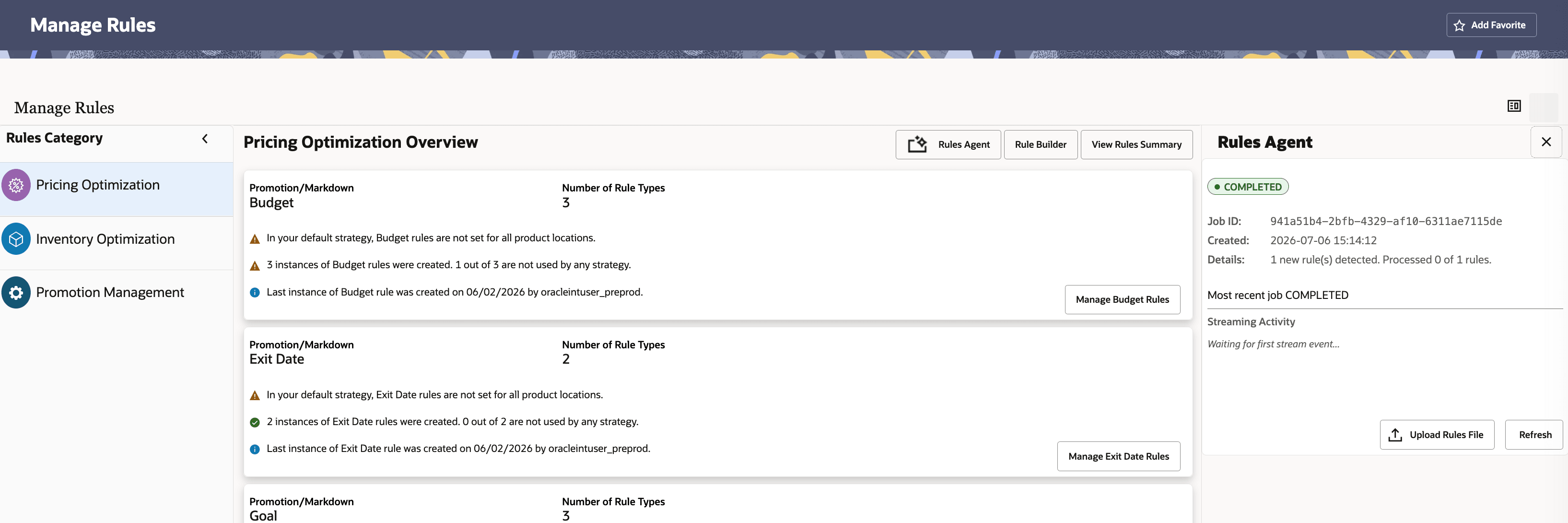
To use the Rules Agent, click Rules Agent. A panel opens on the right side of the screen, where you can upload a text file containing natural-language rule descriptions.
Figure 11-26 Rules Agent in Manage Rules
Examples for Promotion and Markdown Pricing Rules
- For department: Men's Activewear in price zone: ALL, season: 2023 Summer, set total budget: $200,000, allocate budget: N, include planned promotions: N.
- For department: Men's Activewear in price zone: ALL, season: 2023 Summer, set total budget: $200,000.
- For Class: Women's Tops Sweaters, price zone: Sweeden, season: 2023 Summer, set total budget: $250,000, allocate budget: N, include planned promotions: N.
- For company: Company in price zone: Canada and Australia, and season: 2023 Summer, set total budget: $200,000.
- For department: Men's Activewear in price zone: Sweden, season: 2023 Summer, product group: Color - Rosewood, set No. of Weeks Added to Exit Date (Reference Date Month 1):52, No. of Weeks Added to Exit Date (Reference Date Month 2-12): 26, Reference Date Type: M
- For company: Company in price zone: France, season: ALL, set Reference Date Type: Model start date, No. of Weeks Added to Exit Date (Any Reference Month): 26.
- For department: Men's Activewear Tops class in price zone: Sweden, season: 2023 Summer, product group: brand sunset, set total budget: $250,000, allocate budget: N, include planned promotions: N.
- For Class: Women's Tops Sweaters, price zone: ALL, season: ALL, set Maximum number of markdowns: 4
- For style color: Easy Fit Jean Washed Blue Medium in price zone: ALL, season: ALL, set Optimization Goal: Maximize Revenue.
- For company: Company in price zone: France and Germany and Italy and Netherlands and United Kingdom and season: ALL, set Absolute Exit Date: 2026-02-2
Examples for Regular Pricing Rules
- For Department 101-Women's Tops in United States primary zone group, Price of item needs to be less or equal than this value: 200. Soft priority 8.
- For Group 12-Men's Clothing in all zones, maximize revenue.
- For Department 101-Women's Tops in Primary Zone Group, apply the price max rule with value 200 for either United States or Canada as a soft constraint with priority 8.
- For Department 104-Women's Bottoms in United States, Products in Set A need a price greater or equal than this value compared to items in Set B.: 10. Product Group Set A is Brand - 21Sunset and Product Group Set B is Brand - Adidas. Soft priority 100.
- For Class 3-Coffee & Tea in United States, Volume for group of items needs to be greater or equal than this value: 500. Soft priority 4.
- For Sub Class 6-Sweetcorn in Canada, Price of item needs to be greater or equal than this value: 2.50. Soft priority 5.