Manage Strategy
A strategy is a collection of business rules that work together to support a specific business objective. Use Manage Strategies to create, review, and maintain strategies and to associate the appropriate rules with each strategy. Because rules can be reused across strategies, updates to a rule are reflected in every strategy that uses it.
Creating a new strategy works in a similar way for Pricing and Inventory Management; The following process describes creating a rule for Pricing Management (LPO).
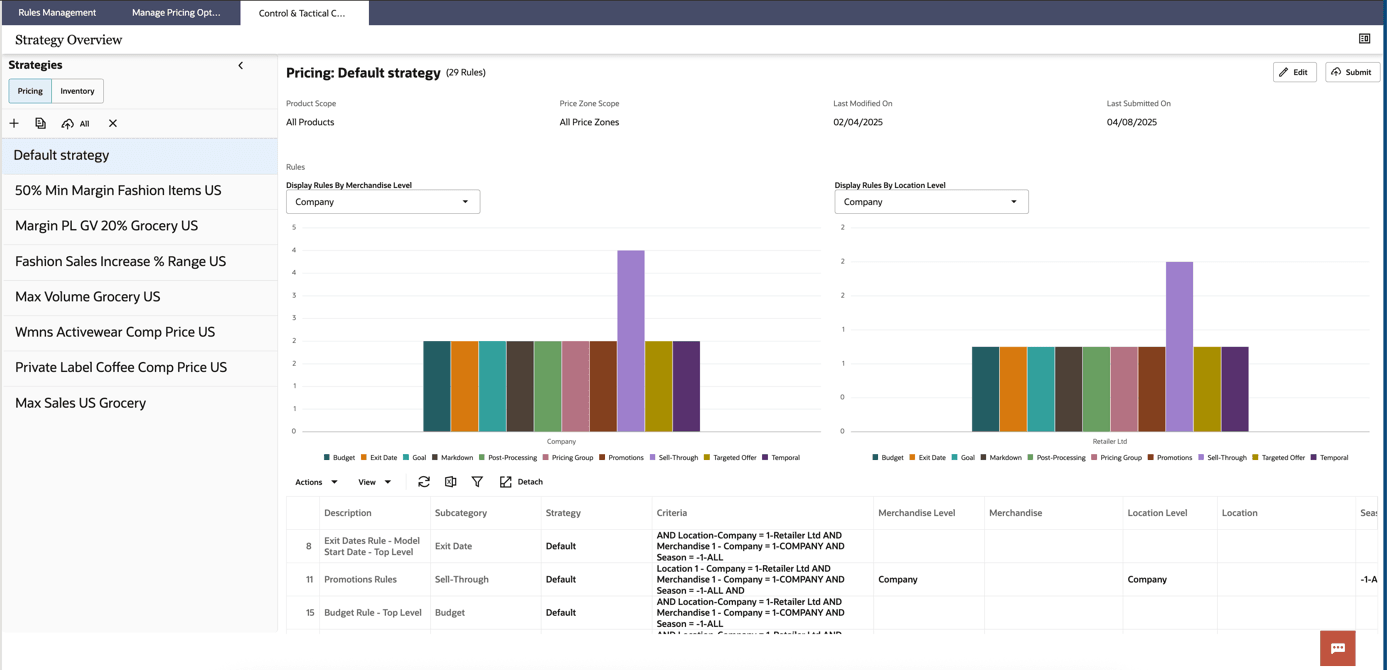
Figure 11-27 Strategy Overview - Default Strategy
A What-If Strategy is created when the user wants to test different pricing scenarios. It allows comparison against the default strategy to identify the best outcome before applying changes. After running a What-If scenario, retailers can compare its outcomes against the Default Strategy to determine if adjustments should be implemented.
A new strategy can be created from: Control & Tactical Center -> Manage Business Rules & Strategies. Clicking the Manage Business Rules & Strategies tile opens up the Strategy Overview screen, where strategy for Pricing and Inventory can be created and accessed.