Promotion Management
In the Promotion Management module used by the Sales & Promo forecast method, promotion data flows from RI into AIF. This enables the modeling of promotions based on the promotions the retailer has defined at the lowest level.
The following three levels in the hierarchy are used to define a promotion.
- Campaign: The highest level in the promotion hierarchy. A campaign can be used to group one or more promotions specific to an event or a holiday (for example, Fall campaign, Christmas campaign, and Back to School campaign).
- Promotion: A campaign can be further divided into smaller time frames. For example, a Christmas campaign can be divided into a Week 1 promotion, a Week 2 promotion, and a Week 3 promotion. During a promotion, multiple offers can be active.
- Offer: An offer defines the mechanism used during a promotion (for example, BOGO, 20% Off, 50% Off, TV Ad, and Gift with purchase).
The user can manage promotion data in the Promotion Management module to clean up the campaign and offer data.
The raw data provided by the retailer may not be suitable for the modeling of promotions. Consider, for example, information about two fall campaigns, one in 2022 and one in 2023. If the year information is present in the campaign description, it must be removed for modeling purposes as well as to estimate the lifts associated with fall campaign and to apply the observed lift values for future fall campaigns in following years. Similarly, an offer description may contain unwanted information such as month or product descriptions. After the data is cleaned up, the campaign and offer names are referred to as Campaign alias and Offer alias. These values are passed to the Promotion Effects module so that the lift values can be estimated.
Figure 11-4 Promotion Management
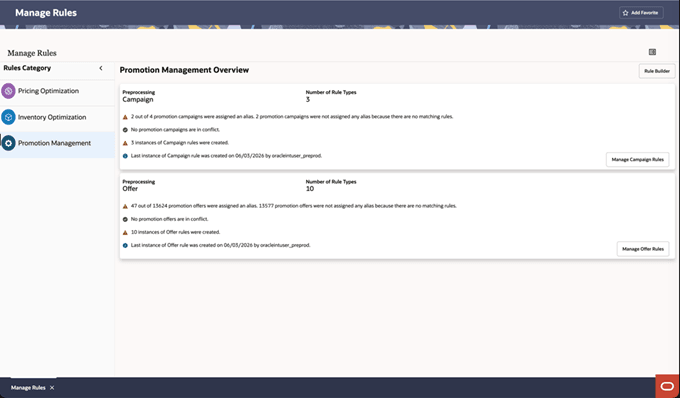
Both Campaign data and Offer data are managed in a similar way; the following process describes managing the Offer data.