17 Global Area Configuration
The Global Area Configuration page, applicable only for the legacy UI, allows an admin user to configure certain components of the branding area including the application name, the color of the activity indicator and the logo.
The Global Area Configuration page can be reached through the Settings menu (Settings - User Interface - Global Area Configuration).
Figure 17-1 Global Area Configuration
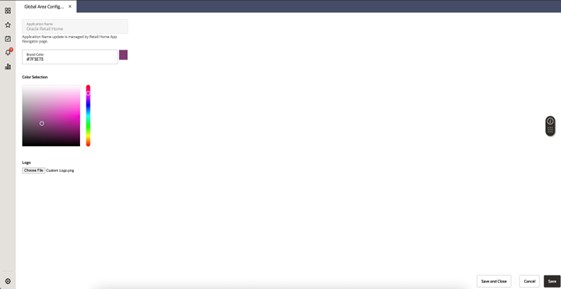
After making changes on this page click the Save or Save and Close button to apply the new settings.
To revert to the default settings simply remove the custom value and save.
Note:
Logos can be any standard web image type including SVG, PNG and so on and will be scaled to a maximum height of 18 px and a maximum width of 140 px. Logo files are limited to 2 MB in size.