3 Translate Data
You can create, modify, and delete translations of data in the Locations Destination. The translation task flow allows you to add, edit, delete, or view translations of names, descriptions and address values related to stores and organizational hierarchy levels. You can define translations for these fields in any of the languages installed in your solution.
AI-Generated Translations
AI-generated translations simplify content management across multiple languages by reducing the need for manual translation efforts. You can review and refine the generated translations as needed to ensure accuracy and proper context. Manual entry is also supported, allowing you to enter translations directly if needed.
Currently, only a subset of languages supported in Merchandising are available for AI generated translation. If you select a language that isn’t supported by the AI model, a notification message will appear. For languages not supported by AI, you can manually enter the translations. The list of languages supported for AI translation currently are Arabic, English, French, German, Hindi, Italian, Indonesian, Portuguese, Spanish, Thai, Tagalog and Vietnamese.
Translation Drawer
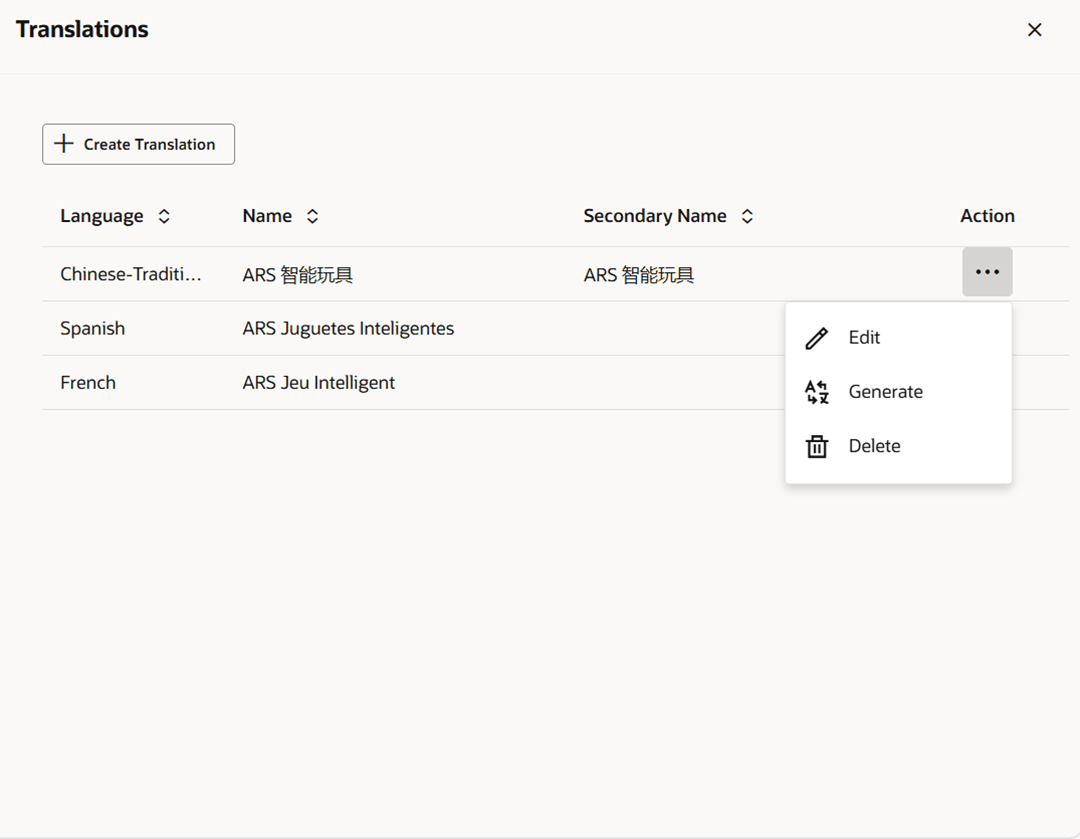
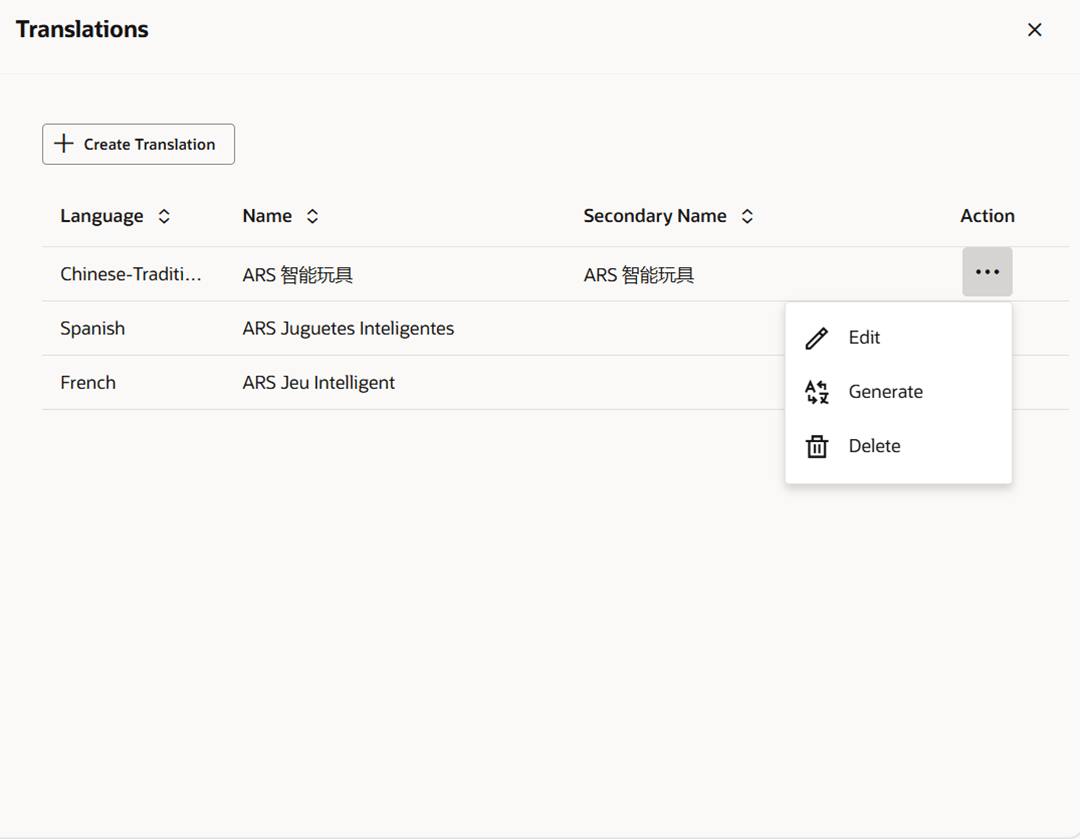
The Translations drawer displays a table with the language and the corresponding description for the entity. Existing translations can be modified directly in the table. In the translations table, the first column is always the language column followed by translated columns for the entity.
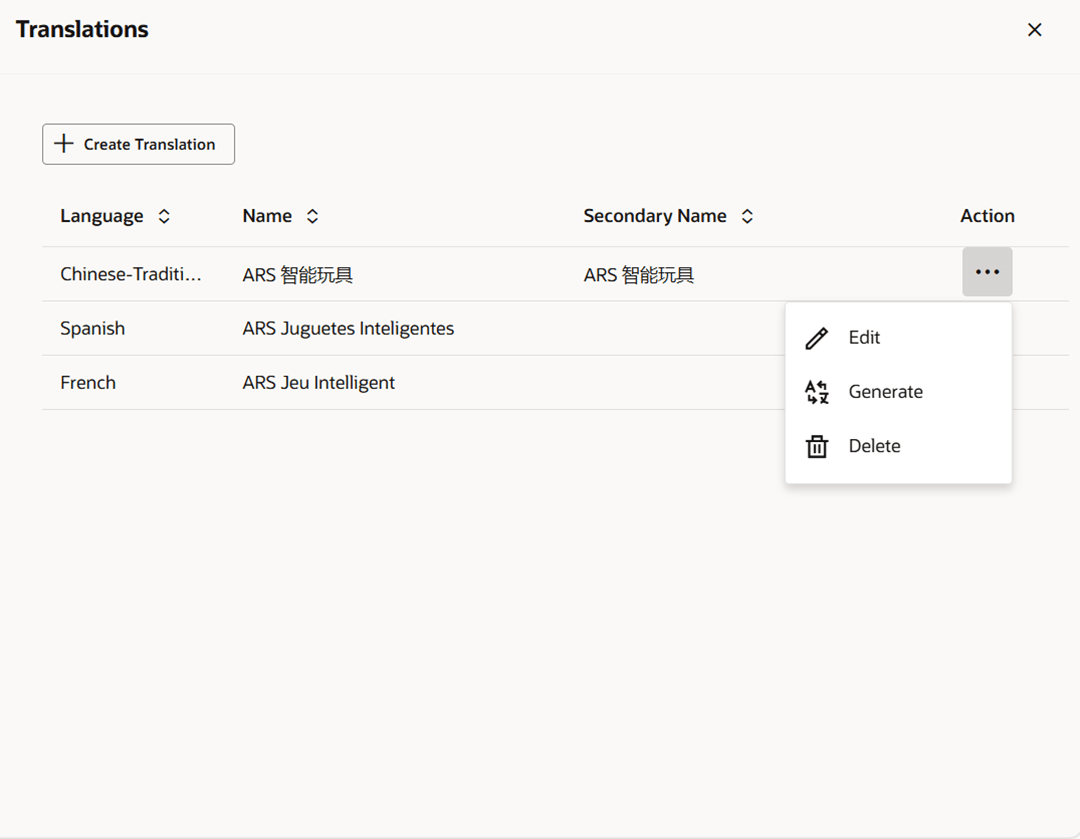
The last column contains Overflow Menu icon. This button reveals a dropdown menu with actions Edit, Generate, and Delete. The Delete option deletes an existing translation.
Figure 3-1 Translations Drawer
Add a Translation
To add a translation, follow the steps below:
- Select Actions > Translate or use the Translate button, if available. The Translations drawer appears as an overlay on top of the screen.
-
Click the Create Translation button. The New Translation drawer appears.
Figure 3-2 New Translation
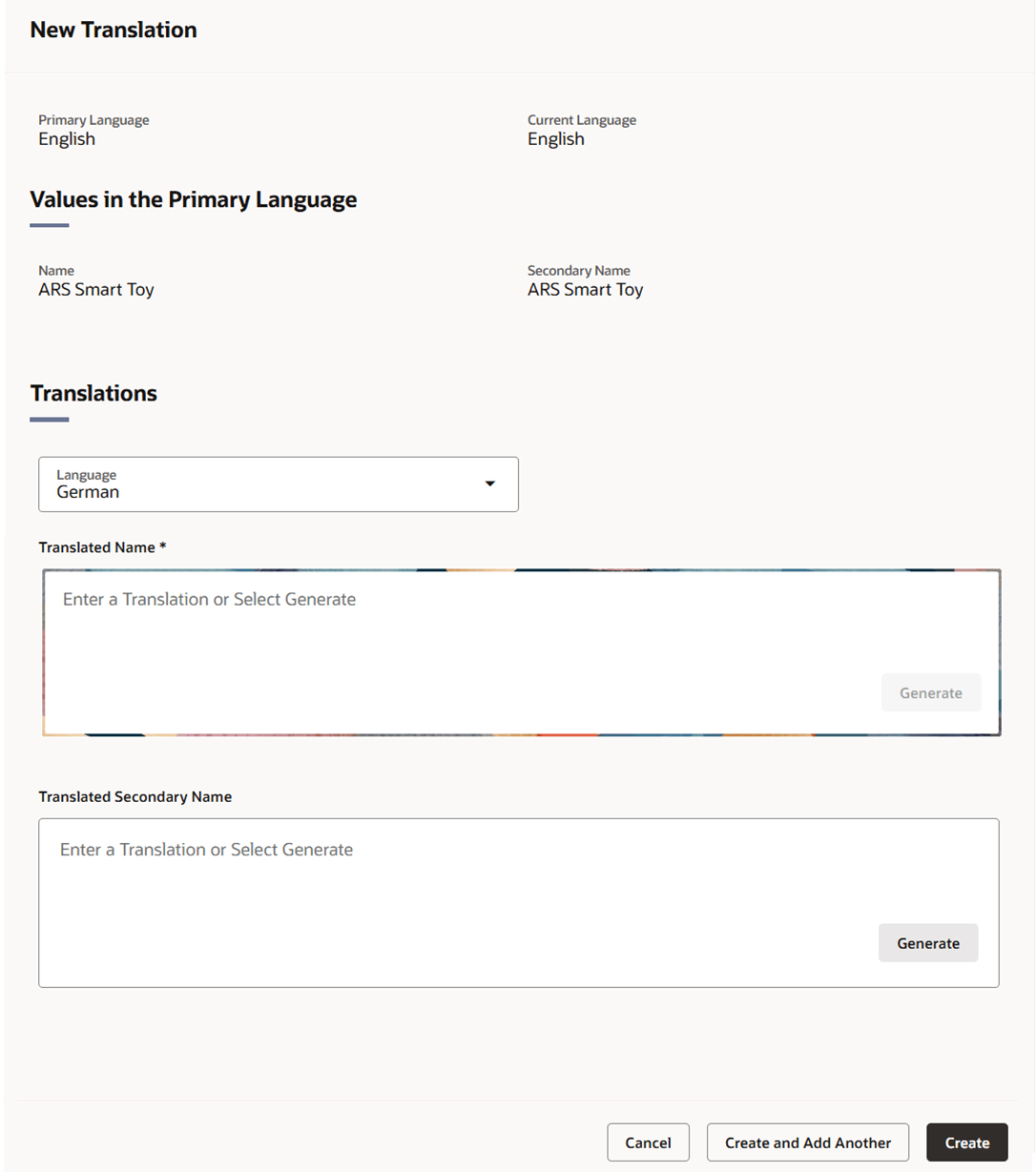
- The system’s primary language and your current language are displayed at the top of the page along with the primary language values for the fields that can be translated.
- In the Language field, select the desired language from the list. This is a required field.
- In the Translated fields, enter the desired translation or click the Generate button to obtain an AI-generated translation. Depending on the entity being translated, there may be more than one translatable field. For example, stores have two translatable fields, store name and secondary name.
- If the translation was generated, review and refine the translation as desired.
- Then choose one of the following options.
- Click Create to add the translation to the table and close the page.
- Click Create and Add Another to add translations in additional languages.
- Click Cancel to reject all entries and close the page.
- To exit the Translations drawer, click the X at the top of the drawer.
Edit a Translation
To edit a translation, follow the steps below:
-
Select Actions > Translate or use the Translate button, if available. The Translations drawer appears.
Figure 3-3 Translations Drawer
-
Edit the description directly in the table by double-clicking the row or by selecting Edit from the Overflow Menu in the Action column.
Note:
The Language field cannot be edited. If a desired language is no longer wanted, the row should be deleted and a new row added for the desired language.Figure 3-4 Edit Translation Inline
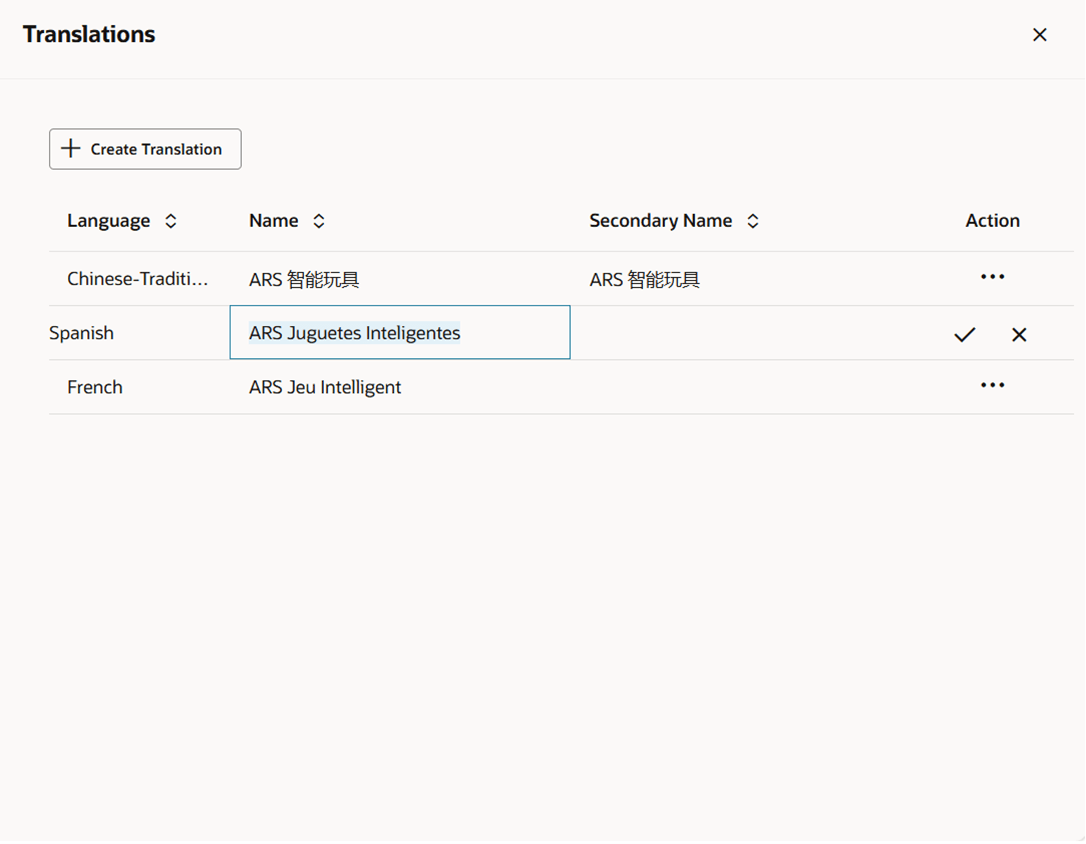
- Click the checkmark button to update the translation or click the X on the row to discard your changes.
- Click the X at the top of the drawer to close the page.
Regenerate a Translation
To regenerate a translation, follow the steps below.
-
Select Actions > Translate or use the Translate button, if available. The Translations drawer appears.
Figure 3-5 Translations Drawer
-
Select the Generate option from the Overflow Menu in the Action column. The Edit Translation drawer appears.
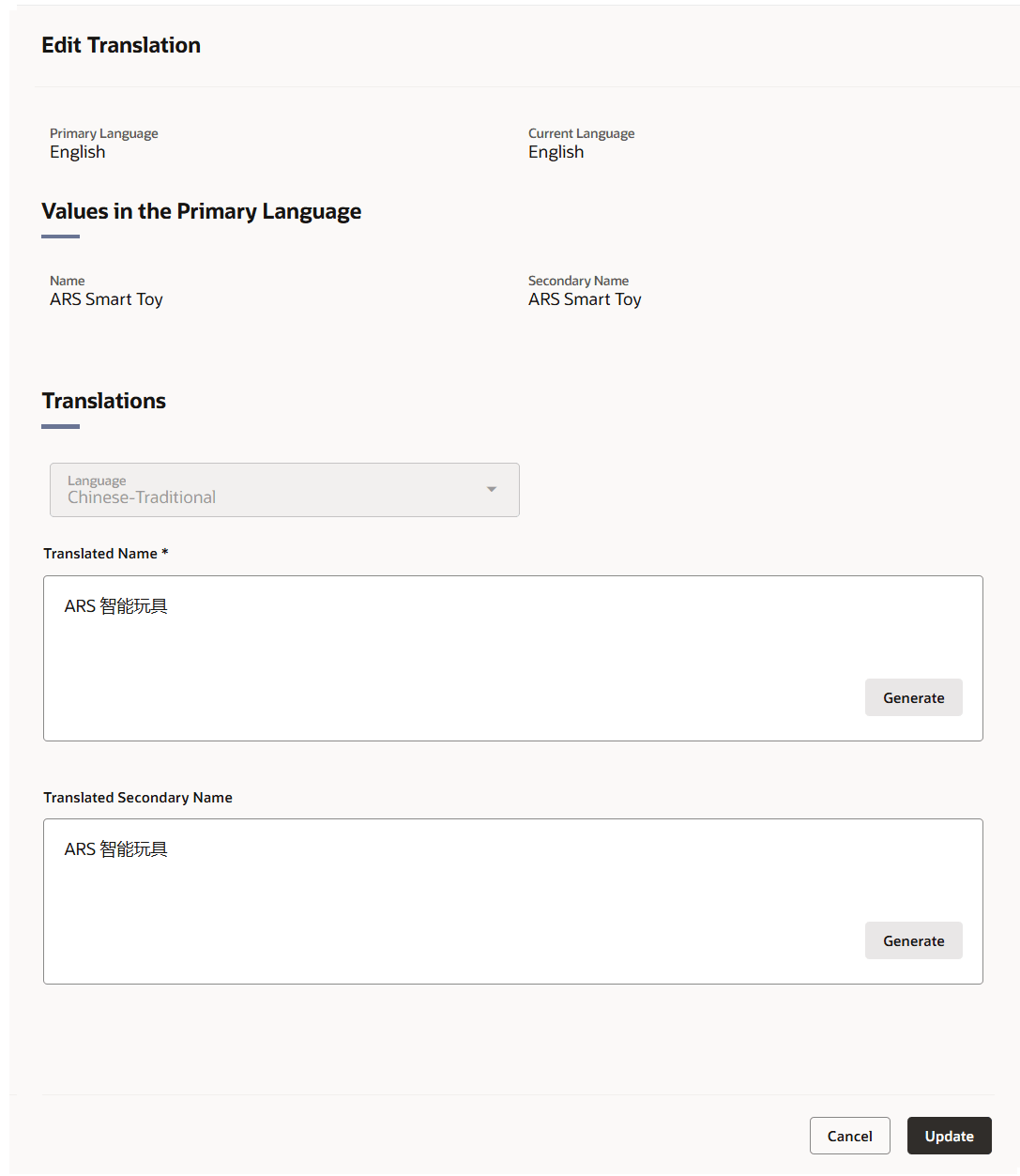
Figure 3-6 Edit Translation Drawer
-
The system’s primary language and your current language are displayed at the top of the page along with the primary language values for the fields that can be translated.
- The Language field shows the selected language. This field cannot be edited.
- To regenerate a previously translated value, click the Generate button to obtain an AI-generated translation.
- Review and refine the translation as desired.
- Then choose one of the following options.
- Click Update to save the changes and close the drawer.
- Click Cancel to reject all changes and close the drawer.
- To exit the Translations drawer, click the X at the top of the drawer.