Traits
The store’s traits displayed and entered in the Traits section. If information has already been entered in the section, it will display in a read-only format upon entering the page. To edit the information, click the Edit button in the upper right corner of the section. This will display the section in an input state where traits can be added or deleted.
At the store level, location traits can be used as a grouping mechanism when you:
- Record Attributes for a Store
- Add Locations to a Location List
To add Location Traits to a store, follow the steps below.
- Navigate to Traits section. Click the Add Traits hyperlink. Alternatively, to add another location trait to the store, click the Edit button in the upper right corner of the Traits section.
- A table will be displayed having two columns: Location Trait and Action. Location Trait will display the trait that is linked to the store. The 'Action' column will have Add Row/Save or Cancel/Undo options in the Add Row.
- Select the trait from Location Trait drop down.
- Select the Add Row/Save action to add the Location Trait.
- After adding one record, the saved row will be populated below and an empty row will be displayed at the top allowing you to set up another Location Trait if desired.
- Click the Delete action from the Action menu to remove an existing location trait.
Figure 3-32 Traits
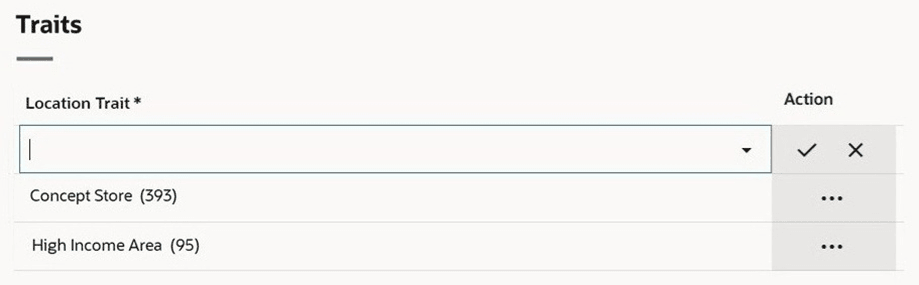
Table 3-12 Traits - Fields and Description
| Fields | Description |
|---|---|
| Location Trait |
Enter, select or search for the location trait for the store. This field is a required field. |