Insight
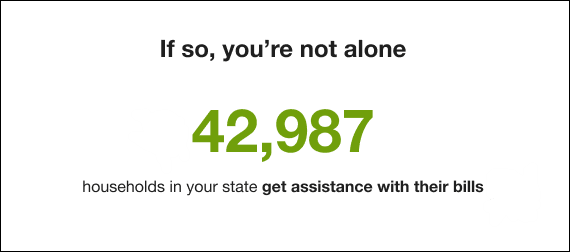
The Insight module for quarterly alerts cites the number of people receiving assistance with their bills within the same state or region as the customer.
Design
The following image shows an example of the Affordability Proactive Alerts Insight module for quarterly alerts.
Configuration Options
For each element listed in the table, indicate the desired configuration in the Input Value column. If you do not provide an input for optional configurations, the default will be used.
| Configuration Option | Input Value |
|---|---|
|
Social Proof Number The number of households currently receiving assistance. Default: N/A |
Required Choose from one of the following:
|
|
Social Proof Details Describes the meaning of the social proof number. Default: households in your state get assistance with their bills |
Required Choose from one of the following:
|
|
Winter Assistance Amount (Not Depicted) The dollar amount of winter benefits LMI customers received the previous year. Default: N/A |
Required Choose from the following:
|
|
Winter Assistance Details (Not Depicted) Describes the winter assistance amount Default: was the average winter assistance received in your state last year |
Required Choose from the following:
|
|
Summer Bill Average(Not Depicted) Shows the average bill amount from the previous summer season of other utility customers in the same service area as the customer Default: N/A |
May require configuration If this field is a dynamic field (information in this field is populated from another source), then no configuration is required. However, If this is a static field (information can be entered manually), then configuration is required and the utility must use its own records to calculate the average bill amount from the previous summer season. |
|
Summer Bill Average Details (Not Depicted) Describes the summer bill average Default: was the average bill amount for [UtilityCo] customers last summer |
Required The text in brackets is the utility name, which is provided as part of the utility branding guidelines in the Oracle Utilities Opower Platform Configuration Guide. |
Insight Variations
For the winter and summer seasons, customers will see one of two variations of Insights, the default variation and the fallback variation. The default variation shows the customer's highest bill from last winter. However, if the customer doesn't have at least one bill from last winter, they will see the fallback variation of the Insight.
Winter
- Default: Winter bills can be higher than you expect [dollar amount] was your highest bill last winter
- Fallback: You can get help paying your bills [dollar amount] was the average winter assistance received in your state last year
Summer
- Default: Summer bills can be higher than you expect [dollar amount] was your highest bill last summer
- Fallback: Summer bills can be higher than you expect [dollar amount] for [UtilityCo] customers this summer