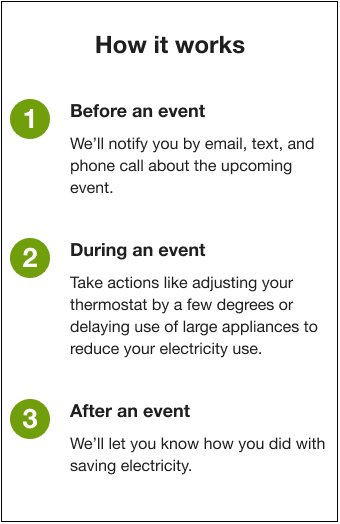
Numbered Steps
The Numbered Steps module sets the customer's expectations for how peak events work by presenting it in three steps: before, during, and after the event. The module also provides the customer with opportunities to learn more about the event or sign up for additional alerts. The module is located after the Welcome Module, and before the Alerts Call to Action Module module.
Requirements and Limitations
Same as listed in the Behavioral Demand Response Requirements and Limitations.
User Experience
The Numbered Steps module walks customers through what to expect before, during, and after a peak day.
The following is an example of the module, followed by a description of its components.
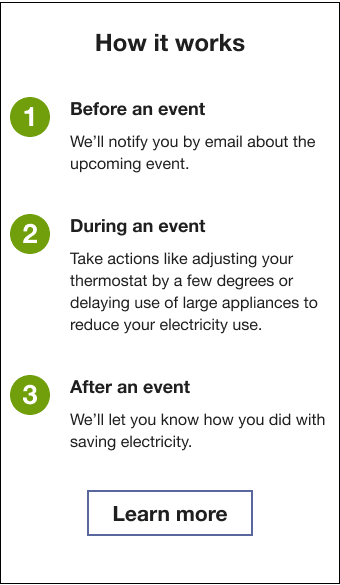
Header: The header prepares the customer to learn how their peak events work.
Step 1 header: The Step 1 header presents the before an event peak category.
-
Step 1 text: We tell the customer that they will get an email notification about the upcoming event.
Step 2 header: The Step 2 header presents the during an event peak category.
-
Step 2 text: We encourage the customer to take actions like adjusting their thermostat a few degrees or delaying the use of large appliances to reduce their electricity use.
Step 3 header: The Step 3 header presents the after an event peak category.
-
Step 3 text: We inform the customer that they will receive information on how well they did once the event is over.
Learn more button: A button that links to the utility's program webpage.
User Experience Variations
The user experience varies for customers depending upon their energy use, fuel types, available data, and customer attributes. The following list indicates the primary user experience variations. Note that the list below does not represent all possible variations.
The Numbered Step module user experience varies based on the following:
-
The channels supported by the utility.
-
Whether those channels have auto-enroll or opt-in policies.
-
Whether the utility has an external notifications preferences page where customers can choose which channels they want to subscribe to.
-
Whether the utility has an external information webpage for this program.
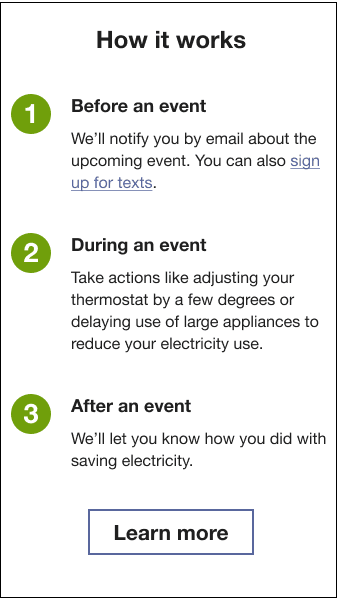
Opt-In to Texts
If the utility's supported channels are opt-in, Step 1 includes a hyperlink that redirects the customer to the utility's notification preferences page.
No Opt-In, No Call-to-Action
If a program does not support opt-in, the Numbered Steps module lists all auto-enrolled channels.