User Interface
The following sample interface shows the Oracle Integration Implementation Assistant designed to support users during the implementation and configuration of multiple Oracle Utilities integrations and products. It provides context-aware guidance based on the selected integration/product and its corresponding version.
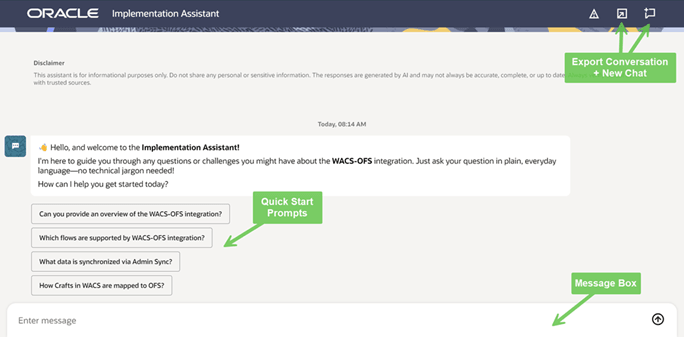
Figure 3-1 Integration Implementation Assistant Welcome Screen (Products drop-down)
After selecting a product, the assistant displays the available versions for that product. You can then choose the appropriate version from the Product Version drop-down.
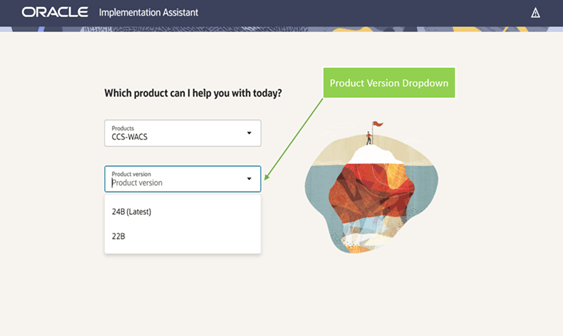
Figure 3-2 Integration Implementation Assistant Welcome Screen (Product Version drop-down)
Based on the selected product and version, the assistant identifies any related applications and presents the applicable versions in the Dependent Application Versions drop-down. You can select the relevant dependent application versions.
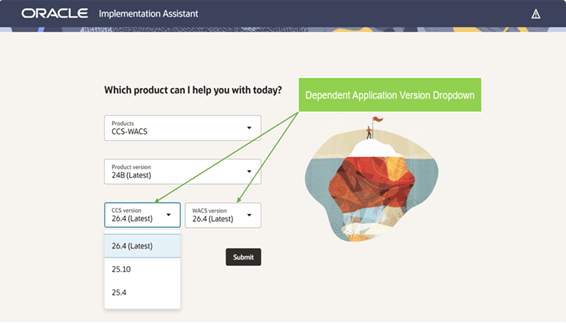
Figure 3-3 Integration Implementation Assistant Welcome Screen (Dependent Application Versions drop-down)
Once all required product and version details have been provided, the assistant opens the chat screen. From this screen, you can enter their implementation questions and receive guidance tailored to the selected product environment.
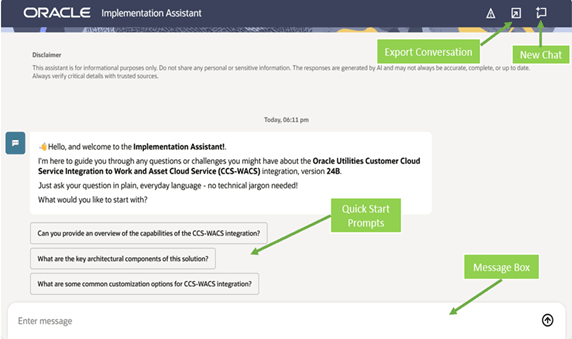
Figure 3-4 Integration Implementation Assistant Chat Screen
Key features of this interface include:
- Integration/Product and Version Selection: Users begin by selecting the required integration or product from the Products drop-down, followed by the corresponding Product Version. For integrations involving multiple applications, additional Dependent Application Version drop-downs are displayed to capture the version of each participating application. These selections ensure the assistant provides guidance and implementation steps tailored to the chosen products and versions.
- Export Conversation: Options to export or download the current conversation for reference, documentation, and knowledge sharing.
- New Chat: A chat-based interaction model that delivers real-time guidance and answers to user queries. Starts a new conversation session and clears the current chat context.
- Quick Start Prompts: Predefined questions to help users quickly explore common topics such as integration overview, supported flows, and data synchronization.
- Message Input Box: Allows users to submit custom questions or prompts in natural language to interact with the assistant.
To access the Integration Implementation Assistant, visit the Oracle Utilities Integrations page on Oracle Help Center.