Creating the GoldenGate Deployment (Target)
Now that your VCN and Private Endpoint are configured, and you have the secrets securely created in your Vault, you can proceed to creating your GoldenGate Deployment.
This target GoldenGate deployment is responsible for the following:
- Reading the remote extract trail files (via a Receiver Service Path) over the Private Endpoint and storing them locally
- Reading the local extract trail files and applying the changes to your target DB (via Replicats)
When you create this GoldenGate target deployment, a GoldenGate Administration Service is created that you can then use to administer the GoldenGate features and functions.
As you will create the GoldenGate deployment within your private subnet, you are not typically able to access the GoldenGate Administration Service from any device/session that is outside of that private subnet. There are a number of ways to work around this, however it is best practice to connect using a Bastion.
The GoldenGate Administration Service resides on the Private IP Address (shown in the Details section of the GoldenGate Deployment) and is accessed via port 443.
Figure 17-2 GoldenGate Deployment - Target
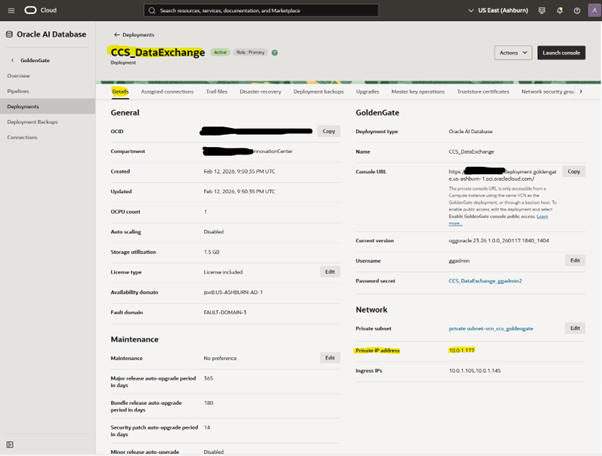
So in this example, the GoldenGate Administration Service url is: 10.0.1.177:443