Explainer
The Explainer module tells the customer what data is used to calculate the Normative Comparison and provides ways to improve or correct the data used in the module by completing or updating the Digital Self Service - Energy Management Home Energy Analysis. The module includes a brief explanation of how the comparison is calculated, as well as URL and QR code options to go from their paper report to the Home Energy Analysis. The goal of this module is to reduce negative customer sentiment by providing transparency around the similar home comparison and offering a simple and quick way for customers to update their information if it is not accurate.
Appears in: Progress Report, Limited Income Report, Time of Use Report, Solar Report, Electric Vehicle Report, Peak Focused Report
Explainer Examples
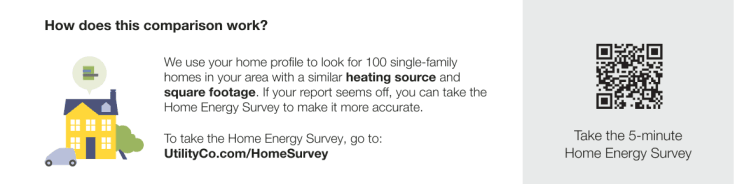
Progress Report, Limited Income Report, Time of Use Report, and Peak Focused Report
The image below is an example of the Explainer module for the Progress Report, Limited Income Report, , and Time of Use Report, Peak Focused Report.
Solar Report
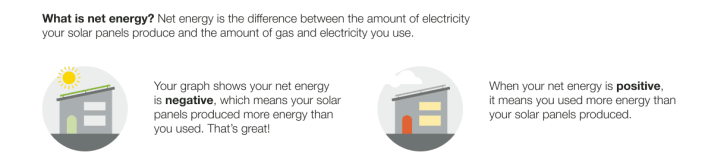
The Solar Welcome Report includes a net explainer version of the Explainer module. The image below is an example of the Explainer module for the Solar Welcome Reportof a customer with dual fuel and a positive comparison state.
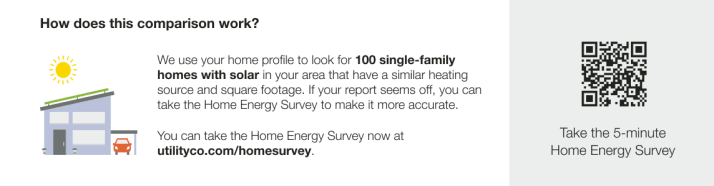
The image below is an example of the Explainer module for the Solar Progress Report of a customer with an incomplete Home Energy Analysis.
Electric Vehicle Report
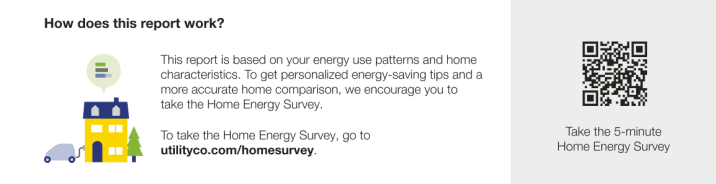
The Electric Vehicle Report includes an Explainer module is designed to help educate the customer about how their home energy use and home characteristics contribute to their comparison. The image below is an example of the Explainer module for the Electric Vehicle Report report of a customer who has not yet completed their Home Energy Analysis.
Configuration Options
For each element listed in the table, indicate the desired configuration in the Input Value column. If you do not provide an input for optional configurations, the default will be used.
| Configuration Option | Input Value |
|---|---|
|
URL A link located below the body text that redirects the user to the Oracle Utilities Opower web portal, where they can sign in and complete the Home Energy Analysis. Default:UtilityCo.com/HomeSurvey |
Optional Choose one of the following:
|
User Experience Variations
The user experience of the feature may vary for customers and utilities depending on their service types (gas, electricity, dual fuel, and so on), available data, costs, locale, and other factors. For more information, see the Explainer description in the Oracle Utilities Opower Energy Efficiency Cloud Service Product Overview and go to the User Experience Variations section.