Tips Module
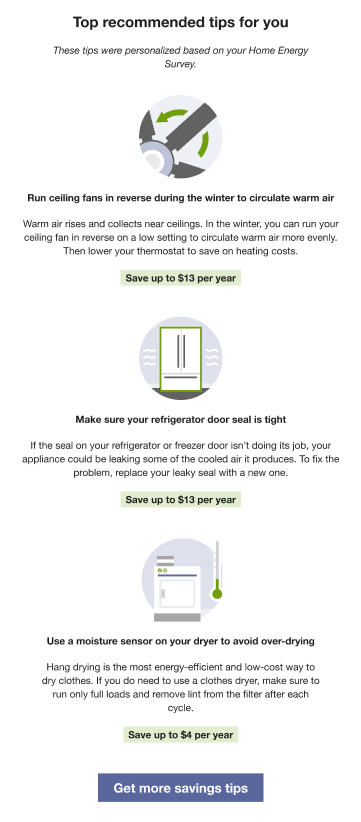
This module delivers energy savings tips to customers using dynamic personalized tips that are relevant to a customer's unique needs. The tips are automatically selected and prioritized based on each customer's attributes, continually refreshed with new information, and designed to cover a wide variety of energy-saving and financial investment categories. A Load Shifting tip library has been created with tips that help customers shift usage from peak to off-peak hours and reduce peak consumption.
Requirements
This table discusses customer requirements:
| Category | Description |
|---|---|
|
Data Coverage |
The default requirements are:
This product does not differentiate between estimated and non-estimated reads. Both types of reads are supported. |
Configuration Options
For each element listed in the table, indicate the desired configuration in the Input Value column. If you do not provide an input for optional configurations, the default will be used.
| Configuration Option | Input Value |
|---|---|
|
Tip Content All tip content, including the name of the tip, can be altered. However, the meaning of the tip cannot be changed because the targeting algorithm relies on the meaning. Note that changes to tip content will be seen by all customers. Default: Varies by tip. |
Optional Contact your Service Delivery Manager for tip editing options. |
|
Get More Savings Tips Button If available, the button directs users to the Digital Self Service - Energy Management Ways to Save, where customers can see the public-facing version of this page even if they have not signed in. Alternatively, you can configure this button to direct customers to an alternate page, or you can remove the button. |
Optional Choose one of the following:
|
User Experience Variations
This section discusses how the module can vary.
Flat Rate Load Shifting Report Variation
When this module is included in the Flat Rate Load Shifting Report, it varies as follows:
- Heading: The heading asks the reader to consider what appliances they can use during a different time period. For example, "What you can shift"
- High-Energy Insight Statement: The statement notifies the customer that they can shift their usage to a different time period to use cleaner energy sources. For example, "Appliances like these use a lot of electricity. To use cleaner sources of energy, use them before 4pm and after 8pm, when demand on the grid is lower."